14
Info
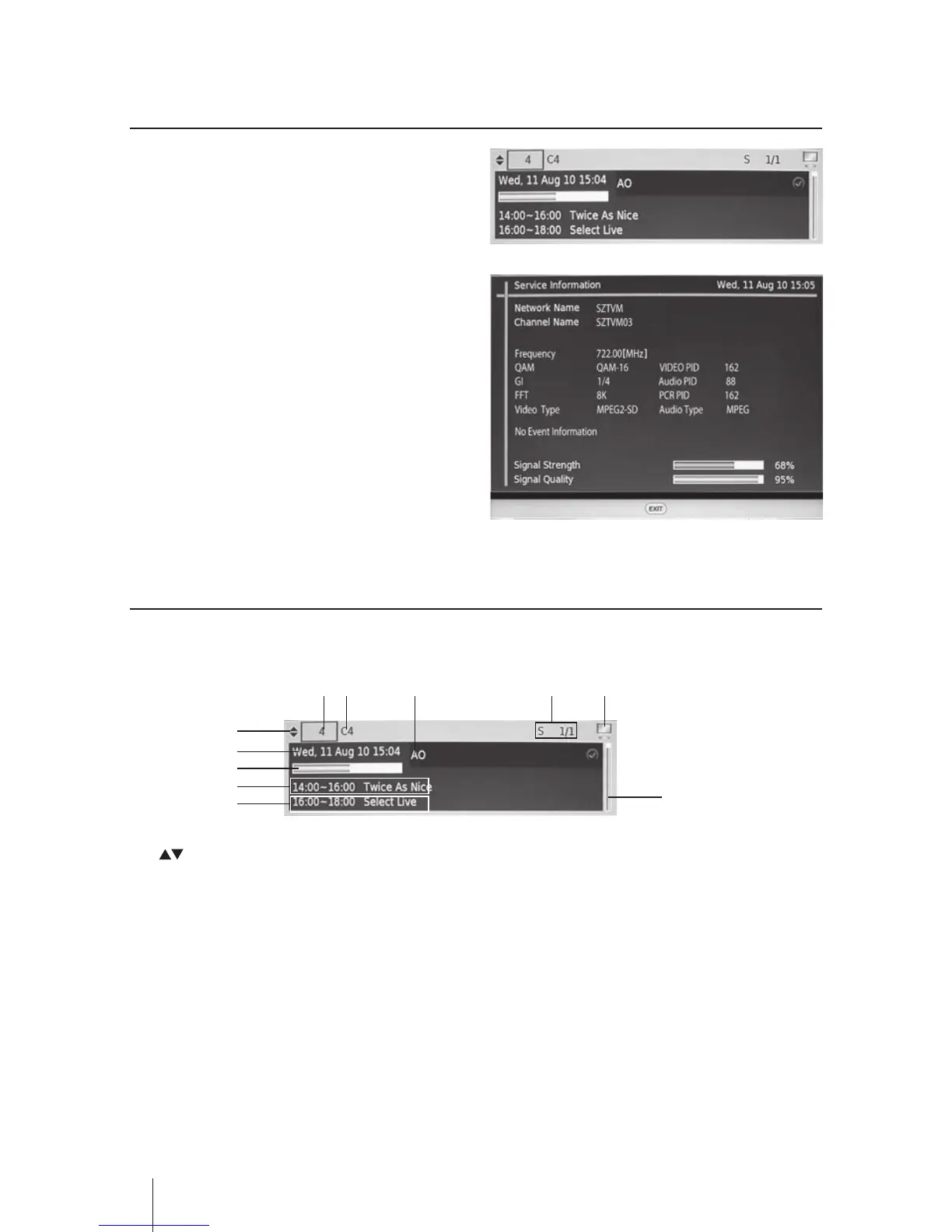
• Press the INFO button and then the
progamme banner will be displayed.
• Press the INFO button again the Service
Information will be displayed.
• Press the EXIT button to exit the menu.
Information Banner
When you selected the channel the Information Banner will be displayed.
1
6
8
9
10
10
2 3 7 4 5
1. Navigate buttons
2. Current Channel No.
3. Current Channel Name
4. Audio Mode
5. TV / RADIO
6. Current Date and Time
7. Parental Rating
8. Programme progress bar
9. Current event
10. Next event


 To Next Page