82
Kühl User Interface Service Kit
Replacement Instructions
For Use with Kühl (cool only models) and Kühl + (cool and heat models)
ATTENTION! - Please read these instructions completely before attempting replacement.
Always unplug the power supply from the power supply receptacle.
Contents:
• User Interface (UI)
• Ribbon Cable
• 2 – Mounting screws for UI
• Instruction Sheet
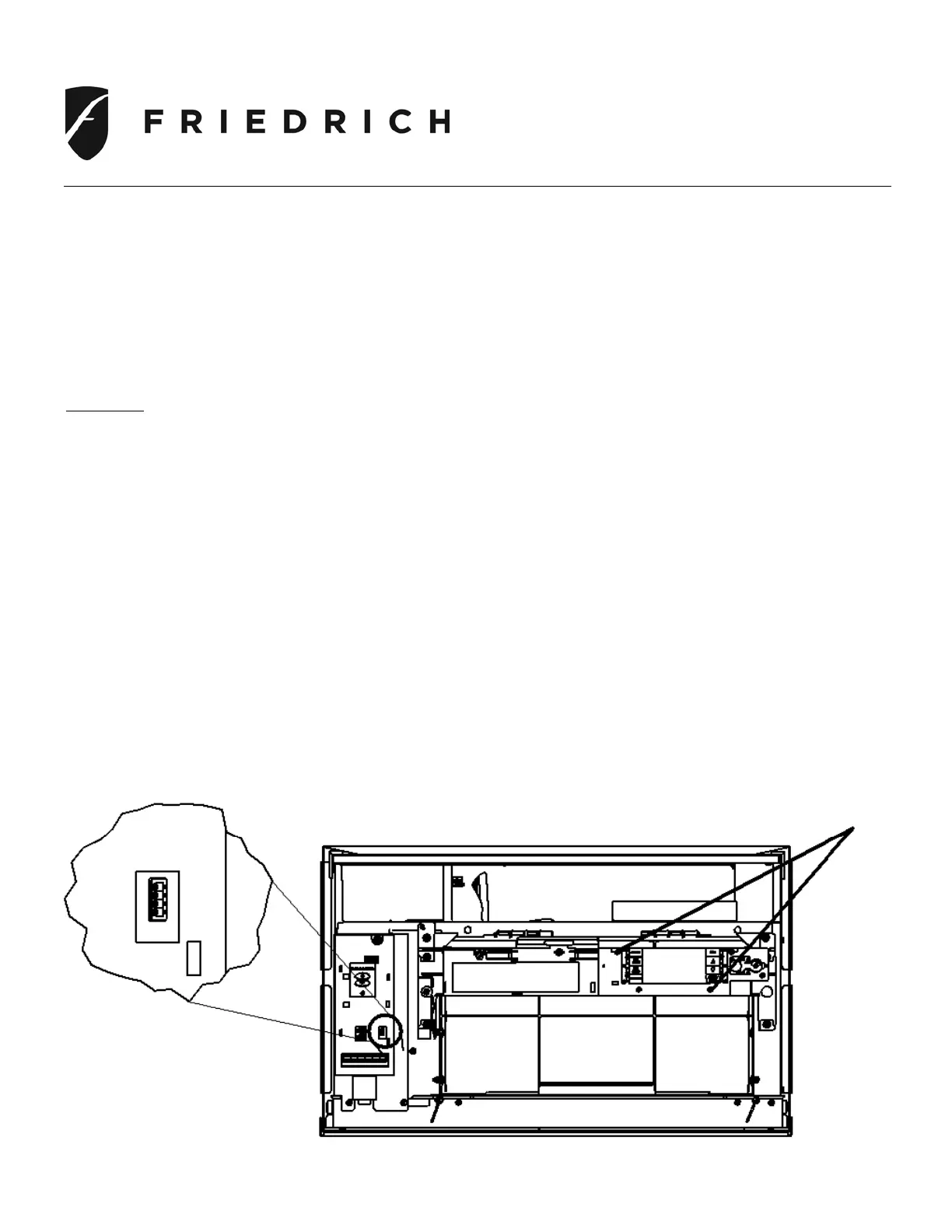
Step 1. Disconnect ribbon cable by pulling straight out
Step 2. Remove 2 –mounting screws securing UI and disconnect ribbon cable
Step 3. Remove UI and ribbon cable from handle assembly
Step 4. Install new UI using the 2-screws, route new ribbon cable and reattach ribbon cable to UI
and Main control board
Step 5. Verify control operation
Mounting screws
Ribbon cable connection



 To Next Page