OPERATION
© frifri Aro SA 5-21 OM - 1.0 - 25.10.2004
5.6.3 “Business” model
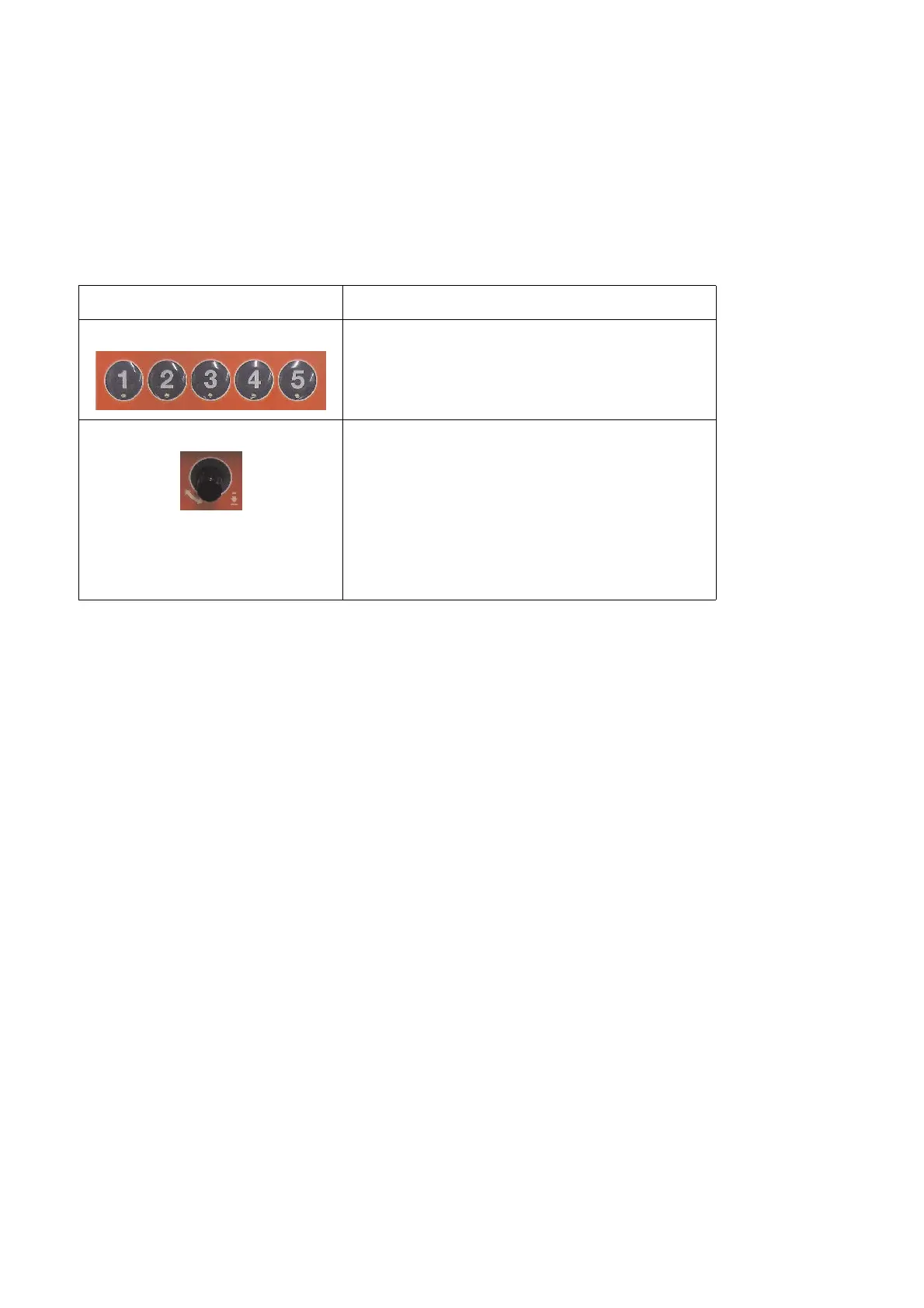
The following control elements are used for programming the “Business” model of the deep fryer:
Procedure for programming one of the five frying cycles
1. Ensure that a frying cycle is not taking place currently.
2. Press membrane switch “Program 1 / 2 / 3 / 4 / 5”.
3. Press programming knob once to enter programming mode.
All symbols and text digits are shown on the display. The most recently changed parameter flashes (symbol or text dig-
its).
4. Turn programming knob to select the parameter to be changed.
5. Press programming knob once to access the parameter for the change (for values see Section «5.7 List of frying temper-
atures and times, 5 - 22»). Change the value by turning the programming knob.
6. Press the programming knob once to save the changed parameter.
7. To change another parameter start again at 3.
Control element Explanations
Membrane switch “Program 1 / 2 / 3 / 4 / 5”
Press once to enter programming mode
“Programming knob”
Press:
- Entry into programming mode
- Confirmation to change the parameter
- Confirmation of changed parameter
Turn:
- Selection of the parameter to change
- Change value of currently-selected parameter


 To Next Page