EasyManua.ls Logo

Frigidaire FFPA1222R11 - User Manual

Frigidaire FFPA1222R11
14 pages
Print Icon
To Next Page IconTo Next Page
Loading...
TABLE OF CONTENTS
www.frigidaire.com USA 1-800-944-9044 www.frigidaire.ca Canada 1-800-265-8352
All about the
Use & Care
16120600A03113 (June 2009)
Product Registration 4
Unit Description ................................................... 5
.............................................
Accessories Included 5............................................
Installation Instructions 6-7........................................
Important Safety Instructions ............................... 2-3 Air Conditioner Features 8......................................
of your
Portable Air Conditioner
Operating Instructions
......................................... 9-11
Care and Cleaning
............................................... 11
Before You Call................................................... 12
Major Appliance Limited Warranty........................ 13
Normal Sounds .................................................... 4
Question and Answer IconNeed help?

Do you have a question about the Frigidaire FFPA1222R11 and is the answer not in the manual?

Summary

Important Safety Instructions

Electrical Information

Details on proper grounding, receptacles, and cord safety for electrical protection.

Prevent Accidents

Basic precautions to reduce fire, shock, or injury risks when using the appliance.

DANGER! Avoid Serious Injury or Death

Critical safety advice including user-serviceable parts, object insertion, and cord handling.

Safety Precautions and Operation

SAFETY PRECAUTIONS

Cautions against injury or property damage from improper use or placement.

Operation of Current Device

Explains the function and testing of the power supply cord's current detection device.

Product Registration and Normal Sounds

Product Registration

Guidance on recording model and serial numbers and registering the product.

Normal Sounds

Descriptions of typical sounds like gurgling, hissing, rushing air, and chatter.

Unit Description and Accessories

Unit Description

Identification of key components like control panel, handles, and outlets.

Accessories Included

List and quantity of parts included with the air conditioner for setup and operation.

Installation Instructions

EXHAUSTING HOT AIR

Steps for connecting the exhaust hose and adapters for window installation.

Installation in a double-hung sash window

Detailed instructions for securing the unit in a double-hung window.

Installation in a sliding sash window

Detailed instructions for securing the unit in a sliding sash window.

Air Conditioner Features

CONTROL PANEL

Overview of the control panel buttons and display indicators.

REMOTE CONTROL

Explanation of the remote control buttons and battery requirements.

Operating Instructions

COOLING MODE

Instructions for operating the unit in cooling mode with the exhaust hose.

DRY MODE

Instructions for operating in dry mode, including condensate discharge.

AUTO MODE

Explanation of automatic cooling/fan operation based on temperature.

FAN MODE

Instructions for operating the unit in fan-only mode.

TIMER OPERATION

How to set delay start and stop timers using the remote control.

SLEEP OPERATION

How to use the sleep mode for gradual temperature adjustment.

CHECK FILTER FEATURE

Information on the filter indicator and resetting it after cleaning.

SELECTING FAN SPEED

How to select fan speed and available modes.

FAULT CODE

List of fault codes and troubleshooting steps.

DRAINAGE

Instructions for draining condensate using a garden hose.

Care and Cleaning

Air Filter Cleaning

Steps for removing, washing, or vacuuming the air filter.

Cabinet Cleaning

Instructions for cleaning the unit's exterior cabinet and front panel.

Winter Storage

Recommendations for storing the appliance during the winter.

Before You Call

OCCURRENCE

Table of common issues and their solutions before contacting service.

Major Appliance Limited Warranty

Exclusions

List of conditions and situations not covered by the warranty.

DISCLAIMER OF IMPLIED WARRANTIES; LIMITATION OF REMEDIES

Legal disclaimers regarding implied warranties and limitations of liability.

If You Need Service

Contact information and advice for obtaining warranty service.

Summary

Important Safety Instructions

Electrical Information

Details on proper grounding, receptacles, and cord safety for electrical protection.

Prevent Accidents

Basic precautions to reduce fire, shock, or injury risks when using the appliance.

DANGER! Avoid Serious Injury or Death

Critical safety advice including user-serviceable parts, object insertion, and cord handling.

Safety Precautions and Operation

SAFETY PRECAUTIONS

Cautions against injury or property damage from improper use or placement.

Operation of Current Device

Explains the function and testing of the power supply cord's current detection device.

Product Registration and Normal Sounds

Product Registration

Guidance on recording model and serial numbers and registering the product.

Normal Sounds

Descriptions of typical sounds like gurgling, hissing, rushing air, and chatter.

Unit Description and Accessories

Unit Description

Identification of key components like control panel, handles, and outlets.

Accessories Included

List and quantity of parts included with the air conditioner for setup and operation.

Installation Instructions

EXHAUSTING HOT AIR

Steps for connecting the exhaust hose and adapters for window installation.

Installation in a double-hung sash window

Detailed instructions for securing the unit in a double-hung window.

Installation in a sliding sash window

Detailed instructions for securing the unit in a sliding sash window.

Air Conditioner Features

CONTROL PANEL

Overview of the control panel buttons and display indicators.

REMOTE CONTROL

Explanation of the remote control buttons and battery requirements.

Operating Instructions

COOLING MODE

Instructions for operating the unit in cooling mode with the exhaust hose.

DRY MODE

Instructions for operating in dry mode, including condensate discharge.

AUTO MODE

Explanation of automatic cooling/fan operation based on temperature.

FAN MODE

Instructions for operating the unit in fan-only mode.

TIMER OPERATION

How to set delay start and stop timers using the remote control.

SLEEP OPERATION

How to use the sleep mode for gradual temperature adjustment.

CHECK FILTER FEATURE

Information on the filter indicator and resetting it after cleaning.

SELECTING FAN SPEED

How to select fan speed and available modes.

FAULT CODE

List of fault codes and troubleshooting steps.

DRAINAGE

Instructions for draining condensate using a garden hose.

Care and Cleaning

Air Filter Cleaning

Steps for removing, washing, or vacuuming the air filter.

Cabinet Cleaning

Instructions for cleaning the unit's exterior cabinet and front panel.

Winter Storage

Recommendations for storing the appliance during the winter.

Before You Call

OCCURRENCE

Table of common issues and their solutions before contacting service.

Major Appliance Limited Warranty

Exclusions

List of conditions and situations not covered by the warranty.

DISCLAIMER OF IMPLIED WARRANTIES; LIMITATION OF REMEDIES

Legal disclaimers regarding implied warranties and limitations of liability.

If You Need Service

Contact information and advice for obtaining warranty service.

Overview

This document is a Use & Care Manual for a Frigidaire Portable Air Conditioner, providing instructions for its installation, operation, and maintenance.

Function Description

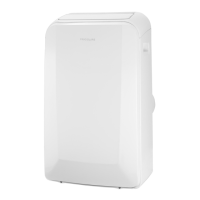
The Frigidaire Portable Air Conditioner is designed to provide cooling, dehumidifying, and fan-only operation for indoor spaces. It is a portable unit, meaning it can be moved to different locations as needed, and requires an exhaust hose to vent warm air outside when in cooling mode. The unit features a control panel for direct interaction and a remote control for convenient operation from a distance.

Important Technical Specifications

  • Temperature Settings: The unit can be set to temperatures between 62 °F and 86 °F (17 °C and 30 °C).
  • Operating Temperature Range (Indoor): The recommended indoor operating temperature range for this product is 62 °F to 95 °F (17 °C to 35 °C).
  • Power Supply Cord: Equipped with a current detection device to reduce fire risk. If damaged, the cord must be replaced by a cord from the product manufacturer. It features a 3-prong grounding plug.
  • Window Slider Kit: Adjustable for vertical and horizontal windows. Minimum length: 26.6" (67.5cm), Maximum length: 48.5" (123cm).
  • Exhaust Hose: Extendable from 13.6" up to 59". It is recommended to keep the length to a minimum and avoid sharp bends or sags.
  • Batteries for Remote Control: Requires 2 AAA batteries.
  • Electrical Requirements: Refer to the serial plate on the side of the cabinet for specific electrical ratings. A properly grounded wall receptacle is required.

Usage Features

  • Modes of Operation:
    • COOLING Mode: Provides cooling. Requires the exhaust adaptor hose to be used. Temperature and fan speed are adjustable.
    • DRY Mode (Dehumidifying): Removes moisture from the air. The exhaust adaptor hose is not required, but collected water must be discharged (see Drainage Section). Fan runs at low speed, and the display shows room temperature.
    • AUTO Mode: Automatically selects cooling, heating (not applicable for cooling-only models), or fan-only operation based on selected temperature and room temperature. The exhaust hose must always be attached. Fan speed is not adjustable in AUTO mode.
    • FAN Mode: Circulates air without cooling or dehumidifying. The exhaust hose and drainage hose are not required. Fan speed is adjustable.
  • Control Interface:
    • Control Panel: Located on the unit, displays temperature, and has buttons for filter reset, mode selection (cool, fan, dry), on/off, and temperature adjustment.
    • Remote Control: Offers full control with buttons for on/off, mode selection, fan speed, temperature adjustment, timer settings (on/off), and sleep mode.
  • Timer Operation: Allows users to set a delay stop or delay start for the unit. Can be set in 0.5-hour increments up to 10 hours, then 1-hour increments up to 24 hours.
  • Sleep Operation: Gradually increases the selected temperature by 2 °F after 30 minutes, and another 2 °F after an additional 30 minutes. This new temperature is maintained for 7 hours before returning to the original setting. This feature is only available via remote control and not in FAN or DRY modes.
  • Check Filter Feature: An LED light above the "Filter" button illuminates after 250 hours of operation as a reminder to clean the air filter. Pressing the "Filter" button resets the light.
  • Fault Codes: The unit displays specific codes for malfunctions:
    • "AS": Room temperature sensor failure.
    • "ES": Evaporator temperature sensor failure.
    • "E4": Display panel communication failure.
    • "P1": Bottom tray is full (requires draining).
  • Power Outage Memory: The unit memorizes the last setting and returns to it once power is restored.
  • Compressor Delay: An automatic 3-minute time-delayed start for the "Cool" circuit prevents overheating and circuit breaker tripping if the unit is turned off and on quickly.
  • Temperature Display Conversion: The control can display temperature in Fahrenheit or Celsius. Press and hold the "TEMP" Up and Down buttons together for 3 seconds to switch.

Maintenance Features

  • Air Filter Cleaning: The air filter is located behind the grill of the back panel. It can be washed with liquid dishwashing detergent and warm water, rinsed thoroughly, and dried completely before replacement. Alternatively, it can be vacuumed clean.
  • Cabinet Cleaning: The cabinet and front can be dusted with an oil-free cloth or washed with a cloth dampened in a solution of warm water and mild liquid dishwashing detergent. Avoid harsh cleaners, wax, or polish. Ensure excess water is wrung from the cloth to prevent damage to controls.
  • Drainage: During dehumidifying mode, a garden hose (sold separately) can be connected to the dehumidifying drain outlet to drain condensate. For "P1" fault code, the bottom drain plug should be removed to drain water.
  • Winter Storage: If storing the appliance for winter, it should be covered with plastic or returned to its carton.
  • Troubleshooting Guide: A comprehensive "Before You Call" section lists common occurrences and their solutions, such as the unit not operating, air not feeling cold enough, ice forming on coils, or unusual noises.

Frigidaire FFPA1222R11 Specifications

General IconGeneral
BrandFrigidaire
ModelFFPA1222R11
CategoryAir Conditioner
LanguageEnglish

Related product manuals