
 Need help?
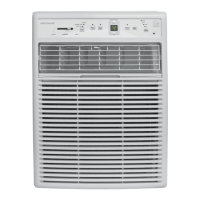
Do you have a question about the Frigidaire FFPA0822T1 and is the answer not in the manual?
Key warnings and precautions for safe operation and accident prevention.
Information on proper grounding, cords, and electrical safety.
Critical safety warnings to prevent serious injury or death.
Instructions for testing the power supply cord's current detection device.
Solutions for common issues like unit not operating or poor cooling.
Details on the limited warranty period, coverage, and exclusions.
This document is a Use & Care Manual for a Frigidaire Portable Air Conditioner, providing comprehensive instructions for its operation, maintenance, and troubleshooting.
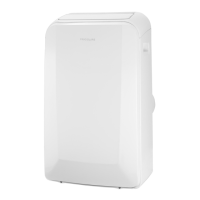
The Frigidaire Portable Air Conditioner is designed to provide cooling, heating (on some models), dehumidifying, and fan-only operation for indoor spaces. It is a self-contained unit that can be easily moved and set up in different rooms. The appliance works by drawing in room air, processing it, and then discharging either cool or warm air, depending on the selected mode. For cooling, it requires an exhaust hose to vent warm air outside, while for heating and fan-only modes, the exhaust hose is not always necessary. The unit features a control panel and a remote control for convenient operation, allowing users to adjust settings such as temperature, fan speed, and operating mode. It also includes a timer function for scheduled operation and a sleep mode for optimized nighttime comfort.
The portable air conditioner offers multiple operating modes to suit various needs:
The unit can be controlled via both a Control Panel on the unit itself and a Remote Control. The control panel features buttons for Mode, Fan Speed, Timer, Swing, Sleep, and On/Off, along with a display for temperature/time and indicators for various settings. The remote control mirrors most of these functions, including Mode Indication, Temperature Buttons, Fan Speed Selection, Timer Buttons, Swing Button, and On/Off Button. It also includes a RESET + LOCK pin button for returning to factory settings or locking the keypad.
A TIMER OPERATION allows users to set both delay stop and delay start functions, whether the unit is ON or OFF. The timer can be adjusted in 0.5-hour increments up to 10 hours, then in 1-hour increments up to 24 hours. The settings are confirmed automatically or by pressing the TIMER button again. To cancel, the timing can be set to 0.0.
The SLEEP OPERATION mode gradually increases the selected temperature by 2°F after 30 minutes, and again after another 30 minutes. This new temperature is maintained for 7 hours before reverting to the original setting. This mode can be canceled at any time. This feature is unavailable in FAN or DRY modes.
The SWING OPERATION button allows the louver to swing automatically or stop at a desired angle for optimal air distribution.
A CHECK FILTER FEATURE reminds users to clean the air filter after 250 hours of operation. An indicator light illuminates, and pressing the "Filter" button resets it after cleaning.
The manual also details the Installation Instructions for exhausting hot air, including extending and screwing the exhaust hose to adaptors, sliding the assembly onto the unit, and affixing it to a window slider kit. Specific instructions are provided for both double-hung sash windows and sliding sash windows, including cutting foam seals, placing the window slider kit, adjusting its length, and securing it with screws and a sash lock. It is recommended to keep the exhaust hose length to a minimum (up to 59 inches) and avoid sharp bends or sags.
Regular maintenance is crucial for the air conditioner's efficiency and longevity. The manual provides clear instructions for CARE & CLEANING:
The manual also includes information on DRAINAGE for the dehumidifying mode. A garden hose (sold separately) can be connected to the hose connector (after removing the rubber stopper) to drain condensate. The hose can discharge into a lower drain or be connected to a condensate pump. For cooling mode, the rubber stopper should be replaced in the hose connector for maximum performance.
Important Safety Instructions are highlighted throughout the manual, covering electrical safety, preventing accidents, and general precautions. Users are warned against using extension cords or adapter plugs, removing grounding prongs, or operating the unit with wet hands. It emphasizes that the power supply cord contains a current detection device, and if damaged, it must be replaced by the product manufacturer. The manual also advises against inserting fingers or objects into the air discharge area, blocking grilles, or storing flammable gases near the unit.
Normal Sounds are described to help users distinguish typical operating noises from potential issues. These include "Gurgle/Hiss" from refrigerant, "Sound of Rushing Air" from the fan, "High pitched Chatter" from the compressor, and "Vibration" due to an uneven floor.
Fault Codes are explained to assist in basic troubleshooting:
The manual concludes with a "Before You Call" section, offering a troubleshooting guide for common occurrences like the air conditioner not operating, air not feeling cold enough, ice forming on coils, or unusual noise, providing solutions that users can attempt before contacting service.
 General
| Brand | Frigidaire |
|---|---|
| Model | FFPA0822T1 |
| Category | Air Conditioner |
| Language | English |


 To Next Page