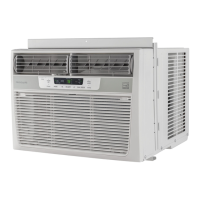
EasyManua.ls Logo

Frigidaire FFTA1233S1 - User Manual

Frigidaire FFTA1233S1
12 pages
Print Icon
To Next Page IconTo Next Page
Loading...
TABLE OF CONTENTS
www.frigidaire.com USA 1-800-944-9044 www.frigidaire.ca Canada 1-800-265-8352
All about the
Use & Care
10
Care and Cleaning
.............................................. 10
Energy Saving Ideas ...........................................
16120300A04642 (June 2009)
Product Registration 4
.............................................
Normal Sounds .................................................... 4
Air Conditioner Features 5.......................................
Important Safety Instructions ............................... 2-3
Operating Instructions 5-10..........................................
Before You Call ................................................... 11
Major Appliance Limited Warranty ........................ 12
of your
Room Air Conditioner
Question and Answer IconNeed help?

Do you have a question about the Frigidaire FFTA1233S1 and is the answer not in the manual?

Summary

Important Safety Instructions

Safety Precautions

Critical safety precautions to avoid serious injury or death when operating the air conditioner.

General Safety Precautions

Precautions to avoid injury or damage to the unit and other property during operation and handling.

Operation of Current Device

Explains the function and testing of the current detection device in the power supply cord.

Product Registration and Normal Sounds

Product Registration

Instructions for recording model/serial numbers and registering the product with the company.

Normal Operational Sounds

Describes common operational sounds like chatter, rushing air, gurgle/hiss, and pinging/swishing.

Air Conditioner Features and Operation

Electronic Control Panel Overview

Overview of the electronic control panel and remote control functions.

Turning the Unit On

Steps to power on the air conditioner using the control panel.

Changing Temperature Settings

How to adjust the desired temperature for cooling or heating modes.

Adjusting Fan Speeds

Steps to manually increase or decrease the fan speed.

Using Auto Fan Feature

How the auto fan feature adjusts speed based on room temperature.

Operating on Fan Only Mode

Using the unit for air circulation without cooling or heating.

Selecting Cooling Mode

How to select and operate the cooling mode.

Timer: Delay Start;Stop

Instructions for setting delayed start or stop times for the unit.

Sleep Mode Operation

How to activate and use the sleep mode for gradual temperature adjustment.

Filter Check Reminder

Explains the filter check reminder light and how to reset it.

Remote Sensing Feature

How to activate and use the remote sensing feature for temperature control.

Heating Mode Operation

How to select and operate the heating mode (if available).

Understanding Fault Codes

Information on error codes displayed by the unit and what they mean.

Changing Temperature Display

How to switch temperature display between Fahrenheit and Celsius.

Turning the Unit Off

Steps to properly turn off the air conditioner.

Additional Operational Notes

Additional operational notes, safety tips, and system behaviors.

Maintenance and Energy Efficiency

Air Directional Louvers

Explanation of how to adjust the air directional louvers for optimal airflow.

Care and Cleaning Guide

Detailed instructions on cleaning the air filter and the unit's cabinet.

Winter Storage Instructions

Guidance on how to properly store the air conditioner during the winter season.

Energy Saving Tips

Tips and advice on how to operate the unit efficiently and save energy.

Troubleshooting Guide

Unit Will Not Operate

Troubleshooting steps for when the unit fails to turn on.

Insufficient Cooling

Solutions for insufficient cooling, including checking temperature and coil contact.

Ice Formation on Cooling Coil

Diagnosing and resolving issues with ice formation on the cooling coil.

Room Too Warm Without Ice

Addressing situations where the unit cools but the room remains warm without ice.

Rapid On;Off Cycling

Troubleshooting rapid cycling issues of the air conditioner.

Operational Noise Issues

Identifying normal operational sounds versus potential issues.

Internal Water Dripping

Solutions for water leaks inside the unit during operation.

External Water Dripping

Explaining normal condensation outside and installation checks.

Remote Sensing Issues

Troubleshooting premature deactivation of the remote sensing feature.

Room Too Cold

Adjusting settings when the room becomes excessively cold.

Warranty Information

Warranty Exclusions

Lists items and conditions not covered by the limited warranty.

Disclaimer of Warranties

Legal statements regarding implied warranties and limitations of liability.

Obtaining Service

Contact information and procedures for requesting warranty service.

Summary

Important Safety Instructions

Safety Precautions

Critical safety precautions to avoid serious injury or death when operating the air conditioner.

General Safety Precautions

Precautions to avoid injury or damage to the unit and other property during operation and handling.

Operation of Current Device

Explains the function and testing of the current detection device in the power supply cord.

Product Registration and Normal Sounds

Product Registration

Instructions for recording model/serial numbers and registering the product with the company.

Normal Operational Sounds

Describes common operational sounds like chatter, rushing air, gurgle/hiss, and pinging/swishing.

Air Conditioner Features and Operation

Electronic Control Panel Overview

Overview of the electronic control panel and remote control functions.

Turning the Unit On

Steps to power on the air conditioner using the control panel.

Changing Temperature Settings

How to adjust the desired temperature for cooling or heating modes.

Adjusting Fan Speeds

Steps to manually increase or decrease the fan speed.

Using Auto Fan Feature

How the auto fan feature adjusts speed based on room temperature.

Operating on Fan Only Mode

Using the unit for air circulation without cooling or heating.

Selecting Cooling Mode

How to select and operate the cooling mode.

Timer: Delay Start;Stop

Instructions for setting delayed start or stop times for the unit.

Sleep Mode Operation

How to activate and use the sleep mode for gradual temperature adjustment.

Filter Check Reminder

Explains the filter check reminder light and how to reset it.

Remote Sensing Feature

How to activate and use the remote sensing feature for temperature control.

Heating Mode Operation

How to select and operate the heating mode (if available).

Understanding Fault Codes

Information on error codes displayed by the unit and what they mean.

Changing Temperature Display

How to switch temperature display between Fahrenheit and Celsius.

Turning the Unit Off

Steps to properly turn off the air conditioner.

Additional Operational Notes

Additional operational notes, safety tips, and system behaviors.

Maintenance and Energy Efficiency

Air Directional Louvers

Explanation of how to adjust the air directional louvers for optimal airflow.

Care and Cleaning Guide

Detailed instructions on cleaning the air filter and the unit's cabinet.

Winter Storage Instructions

Guidance on how to properly store the air conditioner during the winter season.

Energy Saving Tips

Tips and advice on how to operate the unit efficiently and save energy.

Troubleshooting Guide

Unit Will Not Operate

Troubleshooting steps for when the unit fails to turn on.

Insufficient Cooling

Solutions for insufficient cooling, including checking temperature and coil contact.

Ice Formation on Cooling Coil

Diagnosing and resolving issues with ice formation on the cooling coil.

Room Too Warm Without Ice

Addressing situations where the unit cools but the room remains warm without ice.

Rapid On;Off Cycling

Troubleshooting rapid cycling issues of the air conditioner.

Operational Noise Issues

Identifying normal operational sounds versus potential issues.

Internal Water Dripping

Solutions for water leaks inside the unit during operation.

External Water Dripping

Explaining normal condensation outside and installation checks.

Remote Sensing Issues

Troubleshooting premature deactivation of the remote sensing feature.

Room Too Cold

Adjusting settings when the room becomes excessively cold.

Warranty Information

Warranty Exclusions

Lists items and conditions not covered by the limited warranty.

Disclaimer of Warranties

Legal statements regarding implied warranties and limitations of liability.

Obtaining Service

Contact information and procedures for requesting warranty service.

Frigidaire FFTA1233S1 Specifications

General IconGeneral
TypeWindow Air Conditioner
Cooling Capacity12000 BTU
Cooling Area550 sq. ft.
Voltage115 V
Noise Level54 dB
RefrigerantR-410A
Depth21.5 in
FeaturesRemote Control, 3 Cooling Speeds, 3 Fan Speeds, Energy Saver Mode, Sleep Mode
Power Cord Length6 ft

Related product manuals