4 USER’S INSTRUCTIONS
M-7.3-16 Rev. 05 09/03/15 BLOOD BANK REFRIGERATORS AND PLASMA FREEZER 15
Use and maintenance manual
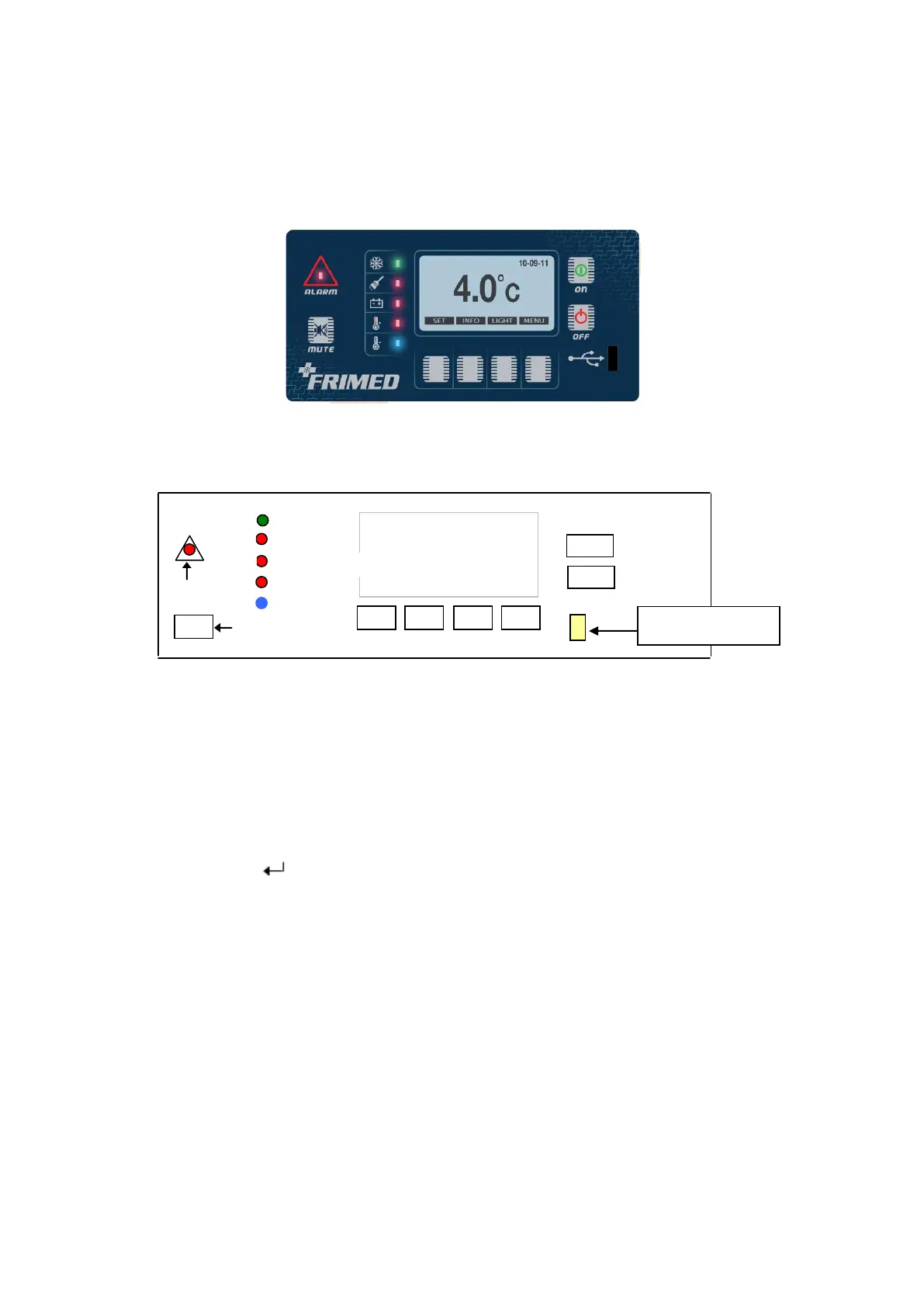
4.3 CONTROL PANEL
According to the model, all units are equipped with the same control panel (CPU control board) but
with different settings depending on their configuration.
LED DECODING – STATE OF ALARM
LED DL6 on – general alarm
LED DL2 on – condenser dirty/blocked or unsuitable environment
LED DL3 on – power failure or damaged battery
LED DL4 on – high temperature alarm
LED DL5 on – low temperature alarm
KEYS DECODING
F1 – set point key, temperature setting + arrow ↑
F2 – display of alarms memory + arrow ↓
F3 – light key + arrow
F4 – menu / ESC
TEMPERATURE SETTING
- Pressing key F1 (SET), set point is shown on the display.
Pressing any of the arrow-keys ↑↓, a message “ enter password XXX” appears. If password
inserted is correct, pre-set data appears to be modified. By using arrow-keys ↑↓, the requested
value can be set, press “ENTER” to confirm. New data is recorded and main screen/menu is
displayed again.
LIGHT
Press key F3 to turn manually on/off light (not present in freezer models)
MENU LIST
Press F4 to enter menu list



 To Next Page