LAN Ports
FRITZ!Powerline 546E 11
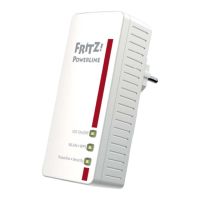
Meaning of the LEDs
The LEDs show you the status of FRITZ!Powerline:
4.2 LAN Ports
FRITZ!Powerline 546E has two LAN ports (network ports).
Both LAN ports are Fast Ethernet ports for data rates of up to
100 Mbit/s.
The LAN ports can be used as follows:
• To connect a PC, notebook, smart TV or other network
devices; see page 17.
• To connect FRITZ!Box or another Internet router, see
page 34.
LED Condition Meaning
On/Off on The socket is switched on.
off The socket is switched off.
flashing Performing a firmware update.
WLAN • WPS on Wireless LAN is enabled.
off Wireless LAN is disabled.
flashing rapidly Performing WPS.
flashing slowly Searching for the wireless access
point.
Powerline • Se
curity
on FRITZ!Powerline is supplied with
power and connected with the
powerline network.
off FRITZ!Powerline is switched off.
flashing rapidly FRITZ!Powerline is configuring se-
curity settings.
flashing slowly FRITZ!Powerline is not connected
with the powerline network.
You can switch off the LEDs in the FRITZ!Powerline user inter-
face.



 To Next Page
 Loading...