Adopting the Wireless LAN Registration Data of the FRITZ!Box
FRITZ!Powerline 546E 19
7.4 Adopting the Wireless LAN Registration Data of the FRITZ!Box
At the touch of a button FRITZ!Powerline can adopt the wire-
less radio network name (SSID) and the network key of the
FRITZ!Box.
Wireless devices on which a wireless LAN connection to the
FRITZ!Box is already configured then automatically connect
with FRITZ!Powerline when they change location.
Example
The FRITZ!Box is located in the home office and FRITZ!Power-
line is in the living room one floor above it. The same radio
network name (SSID) and the same network key are config-
ured in both devices.
Your notebook is connected with the FRITZ!Box via wireless
LAN. When you leave the wireless network of the FRITZ!Box
with the notebook to go to the living room, the notebook au-
tomatically connects with the FRITZ!Powerline there.
Adopting the Wireless LAN Registration Data of the
FRITZ!Box
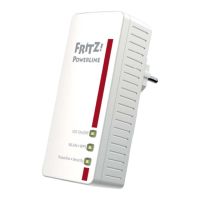
1. Press the “Powerline • Security” button on
FRITZ!Powerline 546E until the “Powerline • Security”
LED starts flashing.
2. Press the button for WPS on the FRITZ!Box until the
“WLAN” LED on the FRITZ!Box starts flashing. The button
is labeled “WPS”, “WLAN / WPS” or “WLAN”.
FRITZ!Powerline adopts the wireless LAN registration data of
the FRITZ!Box.
Any necessary changes to the wireless LAN registration data
can be made in the user interface (see page 22).
On/O
WLAN•WPS
Powerline •Security
On/O
WLAN•WPS
Powerline •Security



 To Next Page
 Loading...