FRITZ!Powerline 546E 12
Integrated Socket
5 Integrated Socket
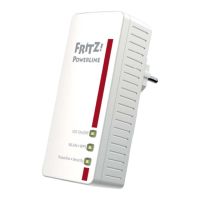
The integrated socket on the FRITZ!Powerline replaces the
electrical outlet where you plug in FRITZ!Powerline.
5.1 Maximum Capacity
The outlet is suitable for devices up to 2300 W and 10 A max-
imum.
5.2 Using Multi-Outlet Strips
Always plug FRITZ!Powerline directly into a wall outlet.
If you would like to use a multi-outlet strip, insert it in the in-
tegrated FRITZ!Powerline socket.
5.3 Intelligent Switching and Consumption Measurement
You can use the following functions with the outlet:
• Switch on and off on the PC, notebook, tablet, smart-
phone and FRITZ!Fon; see page 24
• Switch on and off automatically, for instance according
to a weekly schedule or Google calendar; see page 26
• Measure and evaluate power consumption, see page 28
On/O
WLAN•WPS
Powerline •Security



 To Next Page
 Loading...