EasyManua.ls Logo

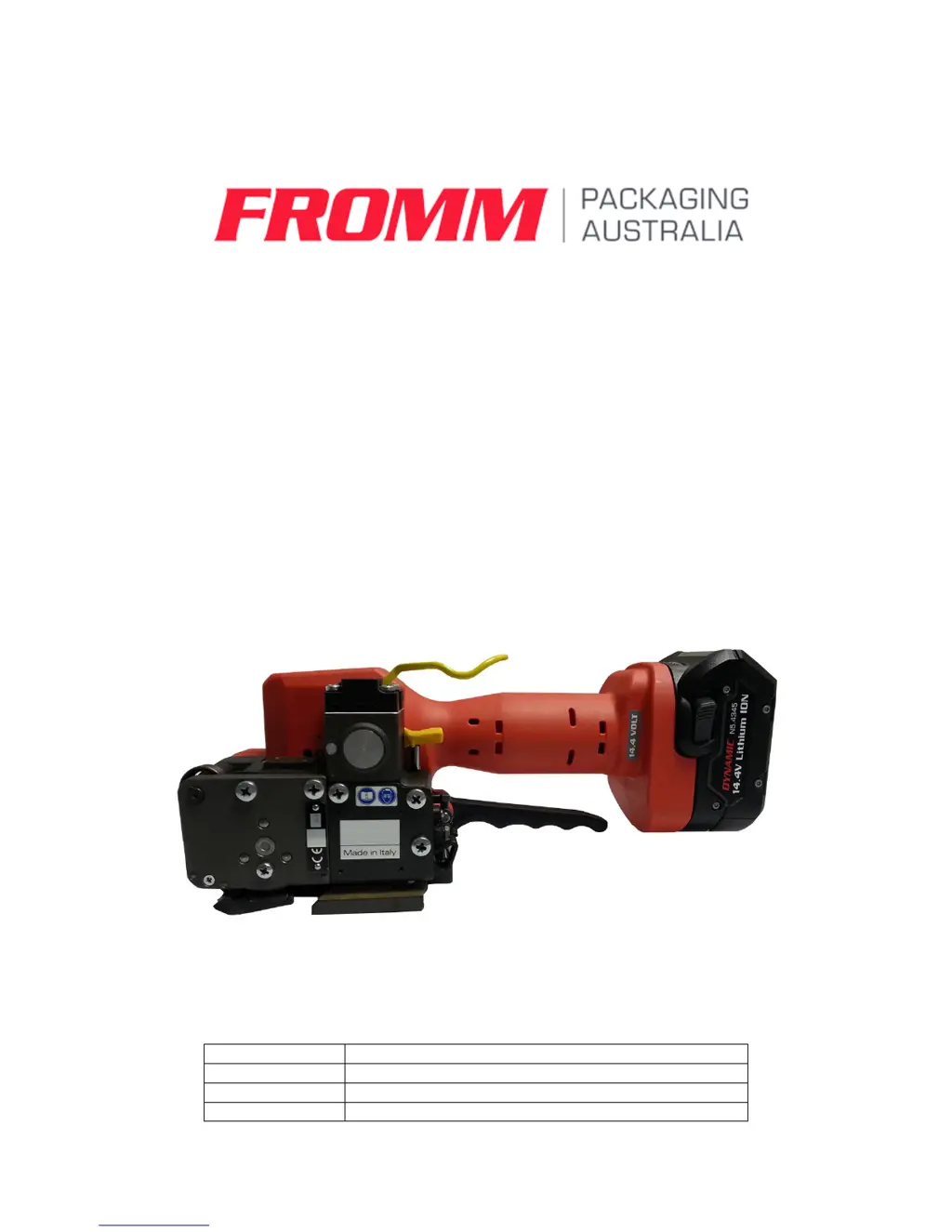
Fromm Dynamic 2100 - User Manual

Fromm Dynamic 2100
16 pages
Print Icon
To Next Page IconTo Next Page
Loading...
Dynamic 2100 Battery Powered Plastic
Strapping Tool
OPERATION MANUAL
Machine
Battery Powered Plastic Strapping Tool
Model
Dynamic 2100
Date
April 2018
Issue
FPA001

Questions and Answers

  • C
    Craig StevensAug 2, 2025
    Why my Fromm Dynamic 2100 Camera Accessories tool doesn’t work at all?
    • L
      Lindsay AcostaAug 2, 2025
      If your Fromm Camera Accessories tool doesn’t work at all, the possible causes include an empty or defective battery, contact issues from a broken battery housing, damaged insertion part N5.4343 or motor housings P32.1132 and P32.1133, a defective busbar P32.1136/37, contact problems in the internal wires or a defective circuit board. You should charge or replace the battery, replace the battery, replace the cover insertation part or motor housing, replace the busbar, check and fix internal wire contacts (or change defective parts), or replace the circuit board to resolve the issue.
  • J
    Joshua LeeAug 12, 2025
    Why Fromm Camera Accessories tool doesn’t tension?
    • D
      Danielle CallahanAug 12, 2025
      If your Fromm Camera Accessories tool doesn’t tension, the issue might stem from a dirty or worn tensioning wheel, P32.1051 not meshing with P32.1048 due to a defective spring N2.5822 or dirty parts, a faulty tensioning wheel assembly, dirty, worn, or wrongly assembled grippers, defective gearing parts, a defective tensioning motor or a defective circuit board. You should clean or replace the tensioning wheel (avoiding hard objects), replace spring N2.5822 and clean dirty parts, correct the assembly, replace or clean and correctly assemble the grippers (avoiding hard objects), check and replace defective tensioning gear parts, replace the tensioning motor, or replace the circuit board.
  • E
    Emily ReyesAug 16, 2025
    What to do if my Fromm Dynamic 2100 tool switches off after a few strappings (displaying empty battery)?
    • K
      Krista WilliamsAug 16, 2025
      If your Fromm Camera Accessories tool switches off after a few strappings, displaying an empty battery, the battery may be defective or empty. You should check the battery and change defective batteries.
  • M
    mmezaAug 22, 2025
    How to fix Fromm Camera Accessories tool that badly cuts the strap or doesn’t cut at all?
    • R
      Robert WellsAug 22, 2025
      If the Fromm Camera Accessories tool badly cuts the strap or doesn’t cut at all, it could be due to a worn or damaged cutter, faulty adjustment of the coupler, a worn welding gripper, a welding time that is too short, or a defective pressure spring N2.5237/82. You can try replacing the cutter, checking and readjusting the coupler, replacing the welding gripper, changing the welding time adjustment (see 3.2), or replacing the pressure spring.
  • R
    Ross MitchellAug 27, 2025
    Why is my Fromm Dynamic 2100 tool making gear noise?
    • S
      Sean ClarkAug 27, 2025
      Gear noise in your Fromm Camera Accessories tool can be caused by a worn tensioning or welding gear. Check the component parts and replace any that are defective.
  • R
    Richard LynchNov 5, 2025
    What to do if my Fromm Camera Accessories tool doesn’t weld?
    • L
      Linda AllenNov 6, 2025
      If your Fromm Camera Accessories tool doesn’t weld, it could be due to a dirty or worn welding gripper P32.1511 or welding stop gripper, damaged housing parts, a defective circuit board or welding motor, a defective pressure spring N2.5294, a loose pinion P32.1119 on the welding motor, defective gearing parts, a defective micro switch N5.2322, a defective busbar P32.1108, contact problems in the internal wires, or a defective gear bearing. Try replacing or cleaning the welding gripper or welding stop gripper, replacing housing parts, replacing the circuit board, replacing the welding motor, replacing the pressure spring, replacing the pinion, checking and replacing defective welding gear parts, replacing the micro switch, replacing the busbar, checking and fixing the internal wires, or rep...

Summary

Specifications

Specification Table

Details of the tool's technical specifications and capabilities.

Operation Description

Preselecting Strap Tension and Speed

How to preselect strap tension and tensioning speed.

Adjusting Welding Time

Procedure for adjusting the welding time based on strap requirements.

Tensioning the Strap

Steps for applying the correct strap tension using the tool.

Sealing of the Joint

Process for creating a secure weld and cutting the strap.

Safety Notices

General Safety Precautions

Essential safety guidelines for tool usage, handling, and battery care.

Safety Rules for Strapping Tools

Strap Breakage Hazard

Risks associated with strap breakage and how to mitigate them.

Maintenance & Troubleshooting

Troubleshooting Causes and Remedies

A guide to identifying and resolving common tool issues.

Fromm Dynamic 2100 Specifications

General IconGeneral
BrandFromm
ModelDynamic 2100
CategoryCamera Accessories
LanguageEnglish

Related product manuals