Dynamic 2100 Battery Strapping Tool Operation Manual | FPA001 | Apr 2018 | Page 4
3. OPERATION DESCRIPTION
3.1 Installation
Do not expose power tools to rain or wet conditions.
The batteries supplied are partially charged.
Before first use, the battery must be completely charged.
Never charge a damaged battery. Replace with a new one immediately.
Do not open batteries and store them in dry and frost-proof rooms.
Do not store the battery pack together with metal objects (short circuit t risk).
The maximum ambient temperature is 50°C.
Keep dry at all times.
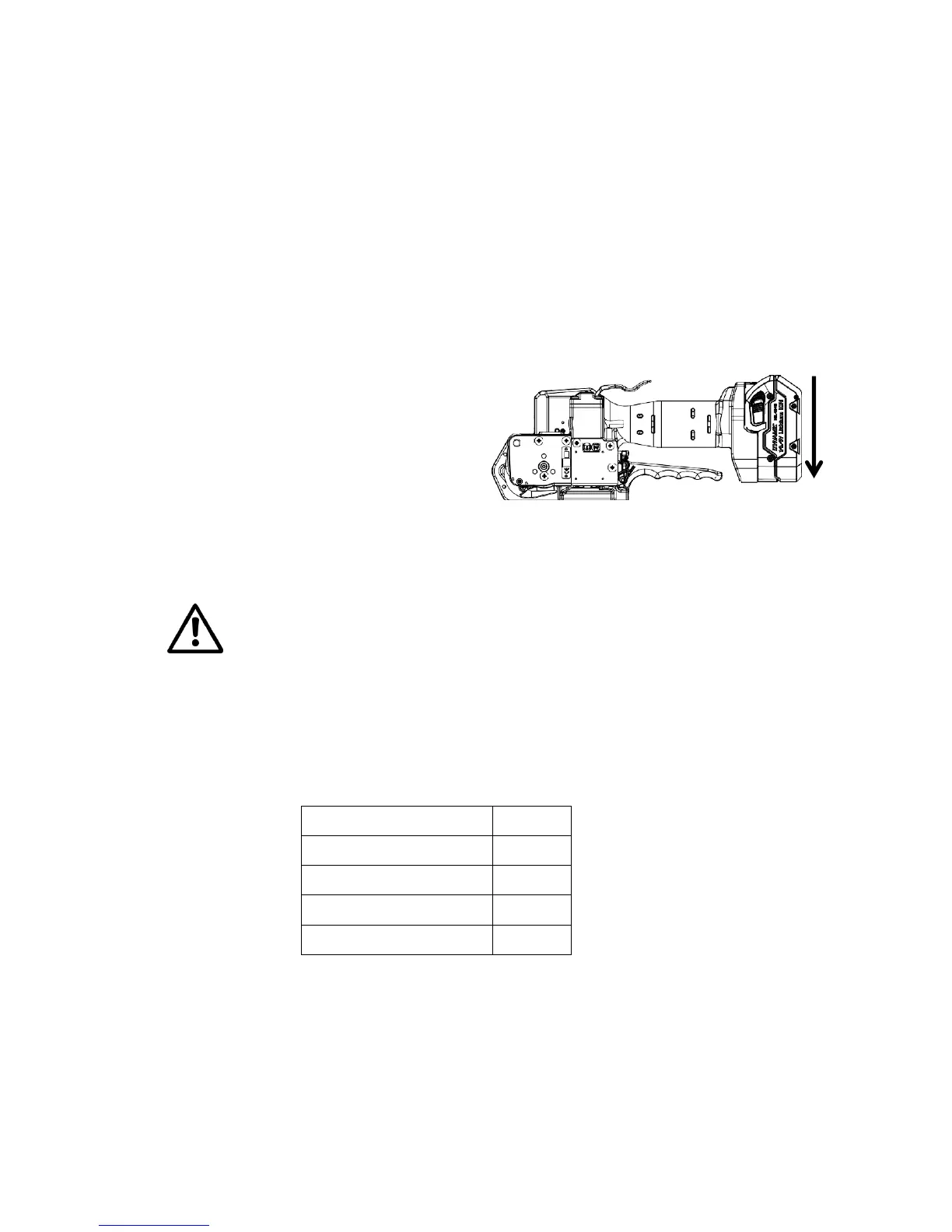
Inserting the Battery
Insert the battery from top to bottom into
the tool until both unlatching push buttons
are engaged.
When inserting the battery the LED
indication shortly lights green.
Removing the Empty Battery
If the red LED starts lighting while a tensioning or welding procedure, the capacity
of the battery is exhausted. All electric functions of the tool are blocked.
The seal efficiency is insufficient.
Warning! Straps with insufficient seal strength must be removed from the package.
The battery must be recharged.
Push the unlatching buttons at both sides of the battery.
Push the battery out of the tool in the opposite direction of insertion.
When removing the battery the LED lights shortly red.
Displaying of the Status of the Battery Charge


 To Next Page