EasyManua.ls Logo

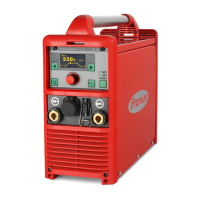
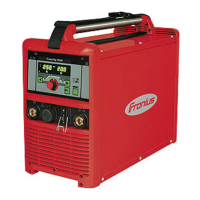
Fronius TransPocket 3500 - User Manual

Fronius TransPocket 3500
48 pages
Print Icon
To Next Page IconTo Next Page
Loading...
Fronius prints on elemental chlorine free paper (ECF) sourced from certified sustainable forests (FSC).
/ Perfect Charging / Perfect Welding / Solar Energy
TransPocket 2500/3500
TransPocket 2500/3500 RC
TransPocket 2500/3500 TIG
EN
Operating instructions
Rod electrode power source
42,0426,0041,EN 006-14122020

Table of Contents

Questions and Answers

  • D
    Douglas FreemanSep 10, 2025
    What to do if there's a short circuit after turning on my Fronius Portable Generator?
    • S
      susanfloresSep 10, 2025
      A short circuit after switching on the machine likely means there's a short circuit between the electrode holder and earthing clamp. Rectify the short circuit, switch the machine off and on again; if the error keeps recurring, have the machine serviced.
  • A
    Annette ColeAug 22, 2025
    How to fix severe spattering with my Fronius Portable Generator?
    • T
      Toni WolfeAug 22, 2025
      Severe spattering can occur due to several reasons. First, check if the electrode polarity is correct by referring to the manufacturer's instructions to reverse it if needed. Another cause might be a poor ground earth connection; make sure to fasten the earthing clamps directly to the workpiece. Lastly, the setup parameters might not be ideal for the selected welding process, so select the best setting in the Setup menu.
  • S
    Stephen WardAug 25, 2025
    What to do if my Fronius Portable Generator has no welding current?
    • S
      Shawn EdwardsAug 25, 2025
      If your Fronius Portable Generator isn't producing welding current, several factors could be at play. The duty cycle might be exceeded, causing the device to overload – in this case, stay within the duty cycle. The thermostatic automatic circuit breaker may have switched off the device; wait for the power source to come back on automatically after the cooling phase. Insufficient cooling air intake can also cause this, so ensure an adequate air supply. A dirty air filter could be the culprit; clean it. As a last resort, there may be a power module error, so turn the device off and on again.
  • L
    Lynn GordonAug 26, 2025
    Why does the mains fuse keep tripping on my Fronius Portable Generator?
    • S
      Steve JacksonAug 26, 2025
      The mains fuse might be tripping because it's underrated or the circuit breaker is incorrect. Make sure to fuse the mains correctly, referring to the technical data. If the mains fuse trips in an open circuit, contact After-Sales Service.
  • J
    John RobinsonAug 27, 2025
    Why am I having issues with TIG welding on my Fronius Portable Generator?
    • R
      rhenryAug 27, 2025
      If you're experiencing problems with TIG welding, it could be due to several factors. The tungsten electrode polarity might be incorrect; connect the TIG welding torch to the negative pole. Another possibility is incorrect or missing shielding gas; use inert shielding gas (argon). Finally, ensure you've selected the correct welding process: TIG welding or TIG pulsed arc welding.
  • B
    Brenda PotterAug 29, 2025
    What to do if the arc breaks during welding with my Fronius Portable Generator?
    • R
      Robert MillerAug 29, 2025
      If the arc breaks during welding, it could be because the TIG Comfort Stop parameter value is set too low for the selected TIG welding process; adjust it to a higher value in the Setup menu. It could also be that the electrode (e.g. grooved electrode) voltage is too high; if possible, use an alternative electrode or a power source with more welding power. Finally, ensure that the correct welding process is selected: either "TIG welding" or "TIG pulsed arc welding".
  • T
    Tiffany SmithSep 18, 2025
    What does 'Primary current' mean on my Fronius Portable Generator?
    • M
      Mark DeanSep 18, 2025
      The message 'Primary current' indicates an internal error. Switch the machine off and on again; if the fault keeps recurring, have the device serviced.
  • M
    Matthew RodriguezSep 12, 2025
    What does 'Current limit' mean on my Fronius Portable Generator?
    • P
      Pamela HarrisonSep 12, 2025
      The 'Current limit' message indicates an internal error. Switch the machine off and on again; if the fault keeps recurring, have the device serviced.
  • S
    Sheila MatthewsSep 8, 2025
    What does ground current mean on my Fronius Portable Generator?
    • R
      Rose ChapmanSep 8, 2025
      Ground current indicates that current is flowing via the device earth. Check the ground earth connection to the workpiece, switch the machine off and on again; if the error keeps recurring, have the machine serviced.
  • A
    Anne GibsonSep 5, 2025
    What does it mean when the status indicators show 'Open circuit' on my Fronius Portable Generator?
    • C
      Catherine HallSep 5, 2025
      The 'Open circuit' status indicates that the output voltage is greater than 110V. Switch the machine off and on again; if the fault keeps recurring, have the device serviced.

Summary

Safety rules

Explanation of safety notices

Explains the meaning of DANGER, WARNING, CAUTION, and NOTE symbols used in the document.

General

General safety information regarding device construction, operator qualifications, and adherence to instructions and regulations.

Proper use

Defines the intended purpose of the device and emphasizes using it exclusively for that purpose.

Environmental conditions

Specifies ambient temperature, relative humidity, and air quality requirements for operation and storage.

Obligations of the operator

Outlines the operator's responsibility to ensure qualified personnel are using the device and that they are properly instructed.

Obligations of personnel

Details the responsibilities of personnel before using the device, including reading instructions and ensuring safety.

Mains connection

Discusses potential impact of high-rated devices on mains quality and connection considerations.

Residual current protective device

Mentions local regulations may require an RCD and where to find recommended types.

Protecting yourself and others

Lists risks like sparks, arc radiation, EMF, electrocution, noise, fumes, and required protective clothing.

Noise emission values

States the maximum sound power level generated by the device according to EN 60974-1.

Danger from toxic gases and vapours

Warns about harmful gases and vapours from welding, mentioning cancer risks and ventilation needs.

Danger from flying sparks

Alerts to the risk of fires or explosions from flying sparks and the need to keep flammable materials away.

Risks from mains current and welding current

Details risks of electric shock from mains and welding current, emphasizing safe handling of cables and connections.

Meandering welding currents

Explains consequences of ignoring instructions related to meandering currents, such as fire hazards and damage.

EMC Device Classifications

Explains classifications for devices regarding electromagnetic interference in industrial and residential areas.

EMC measures

Advises on checking immunity of nearby devices and implementing measures to avoid EMC problems like mains supply filtering.

EMF measures

Discusses potential health risks from electromagnetic fields and measures to mitigate them, like keeping distances.

Specific hazards

Lists specific hazards like moving parts, hot components, welding wire, and risks in fire/explosion areas.

Requirement for the shielding gas

Specifies requirements for shielding gas quality, including particle size, condensation point, and oil content.

Danger from shielding gas cylinders

Warns about hazards associated with pressurized gas cylinders, including explosion risks and proper handling.

Safety measures at the installation location and during transport

Provides safety guidelines for device setup, stability, clearance, and safe transportation.

Safety measures in normal operation

Emphasizes operating only with functional safety devices and performing regular checks for damage.

Commissioning, maintenance and repair

Details requirements for coolant, spare parts, modifications, and housing screws for maintenance and repair.

Safety inspection

Recommends periodic safety inspections by a qualified electrician and calibration.

Disposal

Instructs on proper disposal of the device according to WEEE regulations.

Safety symbols

Explains CE and CSA markings and declares compliance with relevant directives.

Data protection

States user responsibility for factory settings and manufacturer's non-liability for deleted personal settings.

Copyright

States copyright ownership and reserves the right to make changes to the manual.

General

Principle

Explains the TP 2500/3500 power sources use inverter principles for high performance and efficiency.

Device concept

Describes the compact, robust design of the TP 2500/3500 series, including its housing and handle.

Application areas

Outlines applications for manual arc welding, TIG welding, and its suitability for portable and stationary use.

Control elements and connections

Safety

Warns about dangers from incorrect operation and emphasizes reading instructions and qualifications.

Connections

Identifies and describes front and back panel connections like mains switch, gas socket, dust filter, and current sockets.

Operating elements

Details the function of control panel elements like the "Process" button, remote control indicator, error indicator, current adjuster, and VRD indicator.


Before commissioning

Safety

Warns about dangers from incorrect operation and the need for qualified personnel and understanding instructions.

Proper use

Reinforces that the power source is for MMA and TIG welding with Fronius components only.

Setup regulations

Covers safety regarding machine stability, IP protection, cooling air clearance, dust, and outdoor operation.

Mains connection

Discusses mains voltage, fuse protection, and fitting appropriate cables/plugs.

Changing mains voltage (only MVm versions)

General remarks

States MVm machines support both 380-460V and 200-240V mains voltages.

Mains voltage tolerance range

Illustrates the acceptable mains voltage tolerance ranges for operation.

Changing mains voltage

Provides a WARNING about electric shock and steps for changing the mains voltage.

Single-phase operation

Explains MVm machines can be used in single-phase operation, noting a reduced current range.

MMA welding

Safety

Warns about operating incorrectly and electric shock hazards during MMA welding.

Preparations

Lists steps for connecting power leads, grounding cable, and mains plug before MMA welding.

Selecting the process

Explains how to select the welding process (HotStart, SoftStart, Cel) using the Process button.

Adjusting welding current, igniting the arc

Details selecting amperage and the procedure for igniting the arc.

HotStart function (used with rutile and Cel processes)

Explains the HotStart function's benefits for ignition and fusion, and its operational mode.

SoftStart function (used with basic process)

Describes the SoftStart function for basic electrodes, improving ignition and reducing spatter.

Anti-stick function

Details the Anti-stick function that prevents electrode burning by switching off current if the electrode sticks.

TIG welding

Safety

Warns about operating incorrectly and electric shock hazards during TIG welding.

General

Notes not to use green tungsten electrodes for TIG processes and mentions the TTG 2200 TCS torch.

Preparations

Lists steps for connecting the TIG torch, grounding cable, remote control, and gas cylinder.

Setting the shielding gas flow rate

Explains how to set the shielding gas flow rate for gas-valve torches and the TTG 2200 TCS torch.

Selecting the process

Describes how to select TIG welding or TIG pulsed arc welding using the Process button.

Adjusting welding current, igniting the arc

Details selecting amperage, positioning the torch, and igniting the arc with pre-flow and automatic current shut-off.

TIG Comfort Stop function

Explains the TIG Comfort Stop function, its availability, deactivation, and how it works with end crater filling.

Downslope

Describes how the downslope duration depends on the welding current and cannot be adjusted.

The Setup menu

Setting options

Lists settable parameters like Arc-force dynamic, Cel characteristic, TIG Comfort Stop, and Pulse frequency.

Functional principle

Explains how parameters are set at different levels (4 or 5) using the Process button.

Setting parameters

Provides a step-by-step guide on how to alter parameter settings using the "Process" button.

Arc-force dynamic parameter

Explains the purpose of the arc-force dynamic parameter and how to adjust it for arc stability or to prevent sticking.

Cel characteristic parameter

Details the Cel characteristic parameter for cellulose electrodes and how to adjust it for weld properties.

TIG Comfort Stop parameter

Explains how to set the TIG Comfort Stop parameter to trigger the function by adjusting arc size.

Pulsing frequency parameter

Describes the pulsing frequency parameter for TIG pulsed arc welding and lists available frequencies by level.

Voltage Reduction Device (VRD versions only)

General

Introduces the VRD as an optional safety device to reduce voltage at current sockets.

Safety principle

Explains how VRD works based on welding circuit resistance to limit output voltage for safety.

Troubleshooting

Safety

Warns about electric shock and inadequate ground connections during troubleshooting.

Fault diagnosis

Lists common faults like "No welding current" and their potential causes and remedies.

No welding current

Details causes and remedies for "No welding current" including duty cycle, circuit breaker, fan, cooling, and air filter issues.

Poor ignition properties during MMA welding

Lists causes and remedies for poor ignition during MMA welding, including incorrect process selection.

In some cases, arc breaks during welding

Addresses causes and remedies for arc breaks during welding, such as TIG Comfort Stop settings or electrode voltage.

Rod electrode tends to stick

Explains causes and remedies for the rod electrode tending to stick, like arc-force dynamic parameter settings.

Mains fuse or automatic circuit breaker trips

Lists causes and remedies for mains fuse or circuit breaker trips, such as underrated fuses or open circuits.

LED for set process is flashing

Explains causes and remedies for the process LED flashing, like single-phase operation or phase failure.

Poor weld properties (severe spattering)

Lists causes and remedies for poor weld properties like severe spattering, including electrode polarity and setup.

TIG welding

Addresses TIG welding specific issues like tungsten melting, incorrect polarity, shielding gas, or process selection.

Open circuit

Describes the "Open circuit" status indicator and its causes/remedies, like output voltage.

Mains undervoltage or mains overvoltage

Explains the "Mains undervoltage or mains overvoltage" status indicator and its causes/remedies.

Ground current (earth current watchdog option only)

Explains the "Ground current" status indicator, its cause, and remedy, involving earth connection checks.

Short circuit after switching on the machine

Details the "Short circuit" status indicator, its cause (electrode holder/earthing clamp), and remedy.

Current limit

Explains the "Current limit" status indicator, its cause (internal error), and remedy.

ILZ

Describes the "ILZ" status indicator, its cause (internal error), and remedy.

Asymmetry (during operation)

Explains the "Asymmetry (during operation)" status indicator, its cause (internal error), and remedy.

Asymmetry (when switching on)

Details the "Asymmetry (when switching on)" status indicator, its cause (internal error), and remedy.

Primary current

Explains the "Primary current" status indicator, its cause (internal error), and remedy.

Care, maintenance and disposal

General

States the power source requires minimal care and maintenance for long-term usability.

At every start-up

Lists checks to perform at every start-up, including connections, clearance, and air inlets/outlets.

Every 2 months

Specifies cleaning the air filter every two months.

Every 6 months

Details dismantling side panels and cleaning the inside with compressed air.

Disposal

Reiterates proper disposal according to national and local regulations.

Average consumption values during welding

Average wire electrode consumption during MIG;MAG welding

Provides tables showing average wire electrode consumption for MIG/MAG welding based on wire speed and diameter.

Average shielding gas consumption during MIG;MAG welding

Presents a table showing average shielding gas consumption for MIG/MAG welding based on wire electrode diameter.

Average shielding gas consumption during TIG welding

Offers a table detailing average shielding gas consumption for TIG welding based on gas nozzle size.

Technical data

Safety

A safety note regarding inadequately dimensioned electrical installation and the need for rated mains leads/fuses.

Generator-powered operation

States generator compatibility requirements, including minimum kVA for TP 2500/3500.

TransPocket 2500, 2500 RC, 2500 TIG

Lists technical specifications for the TransPocket 2500, 2500 RC, and 2500 TIG models.

TransPocket 2500 MVm, 2500 TIG MVm

Lists technical specifications for the TransPocket 2500 MVm and 2500 TIG MVm models.

TransPocket 3500, 3500 RC, 3500 TIG

Lists technical specifications for the TransPocket 3500, 3500 RC, and 3500 TIG models.

TransPocket 3500 MVm, 3500 TIG MVm

Lists technical specifications for the TransPocket 3500 MVm and 3500 TIG MVm models.

Overview with critical raw materials, year of production of the device

Overview with critical raw materials

Directs users to an internet address for an overview of critical raw materials in the device.

To calculate the year of production of the device

Explains how to calculate the year of production using the device's serial number.

Fronius TransPocket 3500 Specifications

General IconGeneral
BrandFronius
ModelTransPocket 3500
CategoryPortable Generator
LanguageEnglish

Related product manuals