9. iPod,Tuner,and Aux Modes(When Wireless function is on the control over the iPod is lost)
FM forwards 0.1MHz each time, and AM forwards 10kHz each time. Press
continuously for more than 3seconds, the unit will search next station
automatically.
b. Auto search: Press the ENTER button on the remote control to enter into
auto search mode, the unit will record all the Stations which have been
searched by sequence automatically.
3. Select one broadcasting station.
Press CH+/- on the remote control to select the next broadcasting station
which has been recorded. LCD shows MEM icon and the number of selected
broadcasting station.
MEMORY
Press or on the RC continuously to the channel you want, then
press MEM, the MEM on the screen will be lighted. And then press CH+
or CH- to the position where you want to save the channel, and then
press ENTER to confirm, then the MEM light be will off and channel
saving is completed.
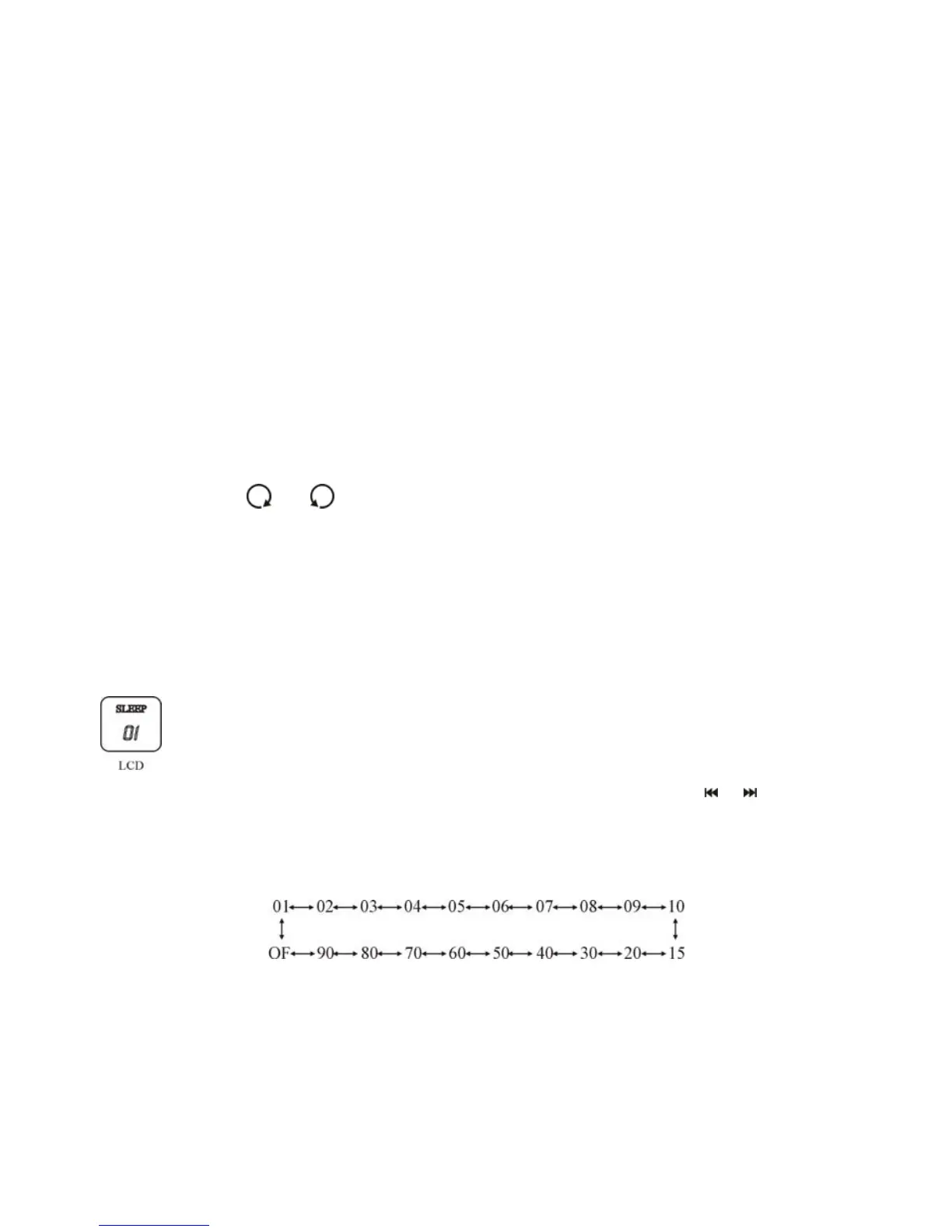
1. Touch SET button on the touch screen of the unit till the SLEEP icon in the
LCD flicks, the SLEEP setting starts, the initial figure indicates: 01min.
Or just press key SLEEP on the remote control.
2. Touch +/- button on the touch screen of the unit or press
/ button on
remote control to adjust the SLEEP time. The interval of SLEEP time settings
is display such as below:
SLEEP
3. Touch SET button on the touch screen of the unit or press ENTER
Button on the remote control to confirm the SLEEP setting, during the
operation, if the interval time exceeds 8 seconds, the current setting will be
cancelled.
14


 To Next Page