dobox.com support@dobox.com
5.) Plug in a mouse and a keyboard to DoBox
6.) Turn on your DoBox
7.) Connect to the DoBox’s Hotspot
8.) Open the DoBox app
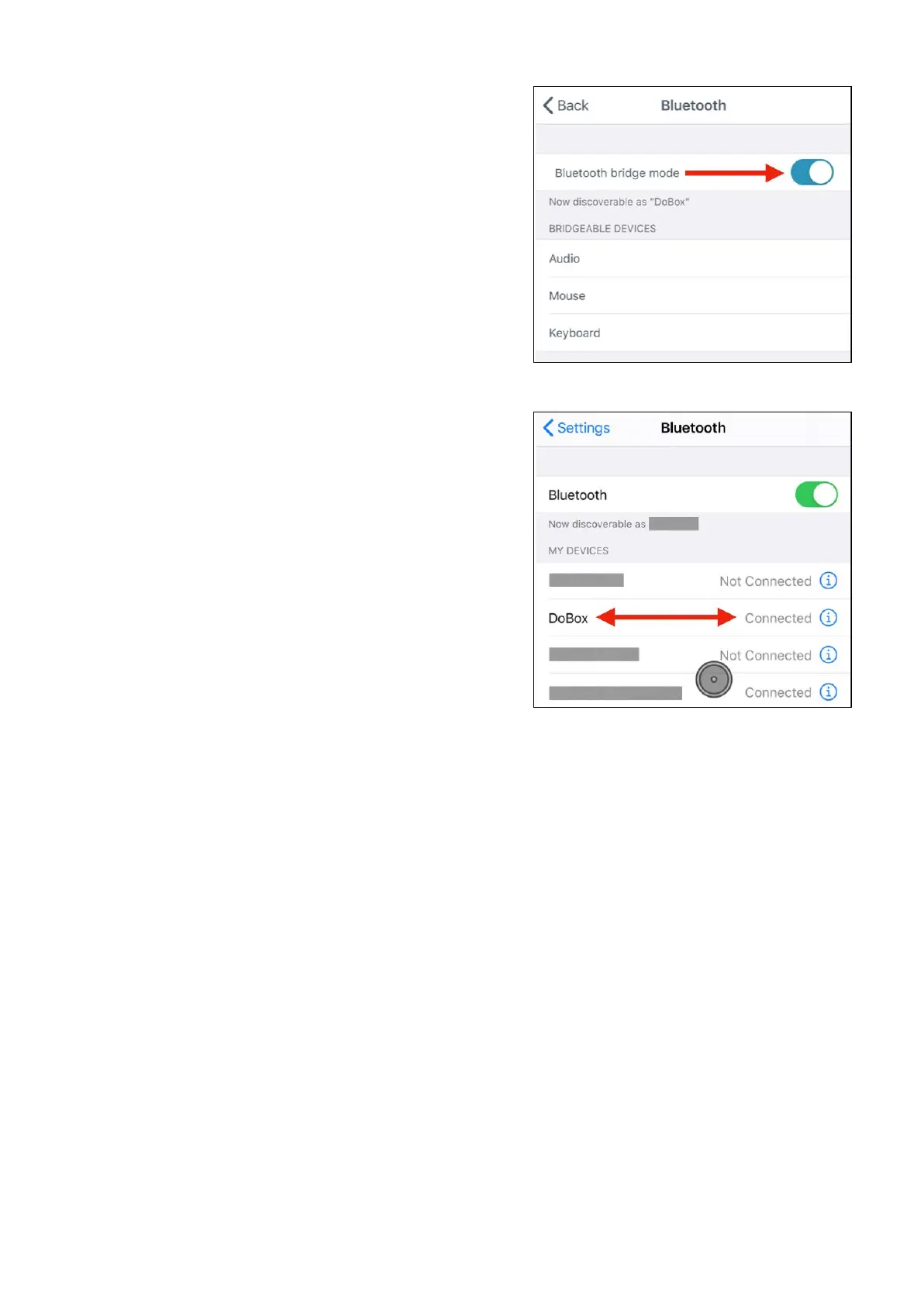
9.) In the app go to Bluetooth menu
10.) Enable Bluetooth Bridge Mode
11.) From then, DoBox is discoverable for 3 minutes
12.) On your iOS device, go to the Home screen and
open Settings
13.) Select Bluetooth menu
14.) Choose DoBox from Other Devices
15.) Close the iOS settings
16.) After it's connected, you can start using this
function
DoBox
® i
s a brand of Fruitdock Ltd. All rights reserved. 2020


 To Next Page