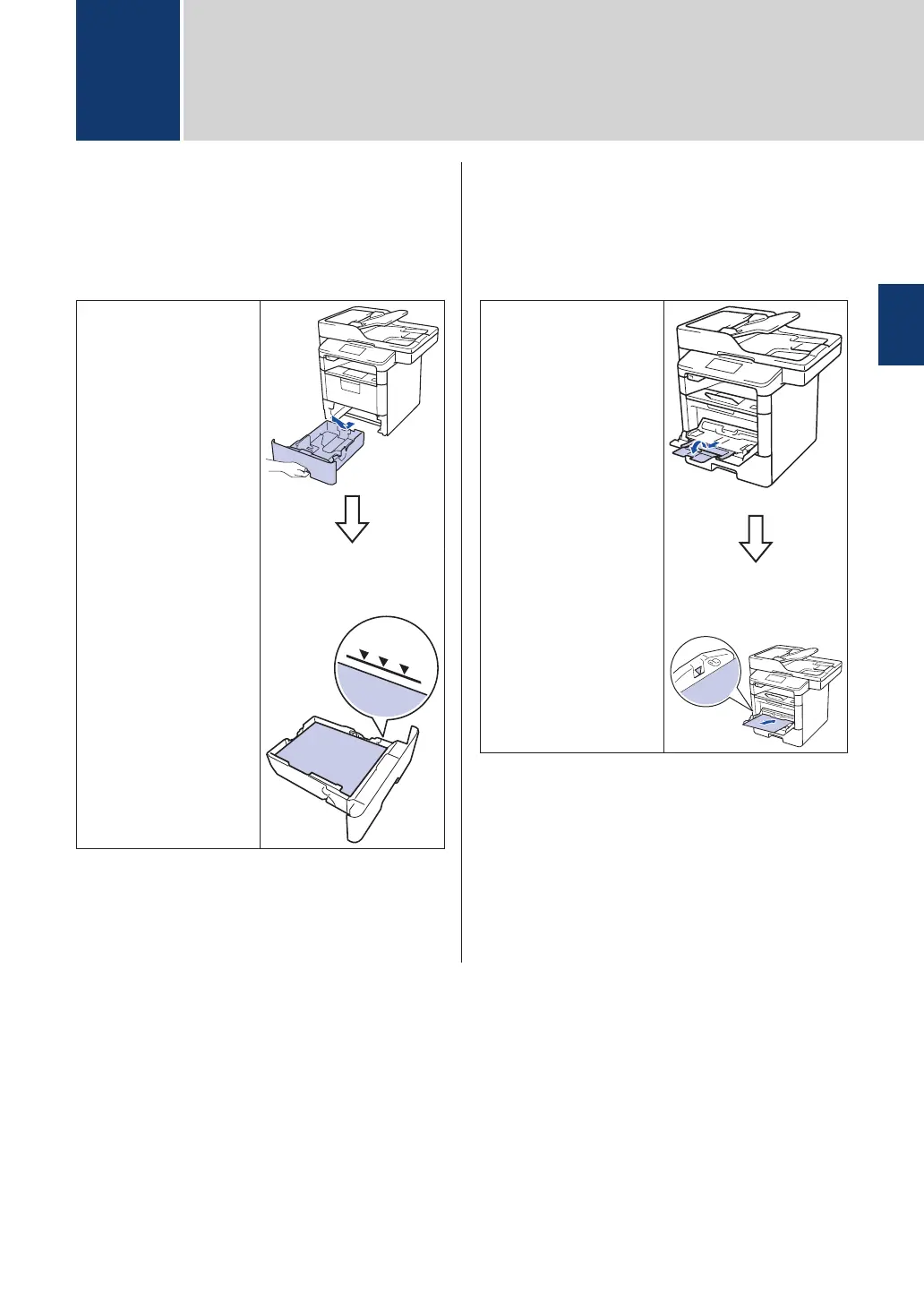
Load Paper in the
Paper Tray
Use the paper tray when printing on the
following media:
Plain paper
Thin paper
Recycled paper
Letterhead
Coloured paper
Thick paper
1
• Adjust the guides
• Fan the paper
1
Open the back cover (face up output tray) before
printing to let the printed paper exit onto the face up
output tray.
For more information, see the User Guide:
Load and Print Using the Paper Tray.
Load Paper in the Multi-
purpose Tray (MP Tray)
Use the MP tray when printing on the
following media:
Plain paper
Thin paper
Recycled paper
Bond paper
Letterhead
Coloured paper
Thick paper
1
Labels
1
Envelopes
1
• Adjust the guides
• Fan the paper
1
Open the back cover (face up output tray) before
printing to let the printed paper exit onto the face up
output tray.
For more information, see the User Guide:
Load and Print Using the Multi
‑
purpose Tray
(MP Tray).
2
Load Paper
2
Load Paper
9



 To Next Page
 Loading...









