EasyManua.ls Logo

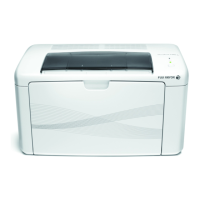
Fuji Xerox DocuPrint M115 b - User Manual

Fuji Xerox DocuPrint M115 b
106 pages
Print Icon
To Next Page IconTo Next Page
Loading...
User’s Guide
DocuPrint M115 b/M115 f/M115 fs

Table of Contents

Questions and Answers

  • B
    Briana AndersonAug 13, 2025
    What to do if my Fuji Xerox DocuPrint M115 b says 'Out of Memory'?
    • B
      Bryan JenkinsAug 14, 2025
      If your Fuji Xerox All in One Printer displays 'Out of Memory', it means the machine's memory is full. If you are faxing or copying, press Start to proceed with sending or copying the scanned pages, or press Stop/Exit, wait for other operations to finish, and try again. If printing, press Stop/Exit to cancel the print job and clear it from memory, or lower the print quality.
  • E
    Edward VillaAug 17, 2025
    How to fix 'Drum End Soon Replace Drum' message on Fuji Xerox All in One Printer?
    • C
      Christopher MillerAug 17, 2025
      If your Fuji Xerox All in One Printer shows 'Drum End Soon Replace Drum', it indicates that it's time to replace the drum unit. You can either replace the drum unit or reset the drum unit counter when a new drum is installed.
  • F
    Frederick LopezAug 21, 2025
    How to resolve 'Cartridge Error Put the Toner Cartridge back in' on Fuji Xerox DocuPrint M115 b?
    • D
      Dr. Amanda LucasAug 21, 2025
      If your Fuji Xerox All in One Printer shows 'Cartridge Error Put the Toner Cartridge back in', it means the toner cartridge is not installed correctly. To fix this, firmly put the toner cartridge into the drum unit, and then put it back in the machine. Also, ensure that you are using a genuine Fuji Xerox toner cartridge, and use only a genuine Fuji Xerox Original drum unit and genuine Fuji Xerox Original toner cartridge.
  • A
    Amber GarciaAug 25, 2025
    What does 'Self-Diagnostic' mean on my Fuji Xerox All in One Printer and how do I fix it?
    • M
      mhawkinsAug 26, 2025
      If your Fuji Xerox All in One Printer displays 'Self-Diagnostic', it could be due to the fusing unit's temperature not rising to the specified level within the required time, or the fusing unit being too hot. To resolve this, turn the machine off, wait a few seconds, and then turn it on again. Leave the machine idle for 15 minutes with the power on.
  • C
    Christopher FosterAug 28, 2025
    What does 'Toner Low' mean on my Fuji Xerox DocuPrint M115 b?
    • L
      Laura JonesAug 28, 2025
      When your Fuji Xerox All in One Printer displays 'Toner Low', it means the toner cartridge is near the end of its life. You can still print for a while, but you should order a new toner cartridge now, so you have a replacement available when the printer displays 'Replace Toner' or 'Toner Ended'.
  • A
    anthonyedwardsSep 1, 2025
    What to do if my Fuji Xerox DocuPrint M115 b has a 'Document Jam'?
    • D
      Destiny HumphreySep 1, 2025
      If your Fuji Xerox All in One Printer displays 'Document Jam', it means that the document was not inserted or fed correctly, or the document scanned from the ADF was too long. To resolve this, pull the jammed paper out of the ADF unit.
  • A
    Amanda OrtegaSep 5, 2025
    Why does my Fuji Xerox All in One Printer show 'Comm.Error'?
    • M
      Melissa SimpsonSep 5, 2025
      If your Fuji Xerox All in One Printer displays 'Comm.Error', it indicates that poor telephone line quality caused a communication error. Try sending the fax again.
  • P
    Patricia QuinnSep 9, 2025
    What does 'Disconnected' mean on my Fuji Xerox All in One Printer?
    • B
      brandy96Sep 9, 2025
      If your Fuji Xerox All in One Printer displays 'Disconnected', it means the other person or their fax machine stopped the call. Try to send or receive again.

Summary

Safety and Precautions

Electrical Safety Guidelines

Essential safety instructions for operating the printer with electrical power sources.

Operational Safety Precautions

Guidelines for safe operation, preventing hazards like shock, injuries, and damage.

Getting Started

Initial Setup Procedures

Step-by-step guide for initial machine setup, including date, time, and station ID.

Paper Handling

Core Printer Functions

Sending a Fax

Step-by-step instructions for sending faxes using the printer.

Troubleshooting and Maintenance

Handling Document and Paper Jams

Procedures for clearing document jams in the ADF and paper jams in the machine.

Fuji Xerox DocuPrint M115 b Specifications

General IconGeneral
TypeAll in One Printer
FunctionsPrint, Copy, Scan
Print TechnologyLaser
Print Speed (Black)20 ppm
Print Resolution1200 x 1200 dpi
Monthly Duty Cycle10, 000 pages
Duplex PrintingManual
Copy Speed (Black)20 cpm
Copy Resolution600 x 600 dpi
Scan TypeFlatbed
Scan Resolution600 x 600 dpi
Paper Capacity150 sheets
ConnectivityUSB 2.0
Paper SizesA4, A5, Letter, Legal
Operating SystemsMac OS

Related product manuals