EasyManua.ls Logo

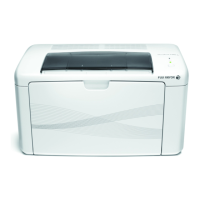
Fuji Xerox DocuPrint M118 w - User Manual

Fuji Xerox DocuPrint M118 w
99 pages
Print Icon
To Next Page IconTo Next Page
Loading...
DocuPrint M118 w
DocuPrint M118 z
User’s Guide

Table of Contents

Questions and Answers

  • M
    michaelvazquezAug 17, 2025
    What causes 'Toner Low' message on Fuji Xerox DocuPrint M118 w All in One Printer?
    • T
      Terry JacksonAug 17, 2025
      The 'Toner Low' message on your Fuji Xerox All in One Printer indicates that the toner cartridge is nearing the end of its life. While you can still print, it's recommended to order a new toner cartridge so you have a replacement available when the printer displays 'Replace Toner' or 'Toner Ended'.
  • S
    scottpottsAug 20, 2025
    Why Fuji Xerox DocuPrint M118 w shows 'Drum End Soon Replace Drum'?
    • C
      coxjosephAug 20, 2025
      The 'Drum End Soon Replace Drum' message on your Fuji Xerox All in One Printer means it is time to replace the drum unit. Replace the drum unit or reset the drum unit counter when a new drum is installed.
  • T
    Timothy BestAug 22, 2025
    What to do if Fuji Xerox DocuPrint M118 w All in One Printer shows 'Out of Memory'?
    • S
      Sonya EllisAug 23, 2025
      If your Fuji Xerox All in One Printer displays an 'Out of Memory' error, it means the printer's memory is full. You can press Start to send or copy the scanned pages, or press Stop/Exit and wait for any ongoing operations to finish before trying again. If a print operation is in progress, press Stop/Exit to cancel the print job and clear it from the memory. Alternatively, try lowering the print quality.
  • M
    Melissa BallAug 26, 2025
    How to fix Cartridge Error on Fuji Xerox DocuPrint M118 w?
    • J
      jessica23Aug 26, 2025
      If your Fuji Xerox All in One Printer displays a 'Cartridge Error,' it may be due to the toner cartridge not being installed correctly. Ensure the toner cartridge is firmly placed into the drum unit, and then put it back into the machine. Also, verify you are using a toner cartridge and that it is a Fuji Xerox Original drum unit and Fuji Xerox Original toner cartridge.
  • E
    elainefinleyAug 28, 2025
    How to resolve 'Document Jam' on Fuji Xerox All in One Printer?
    • A
      Allison RosalesAug 28, 2025
      If your Fuji Xerox All in One Printer displays a 'Document Jam' error, it could be because the document was not inserted or fed correctly, or the document scanned from the ADF was too long. Pull the jammed paper out of the ADF unit.
  • A
    Amanda SchmidtAug 31, 2025
    How to resolve 'Size mismatch' error on Fuji Xerox DocuPrint M118 w All in One Printer?
    • S
      Stephanie SmithAug 31, 2025
      If your Fuji Xerox All in One Printer shows a 'Size mismatch' error, it indicates that the paper in the tray is not the correct size. Load the correct size of paper in the tray and set the size of paper to the tray.
  • S
    Stephen GrahamSep 2, 2025
    How to fix Fuji Xerox DocuPrint M118 w All in One Printer sending blank faxes?
    • M
      Michael WigginsSep 2, 2025
      To fix blank faxes from your Fuji Xerox All in One Printer, make sure you are loading the document correctly. The document should be face down when using the ADF or the scanner glass.
  • R
    Richard AllenSep 5, 2025
    What to do if Fuji Xerox DocuPrint M118 w All in One Printer shows 'Self-Diagnostic' error?
    • X
      xsheppardSep 5, 2025
      If your Fuji Xerox All in One Printer displays a 'Self-Diagnostic' error, it might be because the temperature of the fusing unit did not rise to a specified temperature within the specified time. Turn the machine off, wait a few seconds, and then turn it on again. Leave the machine idle for 15 minutes with the power on.
  • J
    Jason PetersonSep 8, 2025
    What causes 'Comm.Error' on Fuji Xerox DocuPrint M118 w All in One Printer?
    • A
      adriancainSep 8, 2025
      A 'Comm.Error' on your Fuji Xerox All in One Printer indicates a communication error, likely caused by poor telephone line quality. Try sending the fax again.
  • W
    William NguyenSep 12, 2025
    What causes 'Disconnected' error on Fuji Xerox DocuPrint M118 w?
    • J
      Jennifer WilkinsSep 12, 2025
      The 'Disconnected' error on your Fuji Xerox All in One Printer means that the other person or other person’s fax machine stopped the call. Try to send or receive again.

Fuji Xerox DocuPrint M118 w Specifications

General IconGeneral
FunctionalityPrint, Copy, Scan
Print Speed (Black)20 ppm
Print ResolutionUp to 1200 x 1200 dpi
Monthly Duty Cycle10, 000 pages
Memory128 MB
First Print Out Time8.5 seconds
Copy Speed (A4)20 cpm
Copy Resolution600 x 600 dpi
Scan TypeFlatbed
Paper Capacity150 sheets
Printer TypeLaser
ConnectivityUSB 2.0
Paper SizeA4, Letter, Legal
Scan Resolution600 x 600 dpi
Operating SystemsWindows, Mac OS

Related product manuals