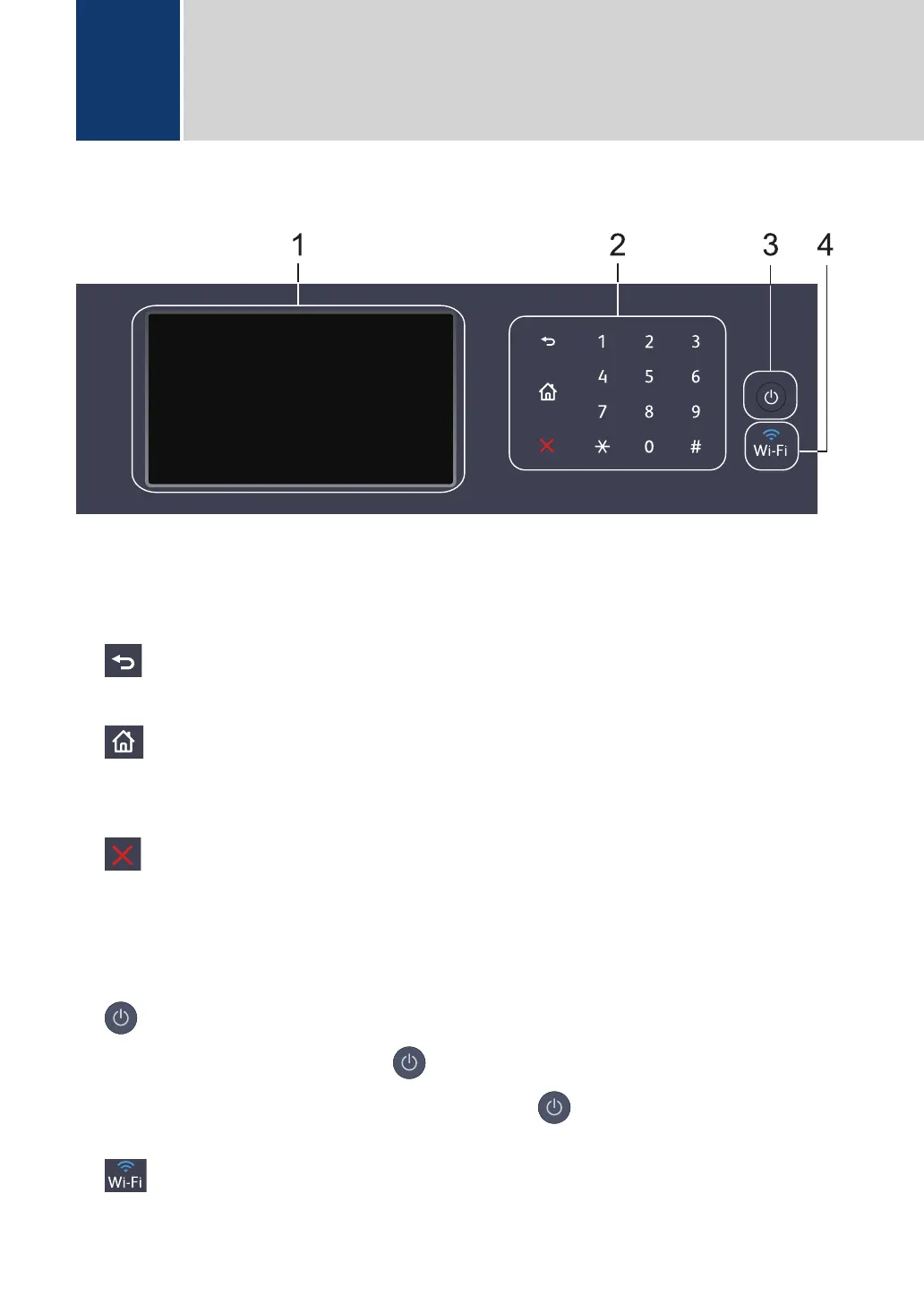
Control Panel Overview
1. Touchscreen Liquid Crystal Display (LCD)
Access menus and options by pressing them on the touchscreen.
2. Touchpanel
(Back)
Press to go back to the previous menu.
(Home)
• Press to return to the Home screen.
• While the machine is in Sleep Mode, the Home icon blinks.
(Cancel)
Press to cancel an operation (available when lit).
Dial Pad (Numerical buttons)
Press the numbers on the touchpanel to dial telephone or fax numbers and to enter the
number of copies.
3.
Power On/Off
• Turn the machine on by pressing .
• Turn the machine off by pressing and holding down . The LCD displays [Shutting
Down] for a few seconds before going off.
4.
(Wi-Fi) (DocuPrint M375 z)
(For infrastructure mode)
1
General Information
4



 To Next Page
 Loading...









