EasyManua.ls Logo

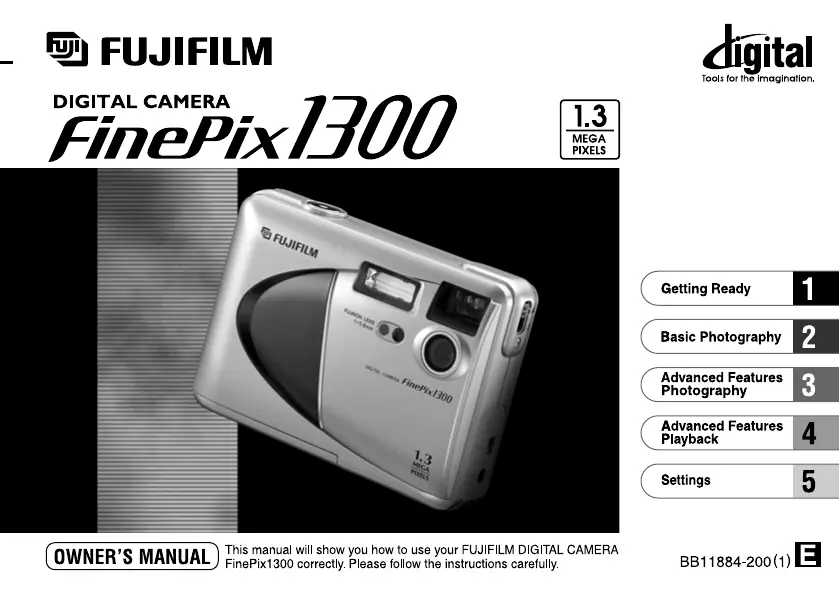
FujiFilm FinePix1300 - User Manual

FujiFilm FinePix1300
41 pages
Print Icon
To Next Page IconTo Next Page
Loading...

Table of Contents

Questions and Answers

  • J
    Jaime NicholsAug 14, 2025
    Why is my FujiFilm FinePix1300 not taking pictures?
    • C
      Casey LewisAug 15, 2025
      If your FujiFilm Digital Camera isn't taking pictures when you press the shutter button, here's what might be happening: * Make sure a SmartMedia card is loaded in the camera. If not, load one. * If the SmartMedia is full, erase some images or use one with more free space. * Check if the SmartMedia is write-protected and remove the write-protection if it is. * The SmartMedia might need to be formatted. Format the SmartMedia. * Try cleaning the SmartMedia contact area with a clean, dry cloth. * The SmartMedia could be damaged, so try loading a new one. * The camera may have switched off due to the Auto Power Off function, so switch the camera back on. * The battery might be exhausted, so load new batteries.
  • K
    Kevin WilliamsAug 18, 2025
    Why are my FujiFilm Digital Camera photos blurry?
    • C
      Christian StewartAug 18, 2025
      If your FujiFilm Digital Camera is producing blurred images, consider the following: * The lens might be dirty. Clean the lens. * You may have used Macro photography for scenery. Cancel Macro photography for landscape shots.
  • F
    Frances ButlerAug 21, 2025
    Why won't the flash charge on my FujiFilm FinePix1300?
    • S
      Scott JonesAug 21, 2025
      If the flash on your FujiFilm Digital Camera isn't charging, there are a few potential reasons: * A compatible SmartMedia card might not be loaded. Try loading a new SmartMedia, erasing a frame, or removing the write-protection. * The camera could be set to Suppressed Flash mode. Change the flash mode to Auto, Red-eye Reduction, Forced Flash, or Night Scene. * The battery might be exhausted. Try loading new batteries.
  • J
    Julia PattersonAug 25, 2025
    Why does the battery run out quickly on my FujiFilm FinePix1300?
    • S
      Steven MayAug 25, 2025
      If your FujiFilm Digital Camera's battery is draining quickly, consider these factors: * Extremely cold conditions can affect battery life. Try warming the battery in your pocket before use. * Soiled terminals can cause issues. Wipe the battery terminals with a clean, dry cloth. * The batteries may be flat. Load a new battery.
  • C
    Chad BurgessAug 28, 2025
    What to do if my FujiFilm FinePix1300 Digital Camera power cuts out during operation?
    • R
      Robert RobinsonAug 28, 2025
      If your FujiFilm Digital Camera is losing power during operation, the most likely cause is that the battery is exhausted. Try loading new batteries to resolve this.
  • B
    Brian PughAug 31, 2025
    How to fix a FujiFilm FinePix1300 Digital Camera with no power?
    • R
      robertmartinAug 31, 2025
      If your FujiFilm Digital Camera is not powering on, check the following: * Ensure the battery isn't exhausted by loading a new one. * If you're using an AC power adapter, make sure it's securely plugged into the power outlet. Plug the adapter back in if it has come loose.
  • J
    Jeanette StrongSep 3, 2025
    Why are my FujiFilm FinePix1300 Digital Camera photos too dark with flash?
    • I
      imontgomerySep 3, 2025
      If your FujiFilm Digital Camera playback images are too dark even when using the flash, it might be because: * The subject is too far away. Move closer to the subject. * Your finger is covering the flash. Hold the camera correctly.
  • B
    Brian GarciaSep 7, 2025
    What to do if I cannot format the SmartMedia on my FujiFilm FinePix1300 Digital Camera?
    • H
      hallenSep 7, 2025
      If you're unable to format the SmartMedia in your FujiFilm Digital Camera, it's likely that the SmartMedia is write-protected. Remove the write-protection by peeling off the write-protect sticker.
  • V
    Victoria WilsonSep 10, 2025
    Why I cannot erase all frames on my FujiFilm FinePix1300 Digital Camera?
    • C
      Caroline DurhamSep 12, 2025
      If you cannot erase all the frames on your FujiFilm Digital Camera, it could be due to the following reasons: * The frame might be protected. Remove the frame protection. * DPOF settings may be specified for some frames. Reset the DPOF settings.

FujiFilm FinePix1300 Specifications

General IconGeneral
Resolution1.3 Megapixels
Optical Zoom3x
Digital Zoom2.5x
Storage MediaSmartMedia Card
Sensor TypeCCD
ViewfinderOptical
InterfaceUSB
Image Resolution1280 x 960
Focus Range80 cm to infinity
Shutter Speed1/2 sec to 1/1000 sec
ISO Sensitivity100
Flash ModesAuto
Power Source2x AA batteries
Effective Pixels1.3 Megapixels

Related product manuals