EasyManua.ls Logo

FujiFilm FinePix4800Zoom - User Manual

FujiFilm FinePix4800Zoom
67 pages
Print Icon
To Next Page IconTo Next Page
Loading...
BL00007-200
(
1
)
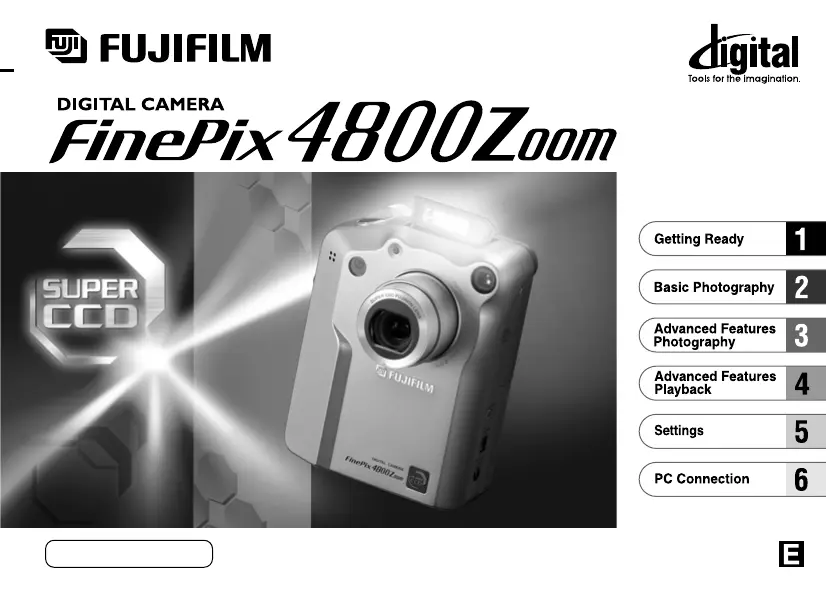
OWNER’S MANUAL
This manual will show you how to use your
FUJIFILM DIGITAL CAMERA
FinePix4800ZOOM correctly. Please follow the instructions carefully.

Table of Contents

Other manuals for FujiFilm FinePix4800Zoom

Questions and Answers

  • D
    Danielle McfarlandAug 19, 2025
    Why FujiFilm Digital Camera has no power?
    • B
      Brian HartAug 20, 2025
      Your FujiFilm Digital Camera might not have power for several reasons: the battery could be exhausted (load a new, fully charged battery), the AC power adapter plug may have come out of the power outlet (plug the adapter back in), or the camera might not be connected to the cradle correctly (ensure it's properly fitted).
  • M
    mmontgomeryAug 21, 2025
    What to do if FujiFilm FinePix4800Zoom Digital Camera battery runs out quickly?
    • L
      Louis JohnsonAug 21, 2025
      If your FujiFilm Digital Camera battery is draining fast, here's what you can do: If you're using the camera in extremely cold conditions, warm the battery in your pocket before use. Clean the battery terminals with a dry cloth if they're soiled. If the battery is flat, replace it with a fully charged one.
  • W
    Wanda FrancoAug 25, 2025
    Why FujiFilm FinePix4800Zoom power cuts out during operation?
    • E
      Eric SmithAug 25, 2025
      If your FujiFilm Digital Camera is losing power during use, it's likely because the battery is exhausted. Try loading a new, fully charged battery.
  • J
    Jerry ChambersAug 26, 2025
    Why I can’t use the flash to take pictures with FujiFilm Digital Camera?
    • T
      Timothy JohnsonAug 26, 2025
      If you're unable to use the flash on your FujiFilm Digital Camera, check these potential causes: The Mode switch and Mode dial might be set incorrectly (set them to the correct setting). The flash might be closed (pop the flash up). You might be using a photography mode that disables the flash (select a mode that allows flash). You might have pressed the shutter button while the flash was charging (wait until charging is complete).
  • J
    Joan SmithAug 28, 2025
    What to do if FujiFilm FinePix4800Zoom Digital Camera image is blurred?
    • W
      wballardAug 28, 2025
      If your FujiFilm Digital Camera images are blurry, try these solutions: Clean the lens. If you're in Macro mode and zoomed in, cancel Macro mode. If the subject was too dark, try standing about 2 meters (6.6 ft) away.
  • M
    Michelle HaleAug 30, 2025
    Why is the playback image too dark even though I used the flash on my FujiFilm Digital Camera?
    • T
      Thomas SnyderAug 30, 2025
      If your FujiFilm Digital Camera playback images are too dark despite using the flash, the subject might have been too far away (move closer). Also, ensure your finger isn't covering the flash or pressing it down; hold the camera correctly.
  • T
    Tammy MercadoSep 1, 2025
    What to do if FujiFilm Digital Camera is not emitting any sound?
    • W
      willie80Sep 1, 2025
      If your FujiFilm Digital Camera isn't producing sound, consider these possibilities: The camera volume might be too low (adjust the volume). The microphone might have been blocked during shooting/recording (avoid blocking it). The speaker might have been blocked during playback (avoid blocking it). The A/V cable might be connected (disconnect the A/V cable).
  • K
    kristinglassSep 3, 2025
    What to do if FujiFilm Digital Camera flash will not charge?
    • D
      Debra CaseySep 3, 2025
      If the flash on your FujiFilm Digital Camera isn't charging, it could be due to several reasons: No compatible SmartMedia is loaded (load a new SmartMedia, erase a frame, or remove the write-protection). The flash might be closed (pop the flash up). The battery might be exhausted (load a new, fully charged battery).
  • J
    John DawsonSep 5, 2025
    Why the self-timer lamp blinks during battery charging of FujiFilm FinePix4800Zoom?
    • H
      heather62Sep 5, 2025
      If the self-timer lamp on your FujiFilm Digital Camera blinks while charging the battery, it might indicate that the battery is old. Consider installing a new battery.
  • E
    Eric CarlsonSep 8, 2025
    What to do if nothing happens when I use the FujiFilm FinePix4800Zoom switches and dial?
    • T
      Tiffany CookSep 8, 2025
      If the switches and dial on your FujiFilm Digital Camera aren't responding, it could be due to a camera malfunction (remove and re-insert the battery). Alternatively, the Mode switch and Mode dial might be set incorrectly (set them to the correct setting), or the battery might be exhausted (load a new, fully charged battery).

Summary

Getting Ready

Initial Setup Procedures

Guide to cradle setup, battery, and SmartMedia.

Basic Photography

Taking Pictures (Auto Mode)

Step-by-step guide for standard shooting.

Advanced Photography

Photography Mode Selection

Overview of available shooting modes and their specifications.

PC Connection

Connecting to a Computer

Overview of USB connection and modes.

Important Notes and Safety

Power Supply and Battery Management

Guidelines for AC adapter and battery use.

SmartMedia Best Practices

Handling, storing, and using SmartMedia cards.

Warning Displays and Troubleshooting

Understanding error messages and resolving common issues.

Critical Safety Warnings

Essential safety guidelines to prevent injury or damage.

FujiFilm FinePix4800Zoom Specifications

General IconGeneral
BrandFujiFilm
ModelFinePix4800Zoom
CategoryDigital Camera
LanguageEnglish

Related product manuals