57
More on Playback
Playback Options
Playback Zoom
Press k to zoom in on pictures displayed in sin-
gle-frame playback; n to zoom out. When the
picture is zoomed in, the selector can be used to
view areas of the image not currently visible in the
display.
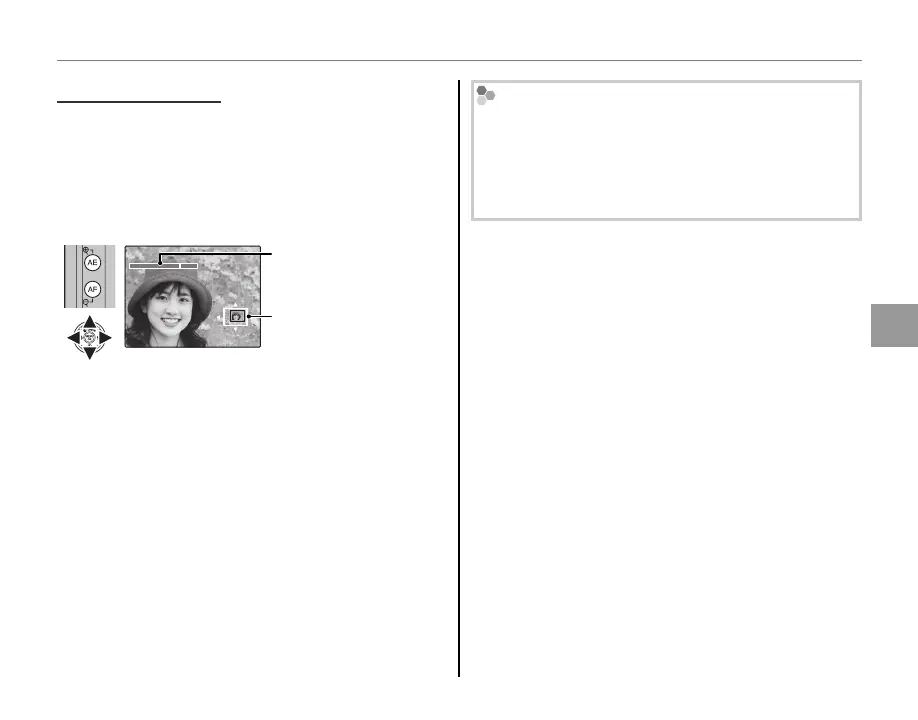
Navigation window
shows portion of image
currently displayed in
monitor
Zoom indicator
Press DISP/BACK or MENU/OK to exit zoom.
1
The maximum zoom ratio varies with image size. Play-
back zoom is not available with cropped or resized
copies saved at a size of a or smaller.
Intelligent Face Detection
Pictures taken with Intelligent Face Detection (P 52)
are indicated by a g icon. Press the f button to
zoom in on the subject selected with Intelligent Face
Detection. You can then use the k and n buttons
to zoom in and out.



 To Next Page
 Loading...