Your CELVIN® NAS Server …
Fujitsu 7
CELVIN
®
NAS Server Q902
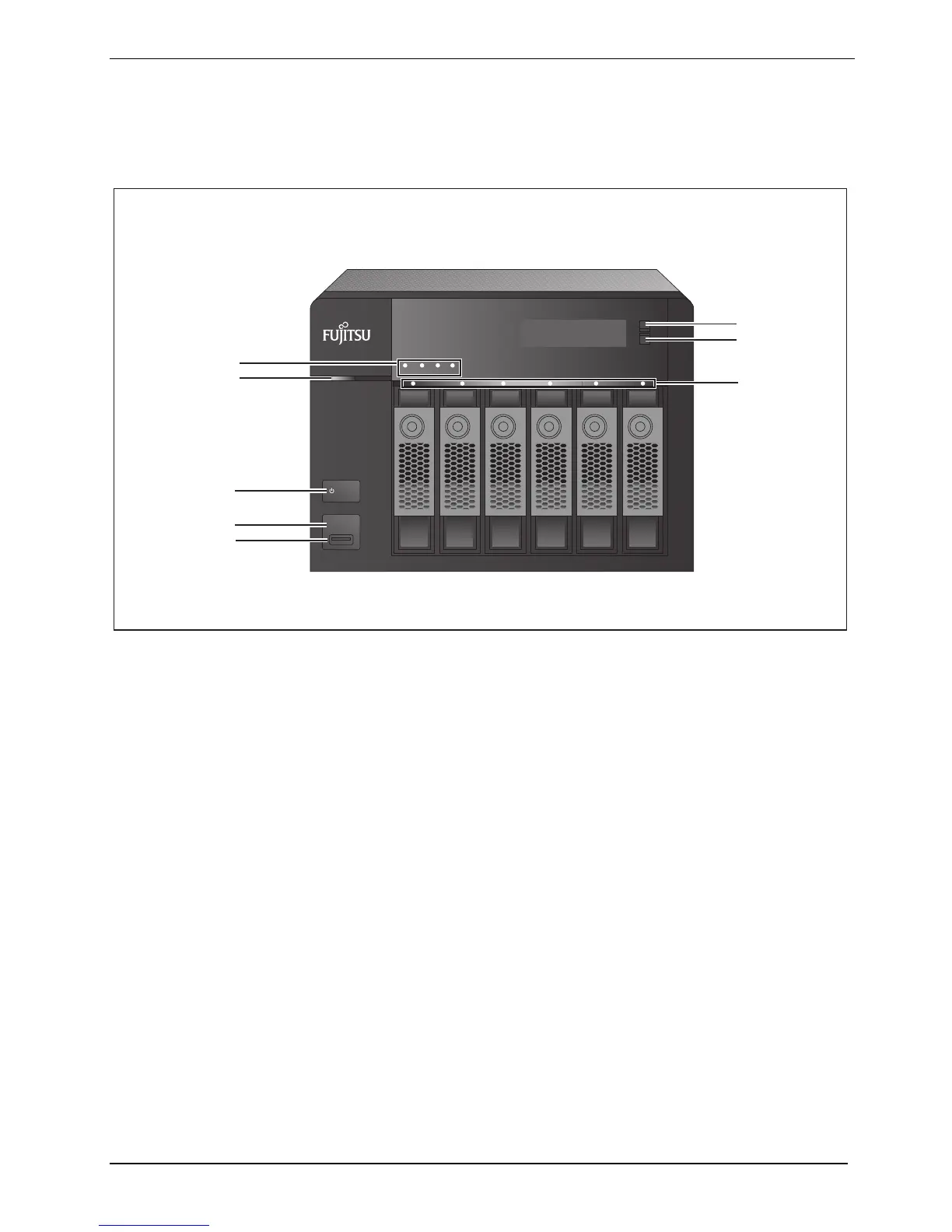
Front
ENTER
SELECT
POWER
COPY
STATUS LAN USB
eSATA
6
7
8
1
2
3
4
5
1 = LED indicators: Status, LAN, USB, eSATA
2 = LED indicator: Power supply
3 = ON/OFF switch
4 = One Touch Copy button
5 = USB 2.0
6 = Enter button
7 = Select button
8 = LED indicators: HDD 1-6






 To Next Page