Connecting to the NAS
Fujitsu 33
Administration user interface
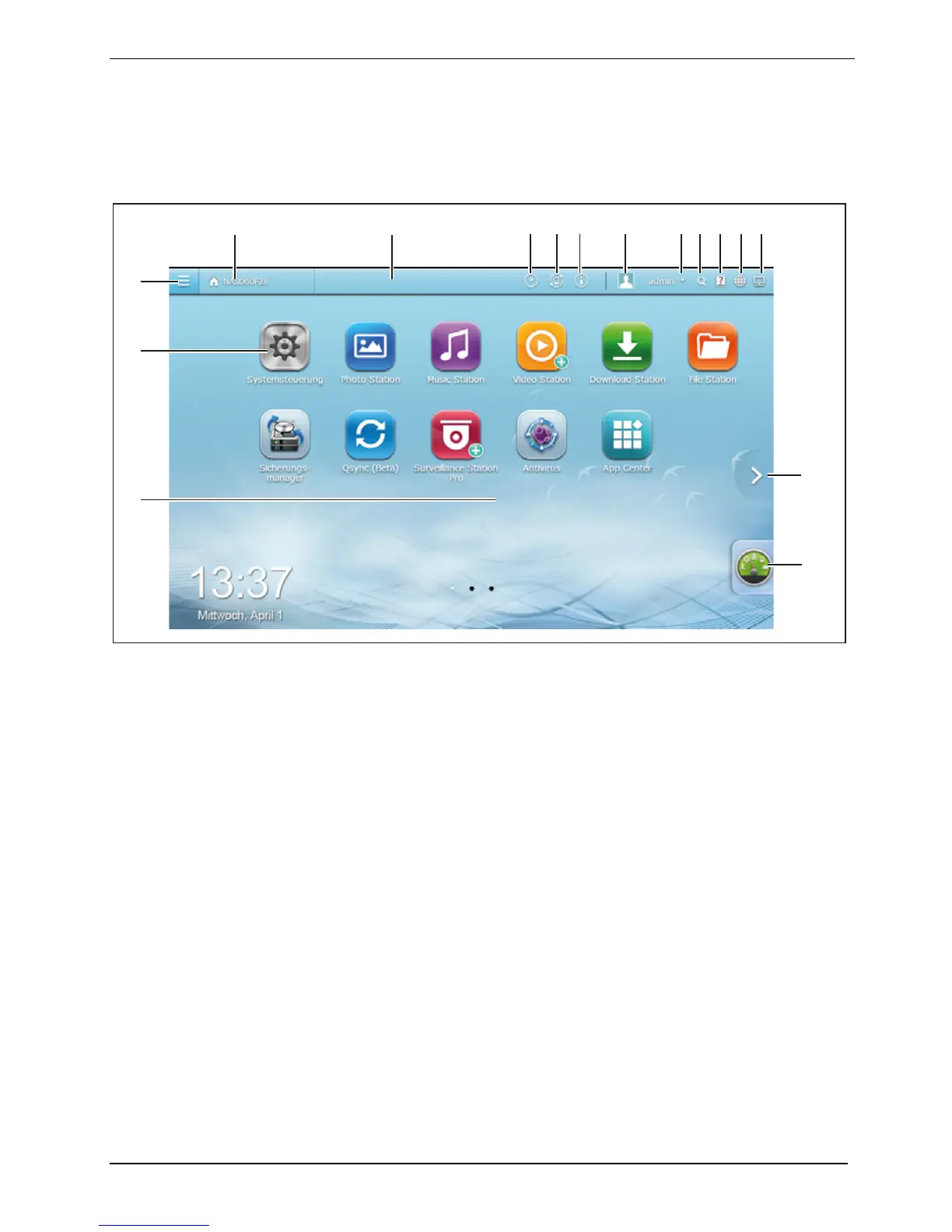
After completing the initial set-up for the NAS and logging in, the Administration user interface
appears.
3
2
15
16
4
7 986 10 11 12 13 14
1
5
1 = Desktop area with various applications 9 = Personal settings
2 = Control Panel 10 = Restart, shutdown, logout
3 = Main menu 11 = Search
4 = Show desktop 12 = Help
5 = Taskbar 13 = Language
6 = Background tasks 14 = Display
7 = External devices 15 = Next desktop
8 = Messages and warnings 16 = Control centre






 To Next Page