Connecting to the NAS
30 Fujitsu
Connecting to the NAS
Using the public folder (public network share)
The NAS public folder can be accessed in the following ways:
► Open Network Neighborhood and locate the NAS workgroup.
► If the server cannot be found, then please search the whole network for the NAS.
► Double click the name of the NAS to establish a connection.
Alternatively:
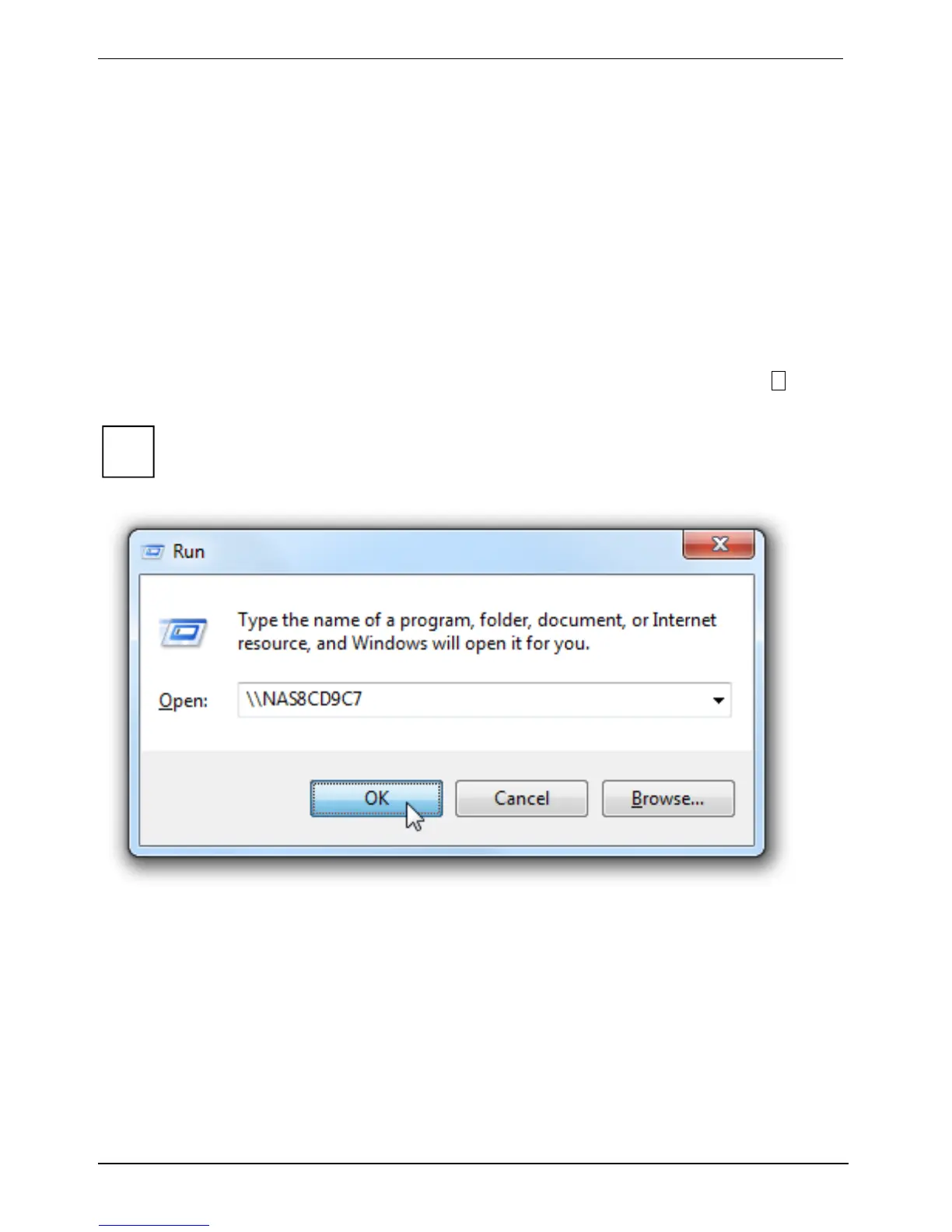
► Click on Start - Run or keep the Windows key on your keyboard pressed and press the R key.
► Enter \\[NAS name] or \\[NAS IP] to access the shared folders on the NAS.
i
The placeholders [NAS name] and [NAS IP] represent the name or IP address of your NAS.
You can use the Fujitsu Finder to obtain this information.






 To Next Page