Installing the NAS
16 Fujitsu
Physical disk
Menu item Physical disk contains the following options:
1. Disk Info
2. Back to Main Menu
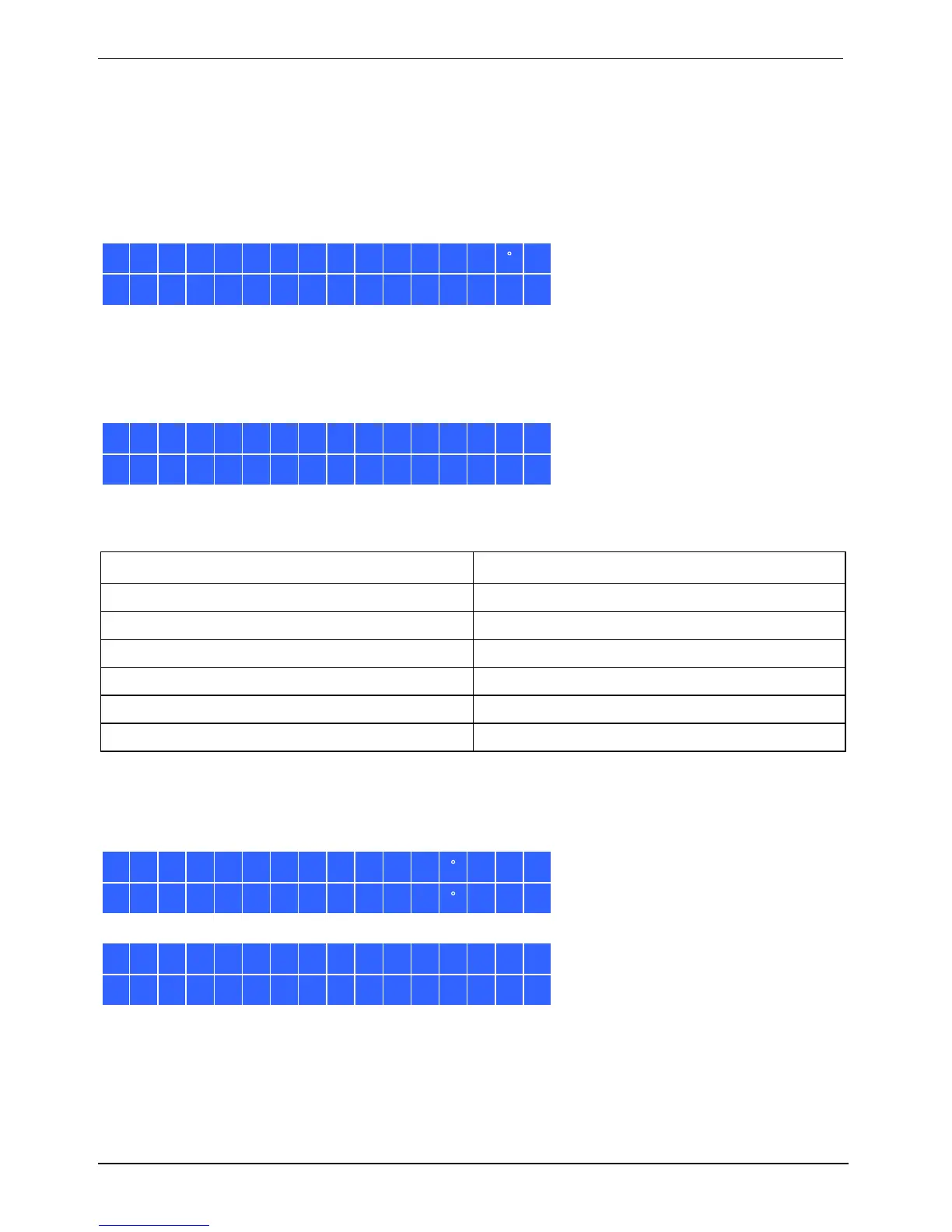
Disk Info shows the temperature and capacity of the hard disk.
Disk:1 Temp:50 C
Size: 232 GB
Volume
This menu item show
s the drive configuration of the NAS. The first line shows the RAID configuration
and the memory capacity. The second line shows the drive numbers of the drives involved in the
configuration.
RAID5 750GB
Drive 1234
If there is more than one volume, press the Select button to view the information. The following table
shows the description of the LCD messages for RAID 5 configuration.
LCD Display Drive configuration
RAID5+S
RAID5+spare
RAID5 (D)
RAID 5 degraded mode
RAID 5 (B)
RAID 5 rebuilding
RAID 5 (S)
RAID 5 re-synchronizing
RAID 5 (U)
RAID 5 is unmounted
RAID 5 (X)
RAID 5 non-activated
System
This menu item show
s the system temperature and the rotation speed of the system fan.
CPU Temp: 50 C
Sys Temp: 55
C
Sys Fan:865RPM






 To Next Page