Installing the NAS
22 Fujitsu
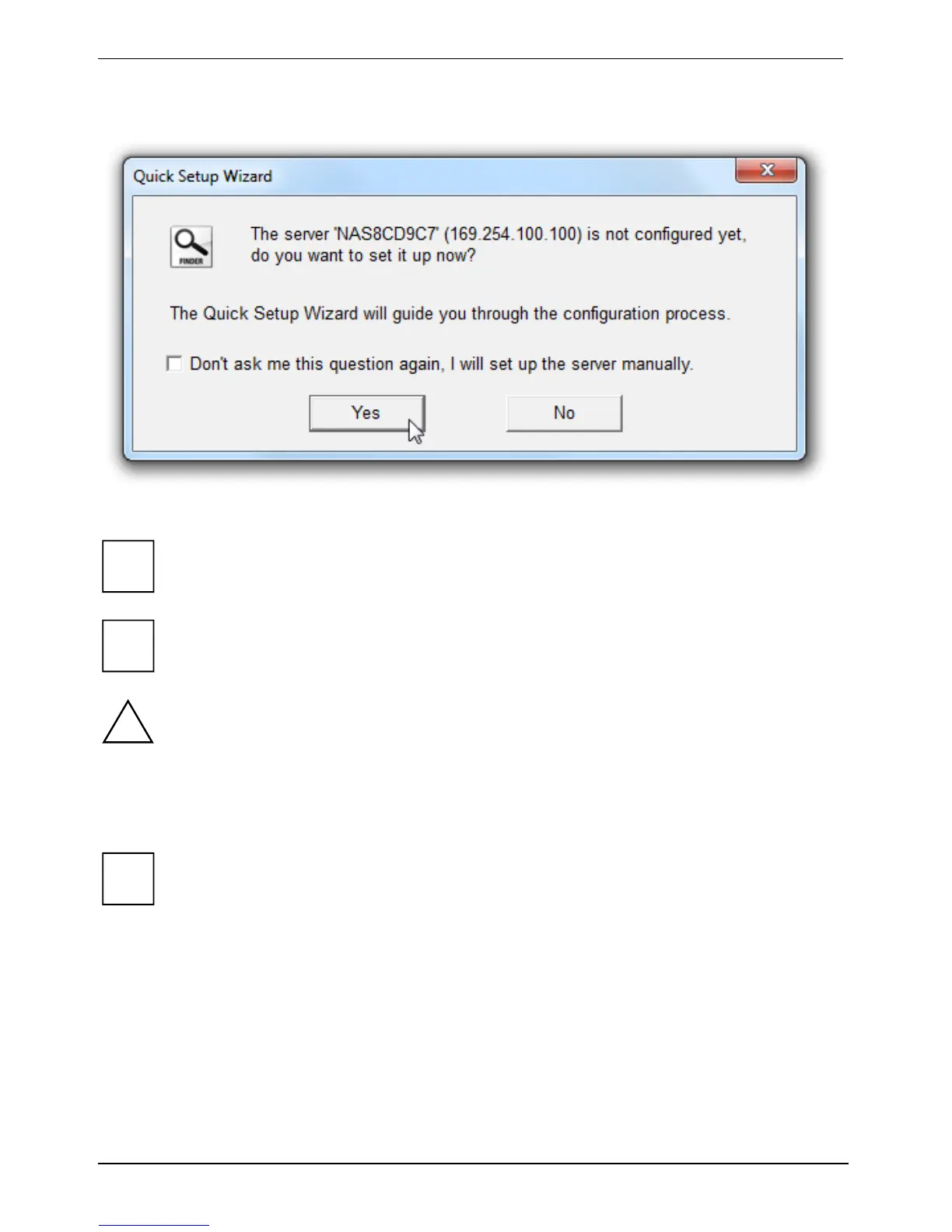
Fujitsu Finder detects the NAS in the network and asks whether Quick Setup should be run.
► Click on Yes to continue.
i
If the NAS could not be found, please click on Refresh to retry.
Check that you have installed a hard disk in the NAS.
i
If you have already set up the NAS via the LCD panel, you do not have to perform the
following steps of the Quick Setup.
!
Note that during NAS set up, the installed hard disk will be formatted and all the data on it
will be lost.
The first page of the Quick Configuration wizard will be displayed.
► Click on Start to start the configuration process.
i
The configuration process may take up to twenty minutes if the hard disk used has a
capacity greater than 500 GB.
► Follow the instructions for initial configuration.






 To Next Page