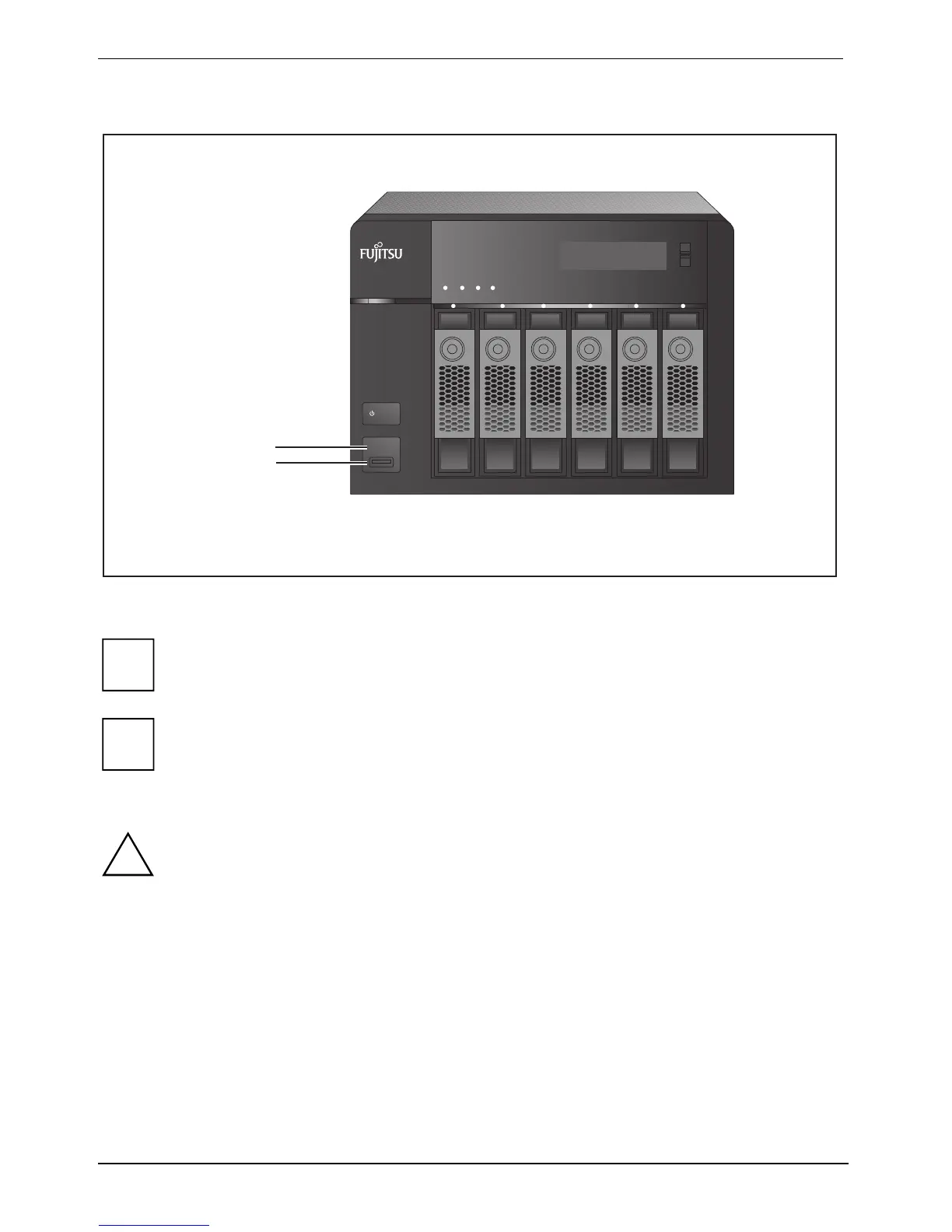
Copying data using the front USB port
38 Fujitsu
Q902
ENTER
SELECT
POWER
COPY
STATUS LAN USB
eSATA
1
2
1 = Copy button
2 = USB 2.0
i
This function performs an incremental backup. After the first time data backup, the NAS
only copies the files that have changed since the last backup.
i
If several partitions are available on the source storage device, a new folder for each
partition is created on the target device as a backup folder. The backup folder is named
after the backup date and the partition number, YYYYMMDD-1 for partition 1,
YYYYMMDD-2 for partition 2, etc. If the source storage device only contains one partition,
the backup folder is simply named YYYYMMDD.
!
Files are copied from the source to the target. Additional files on the target are deleted;
files with the same name are overwritten by the source. The source data remains
unchanged.






 To Next Page