45
APPENDIX B Running the Sample System
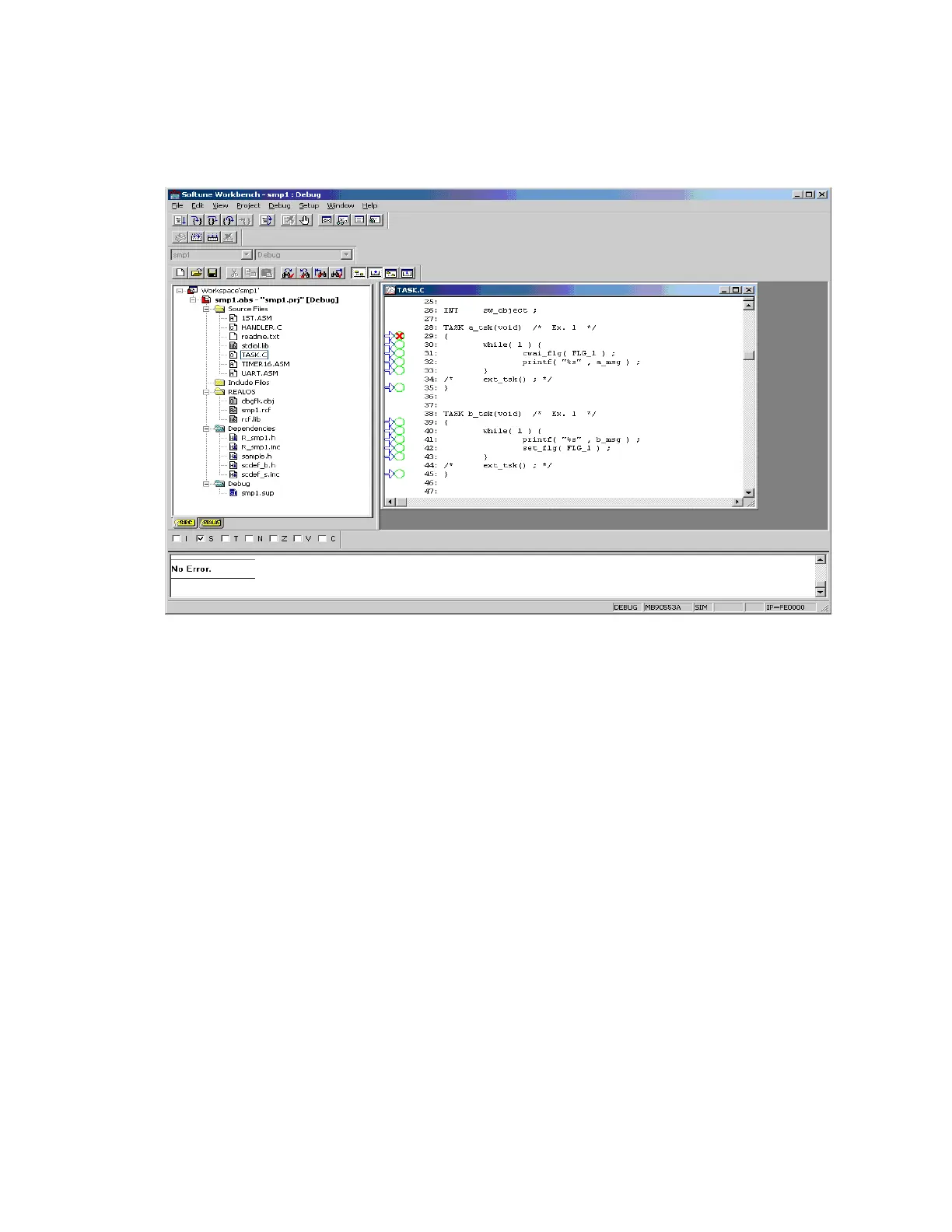
Figure Bi Setting a Breakpoint
When [Run] -- [Go] is selected from the [Debug] menu, a break occurs at a_tsk.
Note:When execution is with the simulator, the operation continues, since the I/O
status in A1h does not change. Change the I/O status from the debugger to
advance the program.
Select [Watch] from the [View] menu to open the watch window. In the watch
window, right-click to select [Set..] from the context menu to open watch setup.
Set the variable to h’A1 and click the OK button.
In the watch window, right-click to select [Edit...] from the context menu to open
variable editing. Change the value to h’8B and click the [OK] button. As soon as
OK button is clicked, a break occurs at a_tsk.
The status when the break occurs is shown in Figure Bj.



 To Next Page