36 / 125
(3) Adjust the separator to the width of the roll paper. For roll paper
with a width of 80 mm, the separator need not be removed. For
roll paper with a width of 70, 60, or 58 mm, remove the separator
and attach it again at the correct width. For roll paper with a
width of 83 mm, remove the separator completely.
Caution: At the time of shipment from the factory, the separator is set at
a position appropriate for a paper width of 80 mm.
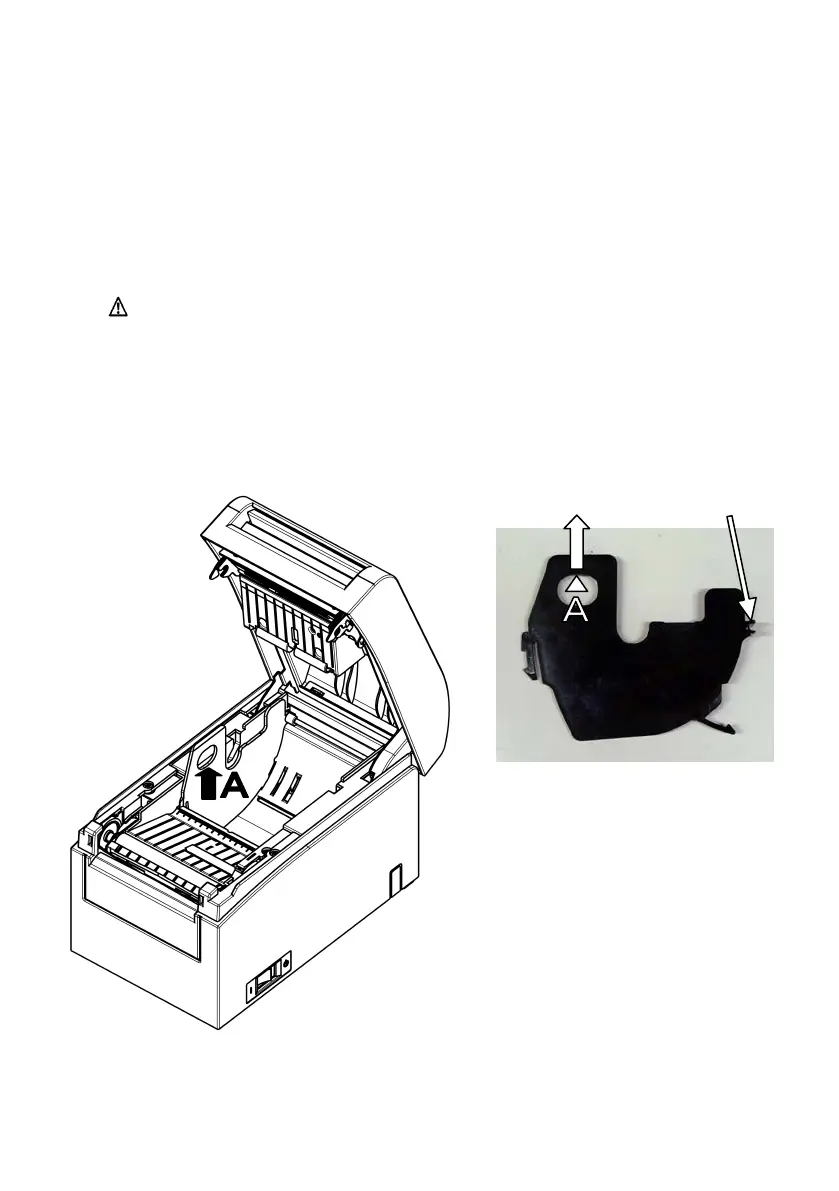
How to remove the separator
From the location indicated by A, lift the separator.
for the axis



 To Next Page
 Loading...







