37 / 125
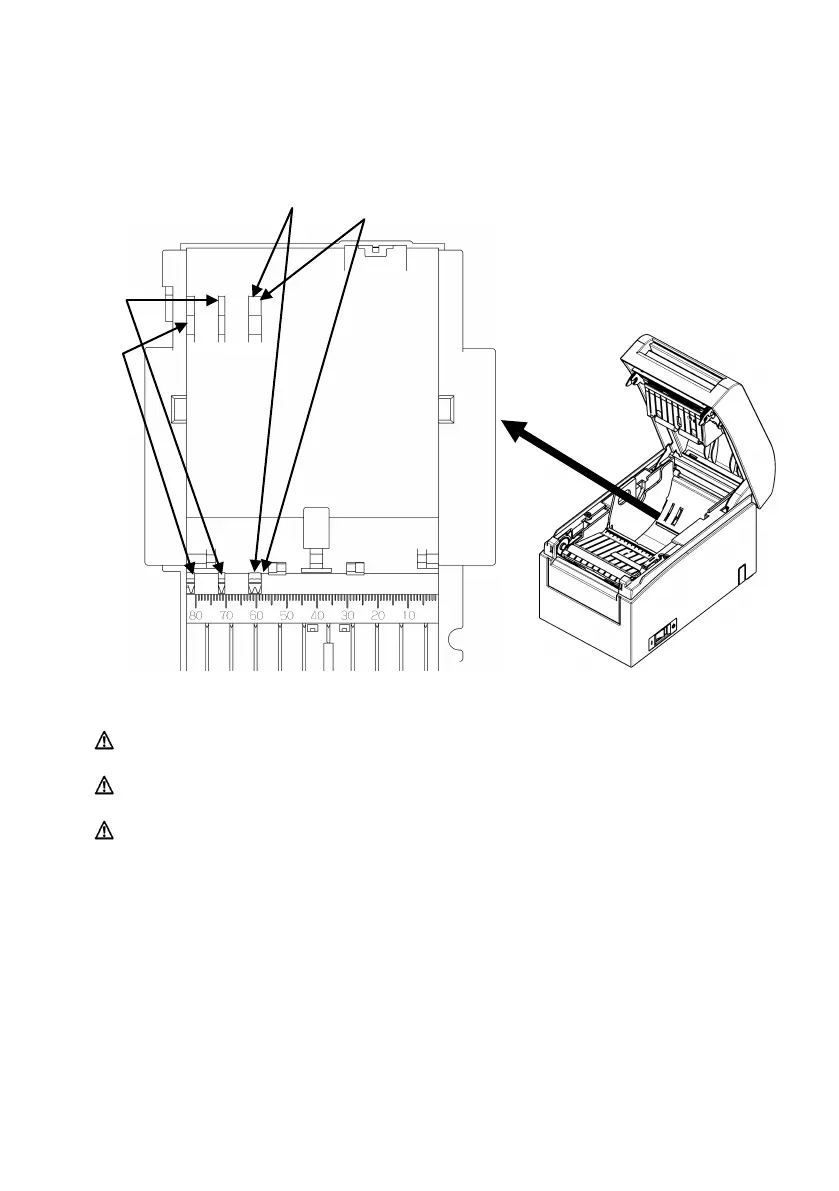
(4) Set the separator to a position appropriate for the width of
the roll paper, as shown below.
Caution: Adjust the separator to the width of the roll paper. To use roll
paper with a width of 83 mm, remove the separator.
Caution: When using roll paper with a width of 58 or 60 mm, take care not
to set the separator at an angle.
Caution: When replacing the separator, set a paper width appropriate to
the print area, referring to Appendix C, "Special Modes."
(See "C-3 Setting Up the Printer" in Appendix C, "Special Modes.")
Separator setting in detail
mm
mm
mm
mm



 To Next Page
 Loading...







