1 Preparation to Print
19
1.3 Inserting the Battery
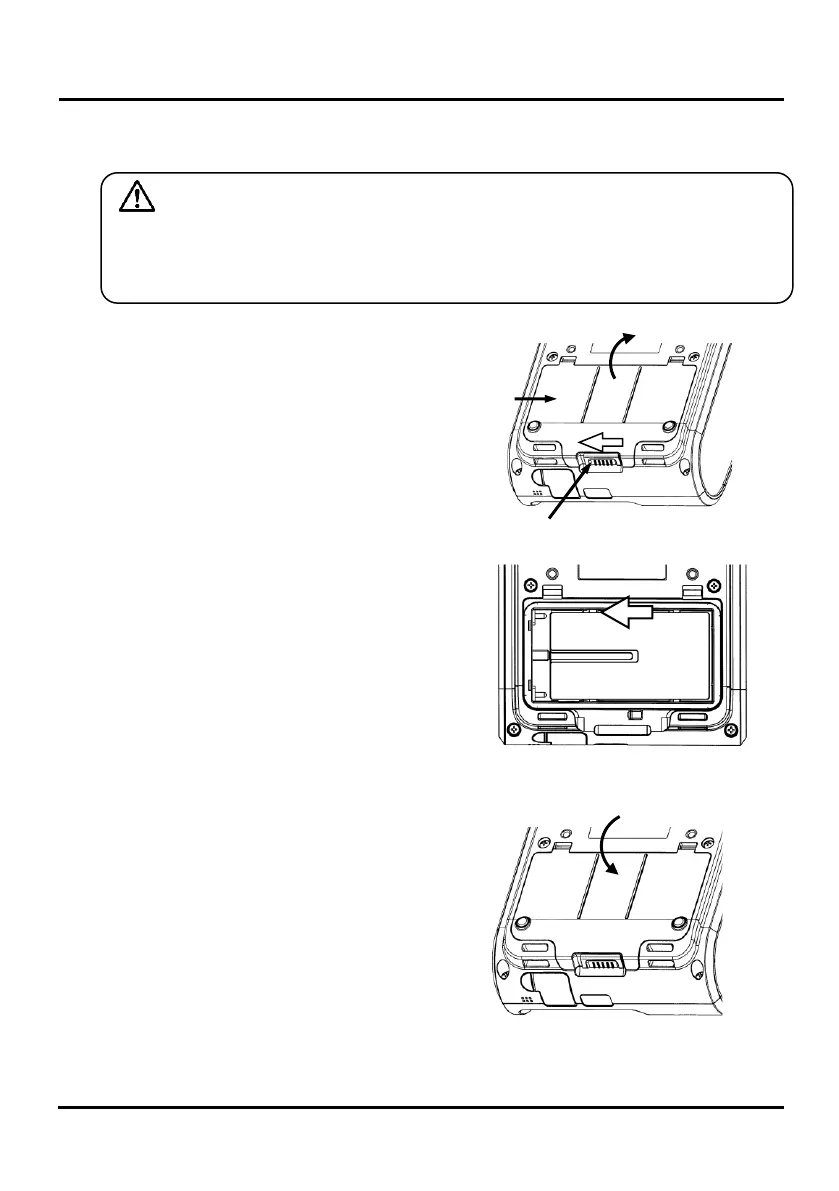
1. Please slide cover lock and lift the
battery cover to open.
2. Set the battery and slide to
battery terminal side for battery
locking.
3. Please hook battery cover on the
battery insertion area and push
the battery cover to close.
Caution
Life of the battery is about 500 charges. (At the normal temperature)
If an old battery is used, not only the equipment malfunctions and this
might cause destruction.



 To Next Page
 Loading...







