
 Need help?
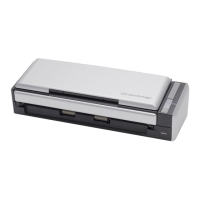
Do you have a question about the Fujitsu PFU fi-5110C and is the answer not in the manual?
Open the ADF while pulling the cover open lever before cleaning.
Instructions for cleaning specific scanner components using F1 Impregnated Cleaning Wipes.
Wipe downwards, taking care to prevent the cleaning wipe from catching on metal parts.
Clean lightly the two glass surfaces located on the ADF cover and opposite side.
Clean lightly, taking care not to scratch the surface of the roller and the Myler sheet.
Clean lightly while rotating with your finger, avoiding roughening the surface.
Clean lightly rotating rollers with finger, avoiding surface roughening.
Hold 'Send to' and 'Scan' buttons to rotate rollers for cleaning.
 General
| Type | Document Scanner |
|---|---|
| Optical Resolution | 600 dpi |
| Maximum Paper Size | A4 |
| Interface | USB 2.0 |
| ADF Capacity | 50 sheets |
| Duplex Scanning | Yes |
| Color Depth | 24-bit |
| Grayscale Depth | 8-bit |
| Monochrome Depth | 1-bit |
| Power Consumption (Operation) | 15 W |
| Power Consumption (Standby) | 5 W |
| Operating System Compatibility | Windows, Mac OS |
| Scanning Technology | CIS (Contact Image Sensor) |
| Interpolated Resolution | 1200 dpi |
| Scanning Speed (Simplex) | 15 ppm (A4, 200 dpi) |
| Scanning Speed (Duplex) | 30 ipm (A4, 200 dpi) |
| Supported Paper Sizes | A4, A5, B5, Letter, Legal |










 To Next Page