TX1310 M3 Operating Manual 49
Starting up and operation
6.2 Controls and indicators
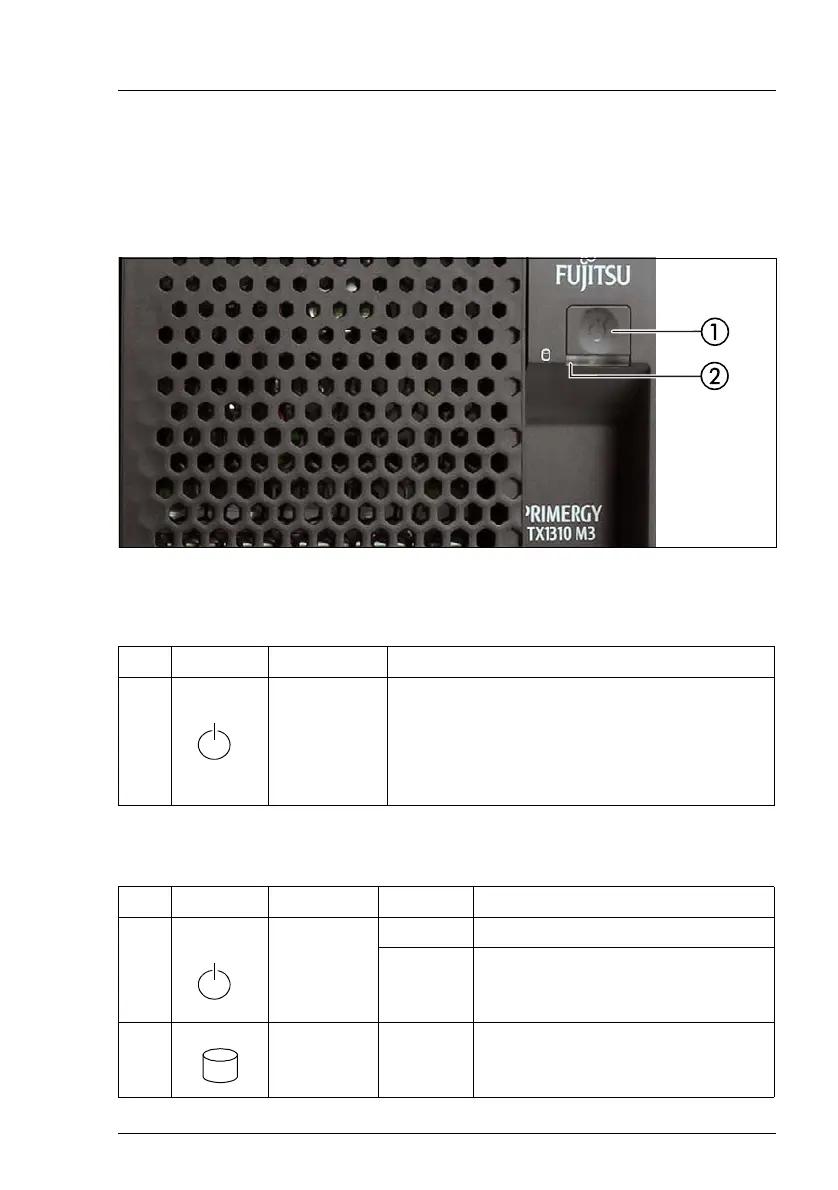
6.2.1 Server front
Figure 5: Front panel
6.2.1.1 Controls on the front panel
6.2.1.2 Indicators on the front panel
Pos. Label Button Function
1 On/Off button
Used to switch the server on or off.
I If the system is running an ACPI-
compliant operating system, pressing
the On/Off button will perform a graceful
shutdown.
Pos. Label Indicator Status Description
1
On/Off
button
white on System is switched on.
off System is switched off.
2
HDD/SSD
activity
indicator
white
flashing
Data access in progress.



 To Next Page
 Loading...