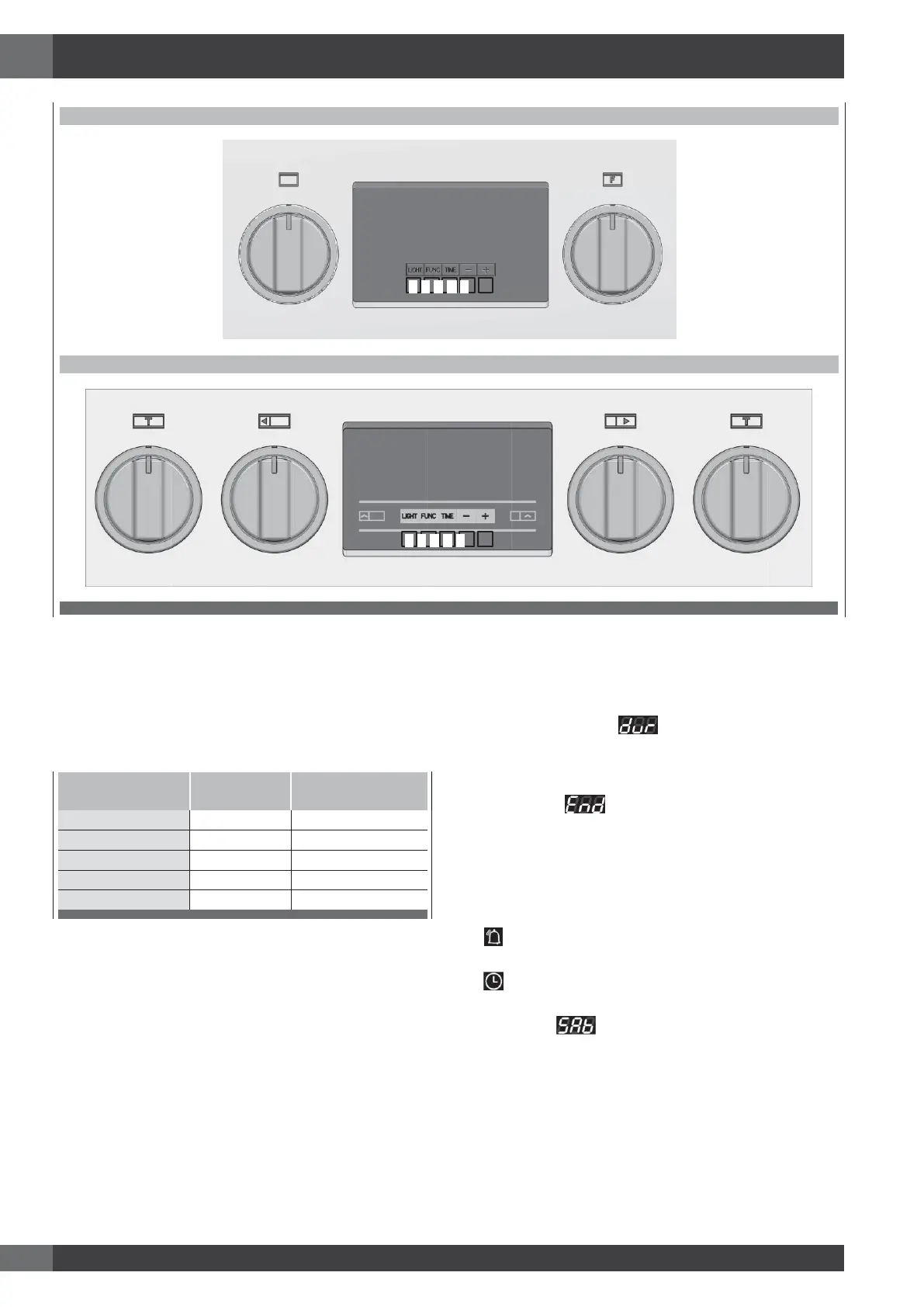
ELECTRONIC CONTROL (30”/36”)
ELECTRONIC CONTROL (48”)
Electronic Control
Only for 30’’/36’’ and for large 30’’ cavity
Knobs
Function selector, with cooking functions + OFF position.
Thermostat
1.
Temperature control
2.
Pizza mode
3.
T position
Signal lamps
Fan Failure
Touch Control Functions
A.
LIGHT Function: Touch this key to switch ON and OFF the
internal oven lights.
B.
FUNC. Function: Touch this key whenever a cooking
function has been selected in order to toggle between the
cooking duration and stop time.
Cooking Duration:
shown on 3 digit temperature
display.
[-] = minus key: touch or hold this key to decrease values.
[+]= plus key: touch or hold this key to increase values.
Stop Time: shown on 3 digit temperature
display. [-] = minus key: touch or hold this key to decrease
values. [+]= plus key: touch or hold this key to increase
values.
C.
TIME: touch this key to enter the functions menu in order to
toggle between the followings:
- Timer setting: select the desired value by means of [-]
/
[+] keys.
- Clock setting: select the desired value by means of [-]
/
[+] keys.
Sabbath: showed on 3 digit temperature display.
NOTE:Available by pressing the TIME key for 5 seconds
only when the function knob is in BAKE position.
D.
[-] – MINUS KEY: Touch or hold this key to decrease
values.
E.
[+] – PLUS KEY: Touch or hold this key to increase values.





 To Next Page