Cha pter 6 Parame terDe scr iption
DZB Series
12 Multi-speed terminal1
13 Multi-speed term inal2
14 Multi-speed terminal3
16
PI D contro l pause
18
Traverse reset
21 External accel termina l
9
Frequency
up setting
10
Frequency
down sett ing
11
Frequency
up/down
settin g c lear
15
ACCE/DECEtime
sele ction t ermin a l
17
Traverse pause
19
Accelera tion/
Decelera tion
forbid
Terminal
OFF
ON
ACC /D EC time se lection
ACCE time 1
ACCE time 2
Pa r am ete r
F0.08 F0.09
、
F4. 00 F 4.01
、
2 k inds of AC CE /DE CE t ime can be chos en via t hese two
ter min als d ig it al st ate combina ti o n.
8 stages speed can be set up via these 3 terminals digital
state comb ination.
Note : mul t i-speed 1 is the low pos ition , and m ulti- speed 3 is
the high posit io n.
PID is t e mporarily out of work, and t he inverter keeps its
current freque ncy output.
The inverte r is back to its ce nter freque ncy ou t put.
When the freque ncy is set by exte rna l te rminal, m odify the
frequen cy up and down command. When the freque ncy
source is set as d igit al setting, the set freque ncy can be
regulate d up and down.
Usingterminalc an clear UP/DOWN set frequency so that s et
frequencycan b e restored th e f req uency setting g iven by
frequen cy comma nd c hannel.
The inverte r pauses at its current output fr eque ncy. After thi s
function is cancel led, contin ue to startit s trav er seoperat ion at
its cu r rent freque ncy.
Ensu r e the inverter is not inte rfered by external si gnals
(exclu ding s top comma nd), maintai ning its curr ent outpu t
frequen cy.
UP te rminal
DOWN
terminal
UP/DOWN
cl ear
DCM
ter mi n a l
K1
K2
K3
DZ B200
22
23
24
25
Exte rnal d ecel term in al
Settingd el ay time(up)
Settingd el ay time(down)
Pr ogramm e runn ingi nvalid
When the key va l id, we can set progr amme running mode .
26
20
Res erved
Rese rved
Pr ogramm e runn ingr eset
Whenthe key-press v alid,it is automated to t urn to display
motor spe ed .
Acc e l/De ce l adj ust in va lid w hen at stop stat us.
Whenthe key-press v alid,it is automated to t urn to display
time setti ng.
F3.18 sets to 0,terminaladjust invalid.
-46-
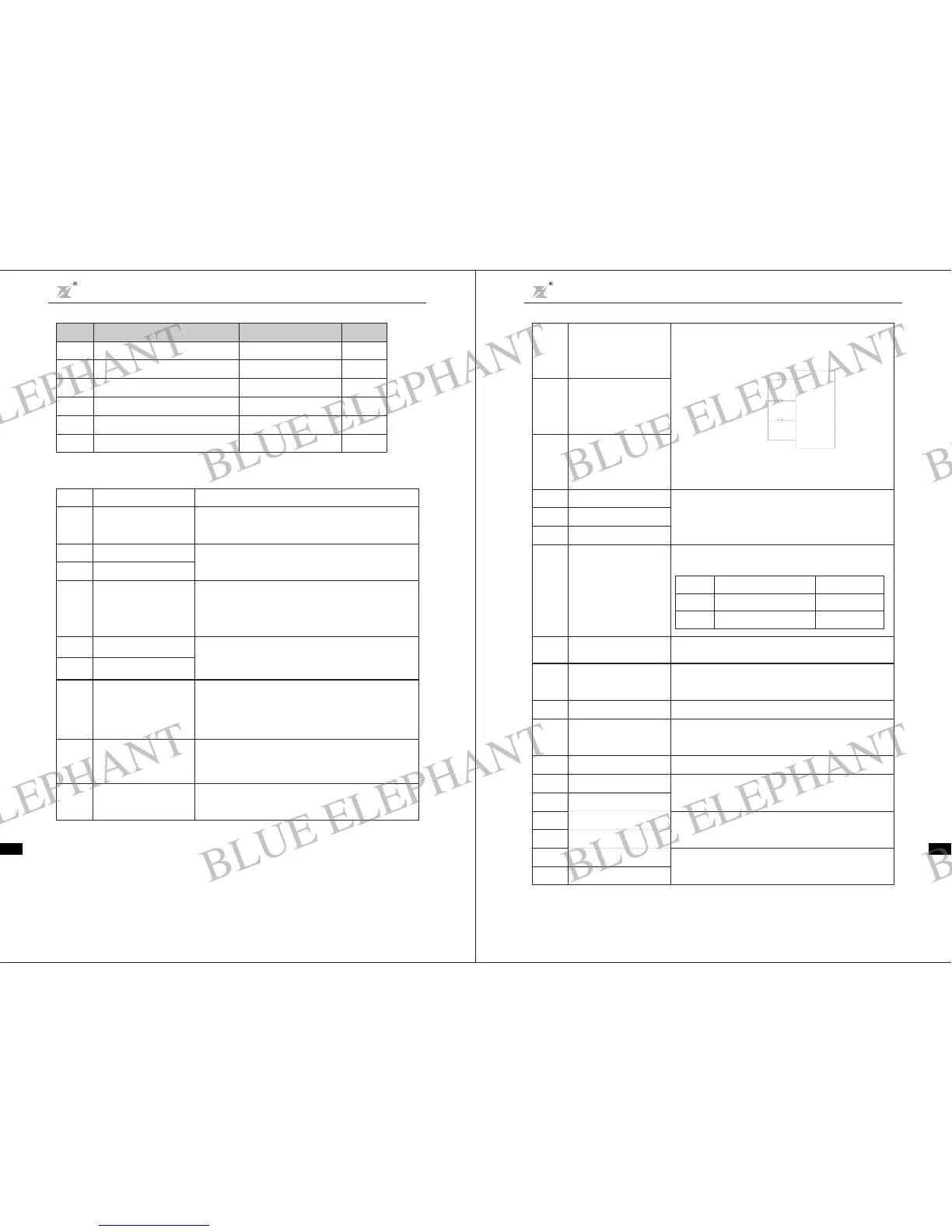
The se par amete rs are usedto set up the corre spond ing fu nction s of d igital multi functi on input termi nals.
7
Failurereset
8
Ext ernal fault input
1
Forward
2Reverse
0
NoFunction
3
three-wireoperation
control
4
F orward Jo gging
5
Reverse Jogging
setti ng
valu e
Function
This is e xternal fa il ure reset . It ha s the s am e fun c tio n as
STOP b utto n on thekeyboard. Using this functi on can
perform long-distance failurereset.
When external faul t signal is input,the inverter repor ts it and
stops.
Theinverter s forward or revers e running can be control by
exte rnal terminals.
’
Even if there is a si gnal input, the inverter does not run.
Ter minals w hichare not us ed can b e set to b e no function in
order to prevent malfunction
By means of this t erminal t he inverter s opera tion mode can be
defined to be three-wirecontrolmode. Fordetails, pleasere fer
to the funct ion code descriptionof F2.07 thre e-wire c ontrol
mod e.
’
At Jogging ope ration, the freque ncy and J ogging
Ac celeration/Decelerationtime can be found in detail
des cri ptionsof F4.0 2,F4.03and F4.04 function codes.
Description
Theinverterturns o ff output, and themotor stop process is not
controlled by the inverter.It is often applied when the inertia
loadin g is b i g and t here is no re qui rem ent o n st o p time . T h is
mode h as the same definition as F0.19doe s.
6
Free-run stop
F2.06 13
F2.01
F2.02 2
F2.03
4
F2.04 7
F2. 05
12
0~25
1
0~25
0~25
0~25
0~25
0~25
S1 Termi nal Function Se lec tio n
S2 Termi nal Function Se lec tio n
S3 Termi nal Function Se lec tio n
S4 Termi nal Function Se lec tio n
S5 Termi nal Function Se lec tio n
S6 Termi nal Function Se lec tio n
Functio n
Code
Name
Setting Range
Defa ul t
Value
Cha pter 6 Param eter De scription
DZB Series
-45-
BLUE ELEPHANT
BLUE ELEPHANT
BLUE ELEPHANT
BLUE ELEPHANT
BLUE ELEPHANT
BLUE ELEPHANT
BLUE ELEPHANT
BLUE ELEPHANT
BLUE ELEPHANT
BLUE ELEPHANT
BLUE ELEPHANT
BLUE ELEPHANT
BLUE ELEPHANT
BLUE ELEPHANT
BLUE ELEPHANT
BLUE ELEPHANT
BLUE ELEPHANT
BLUE ELEPHANT
BLUE ELEPHANT
BLUE ELEPHANT
BLUE ELEPHANT
BLUE ELEPHANT
BLUE ELEPHANT
BLUE ELEPHANT



 To Next Page
 Loading...