
 Need help?
Do you have a question about the FULTON ModSync SE and is the answer not in the manual?
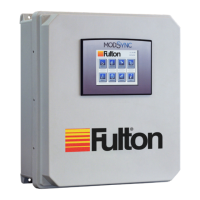
Outlines the key features of the ModSync® sequencing system for hydronic boilers.
Specifies the recommended location for the ModSync® enclosure.
Details the required electrical power supply specifications for the ModSync®.
Explains how hydronic boilers interface with the ModSync® via Modbus or other signals.
Describes the PT100 RTD temperature sensor and its placement for hydronic loop monitoring.
Details the physical inputs and outputs of the ModSync® SE for user customization.
Explains the step-by-step process of how the ModSync® controls boilers based on demand.
Provides an overview of the ModSync® interface screens and navigation.
Introduces the main menu screen as the primary interface for accessing other functions.
Displays current system parameters like temperature, setpoint, and boiler status.
Details how to set up individual hydronic boilers within the ModSync® system.
Accesses various configuration settings for the ModSync® system.
Configures lead/lag rotation priority, forced rotation, and system parameters.
Covers outlet monitoring settings for boiler temperature control and scaling.
Configures running transition, warm standby, and other operational parameters.
Details cold start, low fire hold, and LMV3 secondary fuel configuration.
Provides access to optional features like outdoor reset, warming, sensors, and pumps.
Manually configures digital and analog inputs/outputs for system operation.
Sets up alarms for boiler status, sensor errors, and communication issues.
Allows setting different temperature setpoints based on time of day and day of week.
Configures loop setpoint generation modes and limits without outdoor reset.
Configures loop setpoint generation based on outdoor temperature and disable settings.
Sets up the loop setpoint curves based on occupied and unoccupied modes and outdoor temperature.
Displays a text list of the last 100 alarm conditions monitored by the ModSync®.
Allows comparison and charting of loop, setpoint, and outdoor temperatures over time.
Configures rotation schedule and PID settings for lead/lag boiler operation.
Sets parameters for lag boiler start/stop delays and lead boiler start/stop deviations.
Configures modulation and control variable percentages for sequential boiler staging.
Configures PID parameters like proportional band, integral time, and derivative time for control.
Configures the operation and status of boiler isolation valves.
Configures parameters for VFD boiler circulation pumps.
Displays status and configures parameters for constant speed system pumps.
Details pump off delay, auto rotate hours, and lead pump reset for system pumps.
Configures VFD system pump operation based on differential pressure or temperature.
Sets minimum/maximum output, off delay, and auto rotate for VFD system pumps.
Configures PID parameters for VFD system pumps.
Details communication parameters and Modbus addresses for network integration.
Provides wiring diagrams and jumper configurations for serial communication ports.
Explains Modbus communication setup for connecting to boilers via Port 3.
Details Modbus communication setup for Honeywell SOLA displays.
Guides on configuring the SOLA display for Modbus communication with the ModSync®.
Provides instructions for setting up Siemens LMV3 controllers for Modbus communication.
Outlines the setup procedure for Fulton PURE Control™ systems.
Lists common ModSync® alarm messages and recommended actions for troubleshooting.
Explains the process to back up the ModSync® program to prevent data loss.
Details the procedure and recommendation for replacing the ModSync® screen's backup battery.
Provides solutions for common issues encountered with the ModSync® system.
Lists the default configuration settings for various ModSync® parameters.
Provides tables for recording custom settings for Lead/Lag, System, and Sensor configurations.
Details the mechanical, environmental, electrical, and wiring specifications of the ModSync®.
Lists part numbers and descriptions for various ModSync® components and accessories.
 General
| Brand | FULTON |
|---|---|
| Model | ModSync SE |
| Category | Controller |
| Language | English |

 To Next Page