20
EN
[Treble] / [Bass] / [Balance]
You can set left / right speaker setting.
2 Use Ÿ / ź to select the item you want, then
press OK, and then appear the setting display,
adjust the setting, using Ż / Ź.
[SPDIF Mode]
If this unit is connected with coaxial digital audio
output jack to your device, you can set this mode.
2 Use Ÿ / ź to select [SPDIF Mode], then select
[PCM], [Auto] or [Off], using Ż / Ź.
[AD Switch]
For Digital TV operation
You can adjust audio output setting and volume for
visually impaired.
2 Use Ÿ / ź to select [AD Switch], then select
[On] or [Off], using Ż / Ź.
.
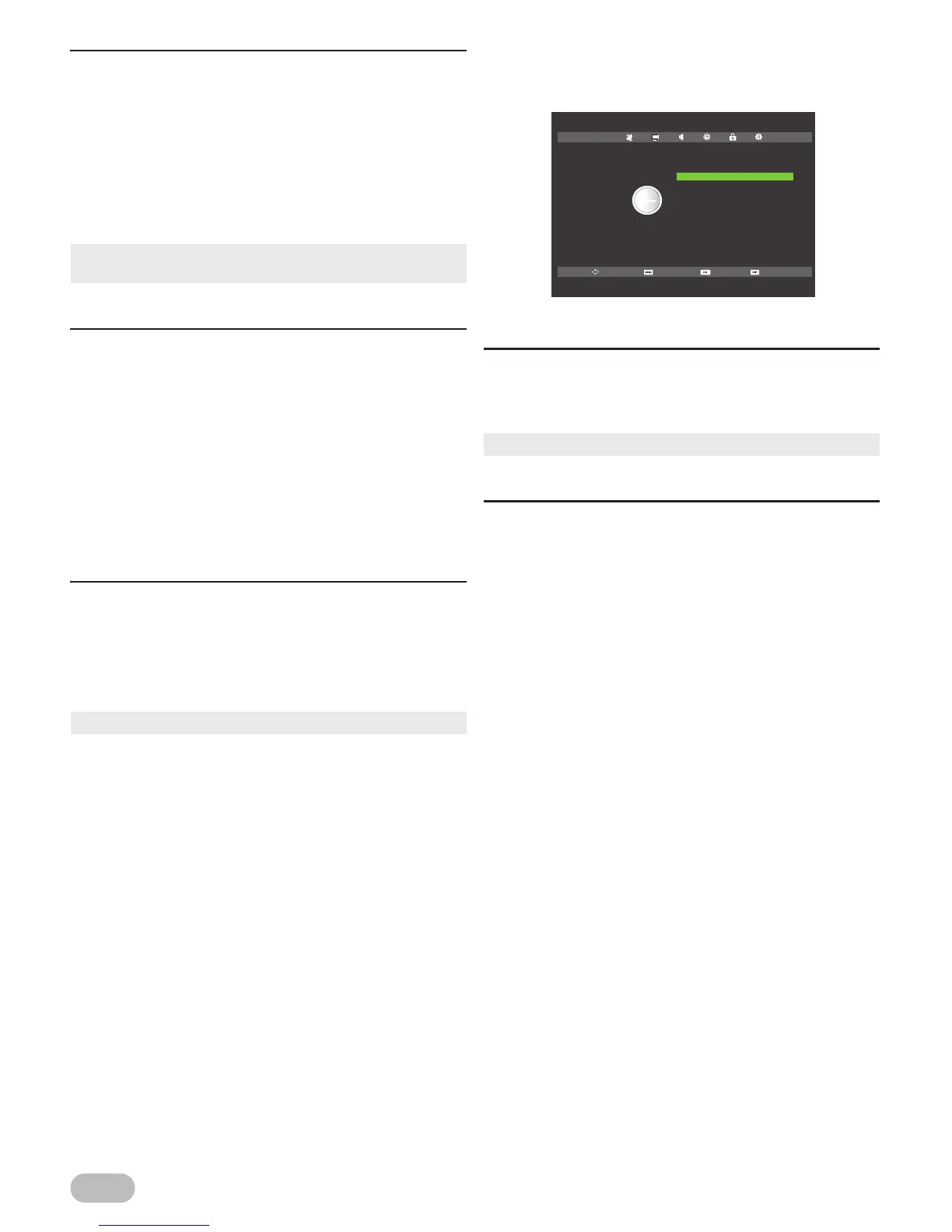
Time Settings
You can change Time setting.
1 Use Ż / Ź to select [TIME].
[Clock]
For Digital TV operation
[Clock] will change with the area which you have
selected in the Time Zone.
[Time Zone]
You can set the time zone according to the resident
area.
2 Use Ÿ / ź to select [Time Zone], then press OK.
3 Use Ÿ / ź / Ż / Ź to select the time you want,
then press OK.
[Treble] : high pitched tone adjustment
[Bass] : low pitched tone adjustment
[Balance] : volume balance setting for left and right
speakers
• You can adjust [Treble] and [Bass] settings, if you set
[Personal] in [Sound Mode].
[PCM] :
The SPDIF output is PCM format, regardless
of the input sound format.
[Auto] : The SPDIF output is the same with the input
sound format.
[Off] : Turn OFF the SPDIF output.
• Only MPEG sound is available for this function.
• It is not available to adjust the time.
Move SelectReturn Exit
Clock
Time Zone
Sleep Timer
Auto Standby
OSD Timer
20 / Jan 13:12
Berlin GMT+1
Off
4 H
15 S
TIME



 To Next Page