13
EN
INITIAL SETUP
This section will guide you through your TV’s initial
set up which includes selecting a language for your
on-screen menu and AUTOSCAN, which automati-
cally scans and memorizes viewable channels.
1
After making all the necessary connections, turn
on your TV.
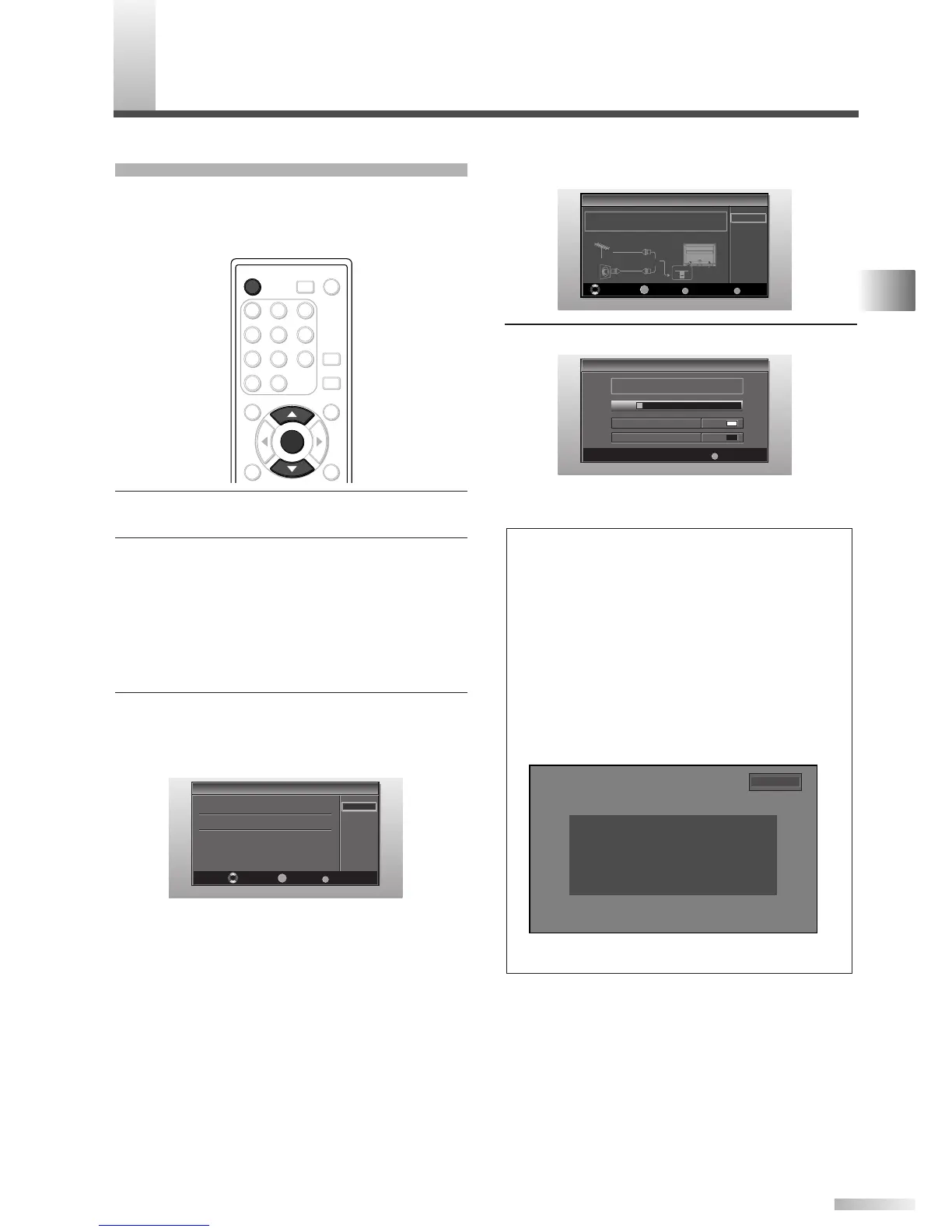
2 Press [POWER]. Initial Setup menu will appear.
• This operation may take a few moments.
• If Initial Setup menu does not appear, press
and hold
[ENTER] for 3 seconds, initial setup
will appear then proceed to step 3.
• If initial set up has already been completed,
refer to “LANGUAGE SELECTION” on page 17.
3 When you first turn on your TV, the following
screen is displayed. Use
[
K
/
L
] to select the
on-screen menu language from the choices on
the right side of the screen.
The Antenna Confirmation menu on step 4 will
be displayed in the selected language after you
press
[ENTER].
Initial Setup
Initial Setup
Select the language for setup display.
Elija idioma de preparación.
Sélectionner langue écran config.
Select Enter Exit
SETUP
Español
Français
ENTER
English
ENTER
POWER SLEEP
AUDIO
STILL
SETUP
BACK
SCREEN
MODE
INFO
1 2 3
4 5 6
7 8 9
-
0
INPUT
SELECT
ENTER
POWER
4 Select source of ANT. IN jack using [
K
/
L
], press
[ENTER].
5 Autoscan will start automatically.
• When scanning has completed, the lowest
memorized channel will be displayed.
NOTES:
• If you do not operate your TV for more than 45 seconds dur-
ing the initial setup, the message boxes start to move to the
lower left-hand corner of the screen to prevent burn-in. This
is to save your screen from burn-in. Press any key except
[POWER] to cancel it.
• The initial Autoscan function can be executed for either “Air”
or “Cable” only once. When you change the connection
(Air/Cable), set the “Autoscan” again. (Refer to page 14.)
• If you connect a cable system directly, contact the CATV
installer.
• When the scanning is not completed, Helpful Hint will be
displayed every time you turn on the power. If you have
previously registered channels when this screen appears
you can select a channel with
[the Number buttons].
• Toll free customer support line can be found on the cover
of this manual.
Initial Setup
Initial Setup
Now the system is scanning for channels,please wait.
Exit
SETUP
5%
Analog channels 1ch
Digital channels 0ch
Initial Setup
Initial Setup
Air
Cable
Select Enter Exit
SETUP
Back
BACK
ENTER
Make sure the antenna is connected to "ANT IN" jack.
Select the destination of "ANT IN" jack.
Air
Cable
Or
ANT IN
No channel is registered.
Press and hold "ENTER" key for 3 seconds.
Contact support hotline provided on manual or back of unit.
Sin canal registrado.
Mantenga oprimida la tecla "ENTER" durante 3 segundos.
Llame teléfono de apoyo en manual o atrás de TV.
Pas de chaîne consign.
Maintenir la touche "ENTER" pressée 3 secondes.
Contacter numero d'urgence dans manuel ou arrière appareil.
2-0
PREPARATION FOR USE / INITIAL SETTINGS



 To Next Page