30
EN
4 Display the “New Password” screen.
• Using
[
K
/
L
], select “New Password”.
• Press
[ENTER].
5 Change the password.
• Use
[the Number buttons] on the remote con-
trol and enter the NEW 4-digit password.
• Enter password again in “Confirm password”
space.
6
To exit the setup, press [SETUP].
NOTES:
• Make sure to enter the exact same new password as the
“Confirm password.”. If they are different, the space is
cleared for reentering.
• Your password will be erased and return to the default
(0000) when a power failure occurs or when you turn off the
power using a wall switch. If you forget the password,
unplug the power cord for 10 seconds to restore the pass-
word to 0000.
C
New Password
HDMI AUDIO
Set the method of sound input for HDMI jack.
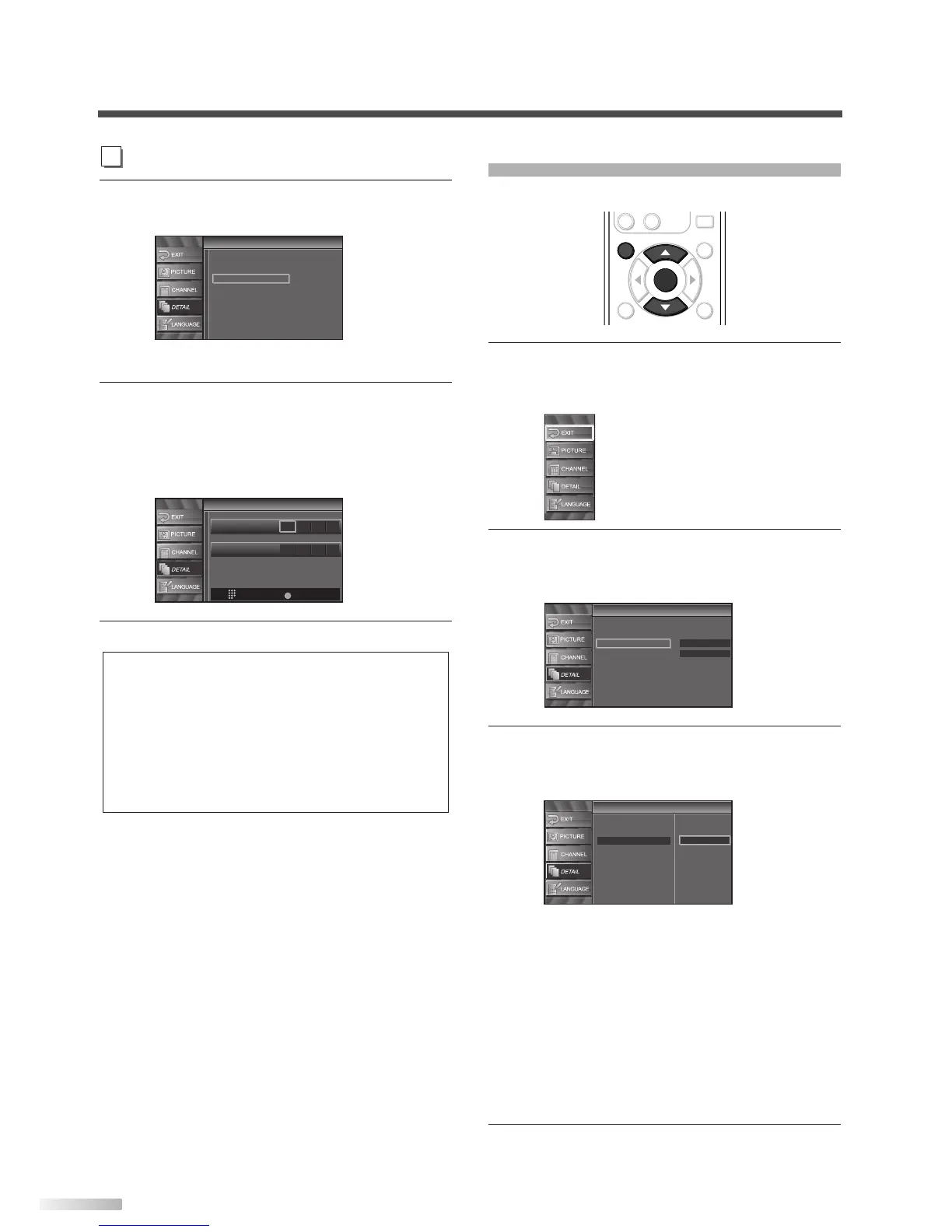
1
Display the setup screen.
• Press
[SETUP].
The following setup screen is displayed.
2 Select “DETAIL” and press [ENTER] to confirm.
• Using
[
K
/
L
], select “HDMI Audio” and press
[ENTER] to confirm.
3
Switch the HDMI Audio.
• Using
[
K
/
L
], select the desired HDMI Audio,
then press
[ENTER].
• Select “Auto” if you connected to both digital
device with HDMI jack and analog device for
audio sources. Digital audio input signal has
priority in this setting.
• Select “Digital” if you connected to digital
device with HDMI jack for digital audio input
signal.
• Select “Analog” if you connected to analog
device with analog jacks for analog audio input
signal.
4 To exit the setup, press [SETUP].



 To Next Page