16
EN
ANTENNA CONFIRMATION
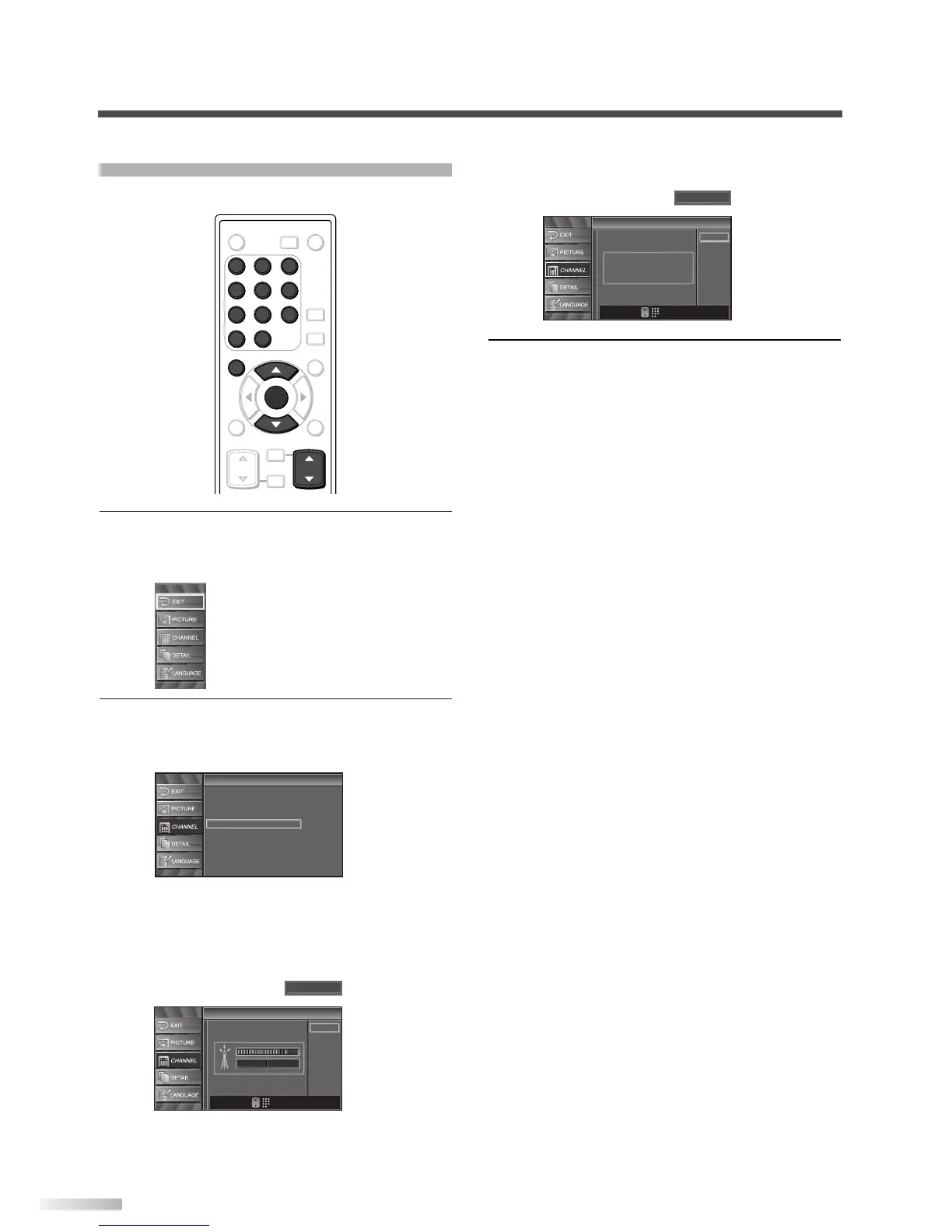
Displays signal strength for each channel.
1 Display the setup screen.
• Press
[SETUP].
The following setup screen appears.
2
Select “CHANNEL” and press [ENTER] to con-
firm.
• Using
[
K
/
L
], select “Antenna”.
• Press
[ENTER].
• Using
[the Number buttons] or [CH
K
/
L
],
select the channel for which you want to check
signal strength.
• If the channel is set to external input, you can-
not confirm the antenna situation.
3 To exit the setup, press [SETUP].



 To Next Page