
 Need help?
Do you have a question about the Funkwerk elmeg CS410 and is the answer not in the manual?
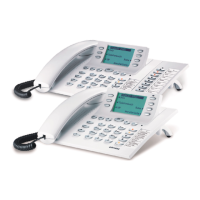
Description of the system telephone and its connection capabilities.
Details specific to the CS400/CS400xt model, including features and limitations.
Details specific to the CS410 model, including connection types and features.
Details specific to the CS410-U model, including connection types and features.
Details specific to the IP-S400 model, including network connection and features.
Important guidelines for handling and operating the telephone safely.
Instructions for connecting the handset and network cables to the telephone.
Procedures for initiating calls, including direct dialing and correction.
Methods for making calls using the phone's internal directory.
How to answer incoming calls or decline them.
Procedure for forwarding incoming calls to another subscriber.
Functionality for redialing recent calls from a stored list.
Features for managing audio input/output during calls, like mute and speakerphone.
Instructions on using the speakerphone functionality for calls.
Managing contacts, adding, editing, and deleting entries.
Sending, receiving, and managing text messages (SMS and UUS1).
Accessing and reviewing the list of incoming calls.
How to add quick notes or numbers to the memo list.
Overview of programmable function keys and their LED indicators.
Description of keys used for external ISDN connections.
Keys for managing multiple connections, including broker's calls.
Keys assigned to teams for streamlined communication.
Configuring rules to reject or forward specific calls.
Creating and using custom command sequences for automated actions.
Accessing advanced settings via specific codes or PC configuration.
Adjusting audio settings like headset and speaker volume.
Configuring how incoming calls are signaled when already on a call.
Setting up appointment reminders with acoustic and optical signals.
Programming the phone to dial a number automatically when a key is pressed.
Setting up automatic forwarding of calls to other numbers.
Adjusting the screen contrast for better readability.
Configuring call waiting behavior and signal volume.
Setting and managing the telephone's PIN for security and menu access.
Restricting access to specific configuration menus using a PIN.
Configuring and managing Multiple Subscriber Numbers for the phone.
Procedures for system security, including entering IPS and Sys-Server Log-In PINs.
Number for the SMS center and configuration for SMS services.
Instructions for updating the phone's firmware via PC or ISDN.
Accessing and understanding the phone's basic functions via BIOS.
Configuring parameters for different countries, like language and currency.
Integrating the phone with Windows telephony applications via USB.
Using the phone's USB port for CAPI applications like data exchange.
Step-by-step guide for installing software and drivers from the provided CD.
Summary of the phone's factory default configurations and parameters.
Navigation path to the configuration options within the phone's menu system.
Navigation path to audio settings like volume and headset configuration.
Navigation path to various phone settings like call waiting and direct call.
Navigation path to programming numbers, VIP entries, and phone book.
Detailed technical data, dimensions, power consumption, and connectivity details.
Procedure for initiating a room inquiry call.
Description of how to manage multiple calls simultaneously.
Explanation of how to activate call forwarding.
How to choose which number is transmitted for outgoing calls.
 General
| DECT Support | No |
|---|---|
| Power over Ethernet | No |
| Display | Graphical LCD |
| Audio Codec Support | G.711, G.729 |
| Features | Call transfer, conference, hold, redial |
| Networking | Ethernet |
| Headset Port | Yes |
| Power Supply | External power supply (included) |

 To Next Page

