Need help?
Do you have a question about the Funkwerk elmeg CS400xt and is the answer not in the manual?
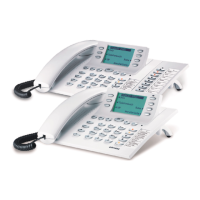
Details on CS400, CS410, CS410-U, and IP-S400 models and their connections.
Describes optional modules like Up0/S0 and answering machine.
General safety precautions for handling and operating the telephone.
Steps for unpacking, including contents, and how to place the phone.
Instructions for connecting handset and ISDN cables to the phone.
Procedures for initiating calls, including dialing methods.
How to answer, reject, deflect, and park calls.
Features for redialing, automatic redialing, and call completion.
Controls for mute, speakerphone, microphone, and headset operation.
Functionality for internal calls and one-way messages.
Recalls for busy or no-answer situations.
How to handle multiple calls by accepting or rejecting waiting calls.
Establishing second connections and transferring calls.
Managing multiple call parties and conference calls.
How to store, edit, and use names and numbers.
Programming and using VIP numbers for quick dialing.
Viewing and managing incoming calls and saved memos.
Sending and receiving text messages.
Detailed steps on how to view call history entries.
Steps to view and clear call charge data.
Setting spending limits and controlling outgoing calls for MSNs.
Overview of programmable function keys and their LEDs.
Defining outgoing numbers and using keys for internal dialing.
Filtering calls and creating custom command sequences.
Adjusting headset and speaker volume and settings.
Setting volume and signaling for incoming waiting calls.
Adjusting permanent and temporary handset loudness.
Configuring audio output for external speakers or specific functions.
Programming a number for automatic dialing upon pressing any key.
Configuring call forwarding to alternative numbers based on conditions.
Automatic call answering and headset integration settings.
Setting and managing a PIN for phone access and security.
Restricting access to configuration menus using a PIN.
Managing MSN numbers, including assigning names and melodies.
Configuring the number for the SMS service provider.
How to reset the phone to factory defaults or delete user data.
Procedures for updating the phone's firmware.
Adjusting parameters for use in different countries.
Connecting the phone for computer telephony integration via USB.
Using the phone's USB port for CAPI applications like fax or data.
Step-by-step guide for installing software from the CD.
Navigational path to the configuration menu options.
Navigational path to acoustic settings like volume and headset.
Navigational path to general telephone settings.
Navigational path for programming numbers and VIP entries.
 General
| Manufacturer | Funkwerk Enterprise Communications GmbH |
|---|---|
| Category | Telephone |
| Model | CS400xt |
| Handset | Yes |
| Speakerphone | Yes |
| Headset Port | Yes |
| Supported Codecs | G.711, G.722 |
| VPN Support | No |
| Programmable Keys | programmable keys with LEDs |
| Relative Humidity | non-condensing |


 To Next Page