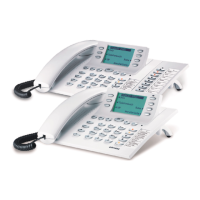
Configuring and setting up the system telephone
Extended configuration
For a full configuration the following options are available:
•
PC-configurationusingthetelephone’sUSB-port
•
ConfigurationusingtheinternalISDNport ofaPABX.
•
Extended configuration directly at the phoneYou must enter a code before you can access the ex
-
tendedconfigurationmode.
Only limited configuration is possible when the telephone is recognized as a system telephone when con
-
nected to an System PABX system. You have to enter a specific code number in order to enter the tele
-
phone’s extended configuration mode.
Ifthe telephoneis notrecognized asasystem telephone(for examplewhenconnectedto theNTBA orat an
internalISDNportofaPABXsystemthatisnotpart ofthe system),theextendedconfigurationisactivated
automatically.Inthiscaseyoudonothavetoinputtheactivationordeactivationcodesforextendedconfig
-
uration.
Activating the extended configuration mode
Enter the code »**46 782 551 ##« (Vanity format »**INSTALL1##«).
Release for remote access of the phone is effected for 30 minutes.
Deactivating the extended configuration mode
Enter the code »**46 782 550 ##« (Vanity format »**INSTALL0##«).
If the ISDN telephoneis disconnected fromthe ISDN network, (for exampleby unpluggingthe ISDN con-
nectorofthephoneorbyswitchingofforresettingthepabx),theextendedconfigurationmodewillbeauto-
matically switched off.
In the configuration described in the following, performance features and functions that can
beonly entirely or partially configured using »Extended configuration« are shown underlined
in the display shots.
Example:
s The display shows the performance feature
»Direct dialing«, that can only be
configured with »Extended configuration« or
using the »Professional Configurator«. In the
“normalconfiguration”thisperformancefea
-
ture is not shown in the display.
Program tnumbs
Tel. drctry
VIP
direct
Configuring and setting up the system telephone
59



 To Next Page