EasyManua.ls Logo

Furrion FOS43TASK - User Manual

Furrion FOS43TASK
72 pages
Print Icon
To Next Page IconTo Next Page
Loading...
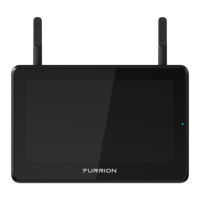
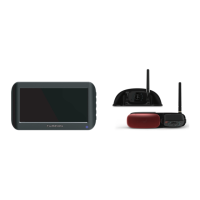
4.3” Vision S Camera System
Système de caméra Vision S de 4.3po
Sistema de cámara Vision S de 4.3”
Instruction Manual
Manuel d’instructions
Manual de instrucciones
Model/Modèle/Modelo: FOS43TASK/FOS43TASR
FOS43TASE/FOS43TASF
* The packing contents may be different based on the kit you purchased.
Please take the actual product as standard.
* Le contenu de l’emballage peut être différent en fonction de la trousse
achetée. Veuillez prendre le produit réel en référence.
* Es posible que los contenidos del embalaje sean diferentes según el kit
que haya comprado. Tome el producto real como estándar.

Table of Contents

Questions and Answers

  • S
    Savannah MartinAug 25, 2025
    Why won't my Furrion FOS43TASK Digital Camera pair?
    • J
      Jeffery CarrAug 26, 2025
      If your Furrion monitor or rearview mirror won't pair with the wireless camera, remember that Furrion products can only pair with other Furrion cameras. Check that the camera is getting power and that the fuse on the connected power line gives an extra 1A of fusing current. Make sure all bare cable ends are properly isolated to prevent short circuits. Also, ensure you press and hold the camera pairing button for 2 seconds.
  • K
    Kevin PerryAug 23, 2025
    What to do if Furrion FOS43TASK Digital Camera has intermittent or weak signal?
    • C
      Christopher WhiteAug 23, 2025
      If you see an intermittent or weak signal icon on your Furrion Digital Camera, first check that the camera antenna is correctly fitted and secured vertically. Large, dense objects may be obscuring the signal, so try moving them if possible. Electrical appliances might also cause interference, so turn them off while using the system. Unpairing and then pairing the devices again can also help.

Furrion FOS43TASK Specifications

General IconGeneral
BrandFurrion
ModelFOS43TASK
CategoryDigital Camera
LanguageEnglish

Related product manuals