1. OPERATION
1-36
1.13 Viewing Initial Settings
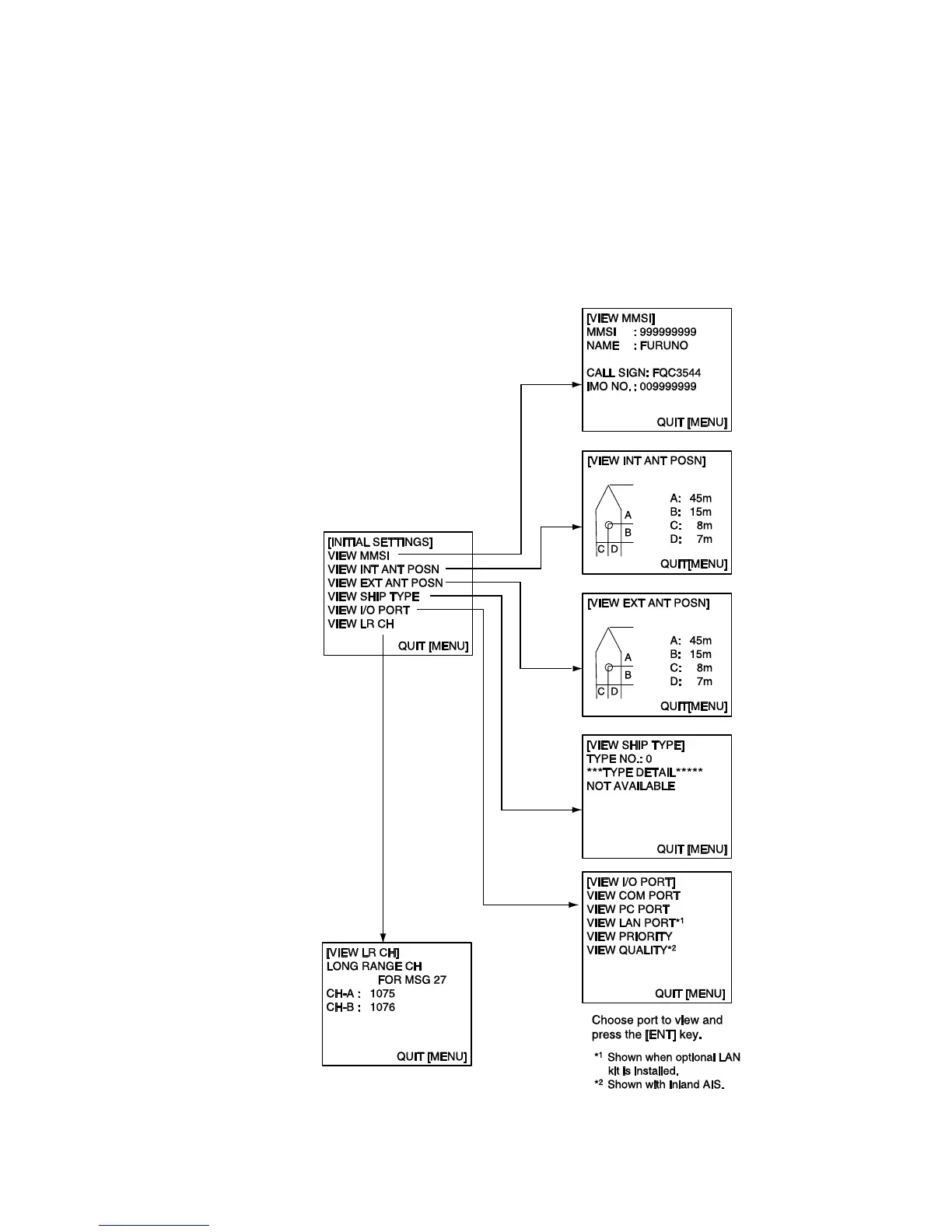
The INITIAL SETTINGS menu, which is locked with a password, is where the
installer enters ship’s MMSI, internal and external antenna positions, ship type
and I/O port settings. You can view the settings on this menu as follows.
1. Press the MENU to open the menu.
2. Select INITIAL SETTINGS then press the ENT key.
3. Press the ENT key twice.
4. Select item to view then press the ENT key.



 To Next Page