3-1
3. INITIAL SETTINGS
This chapter shows you how to setup the equipment. Some procedures require entry
of job no. and password. Ask your dealer.
3.1 How to Install Software
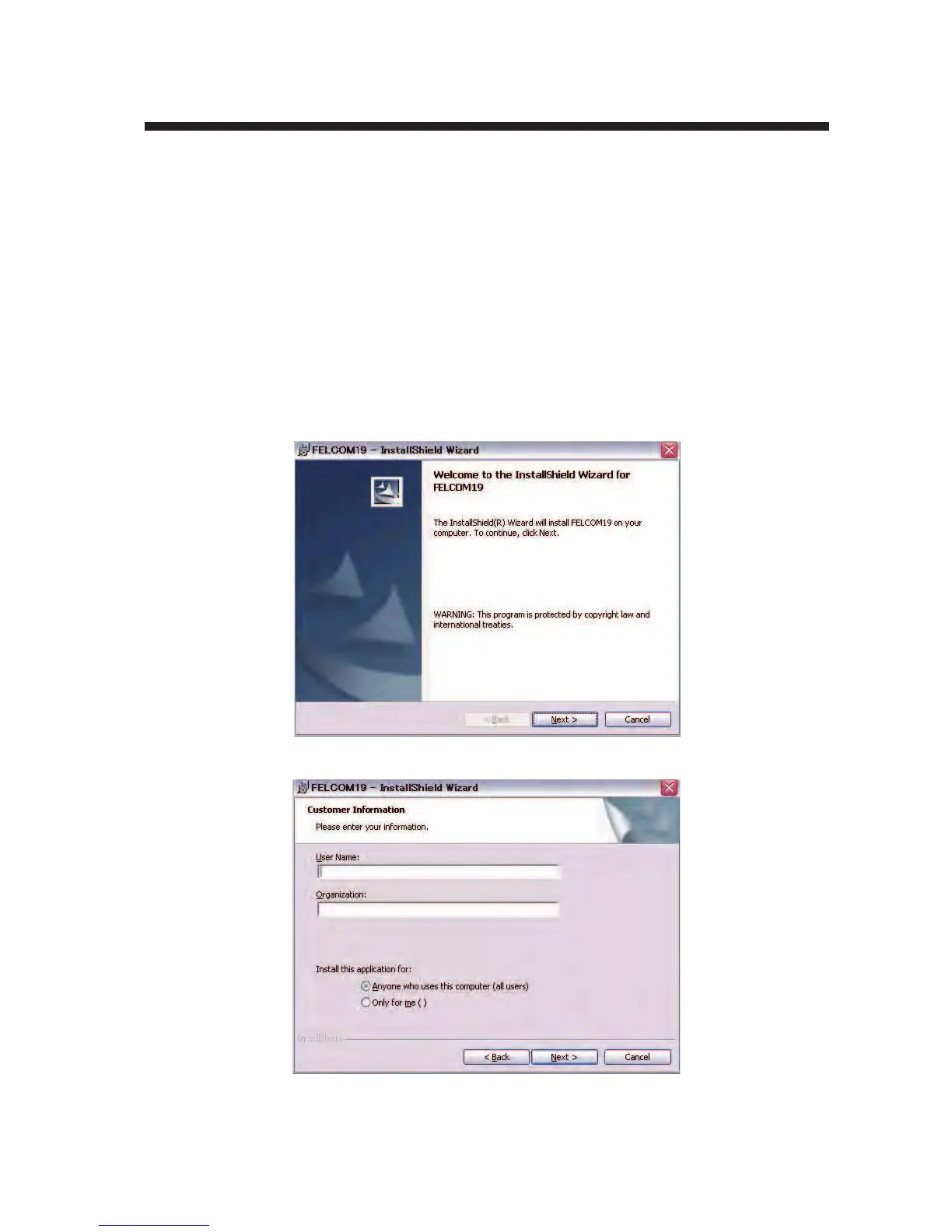
After installing the equipment, install the FELCOM19 software (F19PC) in the PC as
follows:
1. Turn on the PC.
2. Set the CD-ROM in CD drive.
3. Click the icon of “SETUP.EXE” in the CD-ROM. The setup procedure begins,
showing the welcome dialog box.
4. Click the Next button.



 To Next Page
 Loading...





