6. MENU OPERATION
6-24
6.21 Alarm Lists
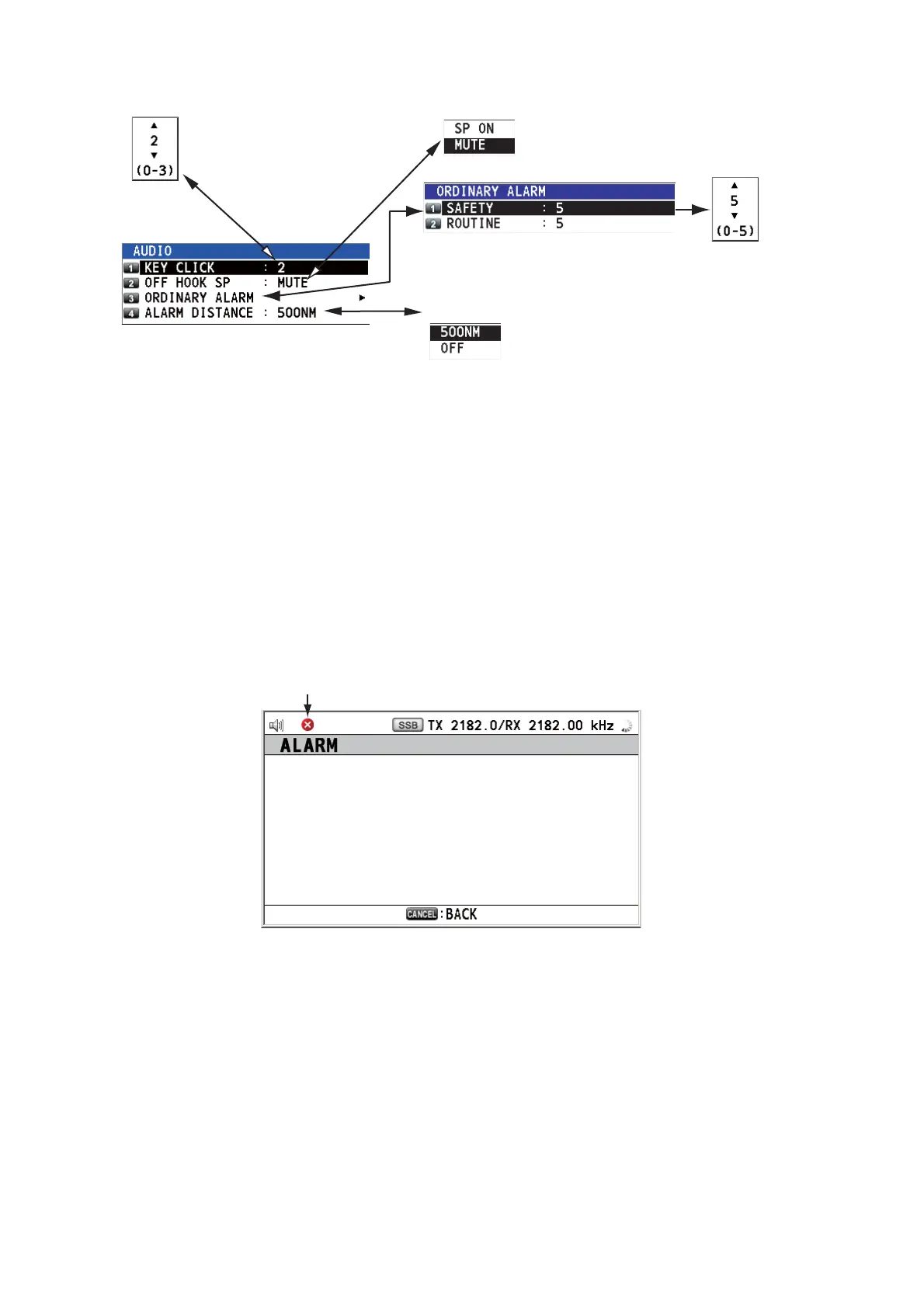
The [ALARM] menu shows all currently violated alarms. When an error occurs, a pop-
up message and the flashing error icon appear on the screen. Press the CANCEL key
to close the pop-up message and stop the flashng of the error icon. When the error is
removed, the error icon disappears.
Rotate the ENTER knob to select [ALARM] on the [MENU] screen then push the knob.
The following screen appears.
There are seven kinds of errors: TX PLL UNLOCK, RX PLL UNLOCK, WR1 PLL UN-
LOCK, WR2 PLL UNLOCK, MAIN AMP HEATED, SHIP’S MAIN FAILURE, VC ER-
ROR.
Errors are displayed in the order shown above, not in the order of occurrence. An error
is deleted from the list when the cause for the error is removed.
Default: [2]
Turn beep on (setting: [1] - [3])
or off (setting: [0]) when a key
is pressed.
Default: [MUTE]
Turn the speaker on or off
when the handset is off hook.
Rotate the ENTER knob
to set volume then push
the knob.
Default: [500NM]
Turn sound alarm on or off
for the distress alarm
received from a ship in
distress which is more than
500 NM from your ship.
Error icon
TX PLL UNLOCK
WR1 PLL UNLOCK



 To Next Page