6. MENU OPERATION
6-14
3. With [NAME] selected, push the ENTER knob.
4. Enter the address name (max. 20 letters) with the numeric keys then push the EN-
TER knob.
5. With [MMSI] selected, push the ENTER knob.
6. Enter the MMSI with the numeric keys then push the ENTER knob.
7. With [REGISTER] selected, push the ENTER knob.
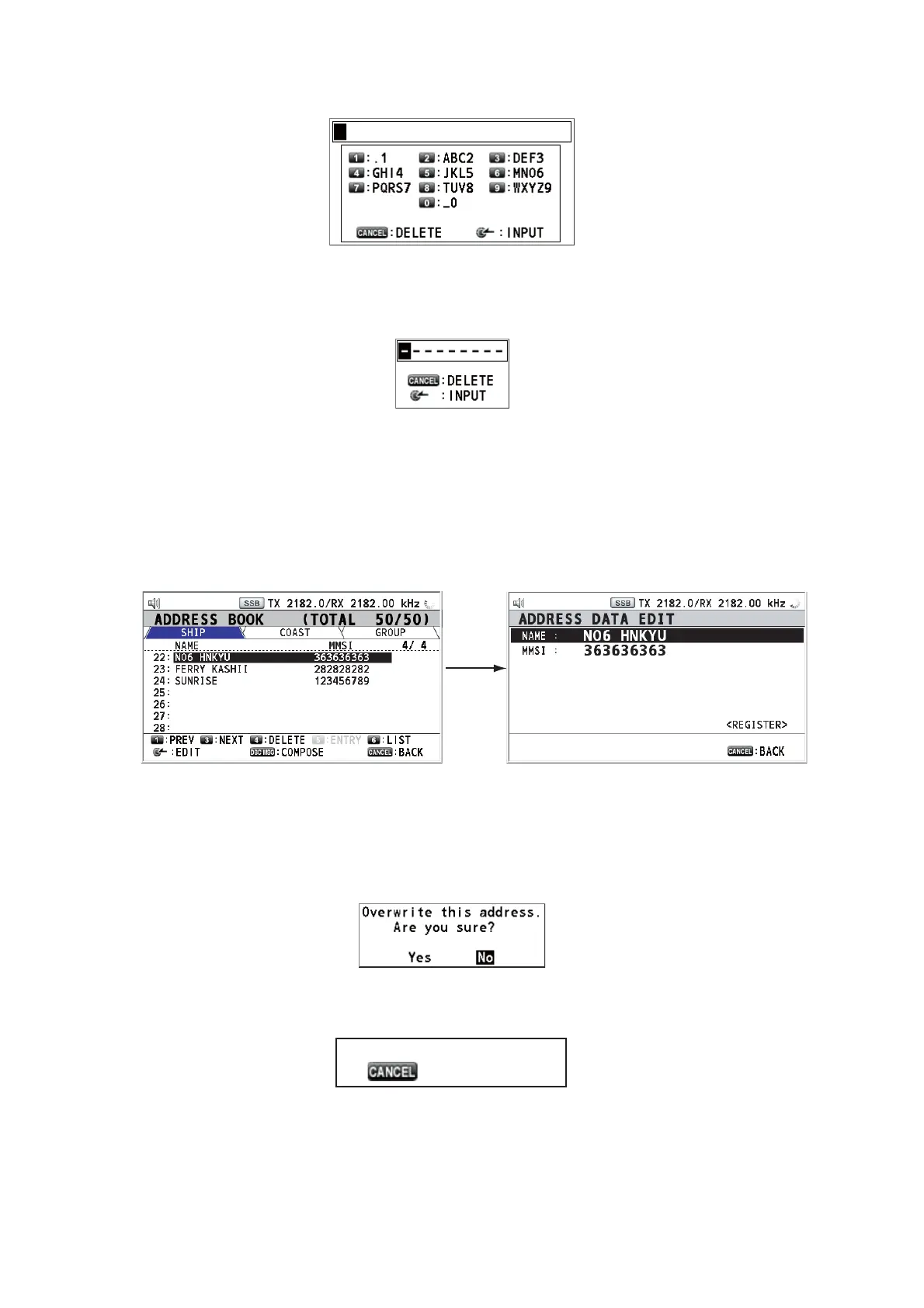
6.15.3 How to edit addresses
1. Open the [ADDRESS BOOK] screen.
2. Rotate the ENTER knob to select the address to edit then push the knob.
3. Rotate the ENTER knob to select [NAME] or [MMSI] as appropriate then push the
knob.
4. Enter the address name or MMSI with the numeric keys then push the ENTER
knob.
5. Rotate the ENTER knob to select [REGISTER] then push the knob.
Note: If the MMSI is already registered to another address, the error alarm sounds
and a warning pop-up message appears when selecting [REGISTER].
6. Rotate the ENTER knob to select [Yes] then push the knob.
Push
the
ENTER
knob.
LIST
: 24 : 20
: 6
MMSI number overlaps.
: Close window



 To Next Page