5. DSC GENERAL MESSAGE CALLING, RECEIVING
5-12
5.3 Geographical Area Call
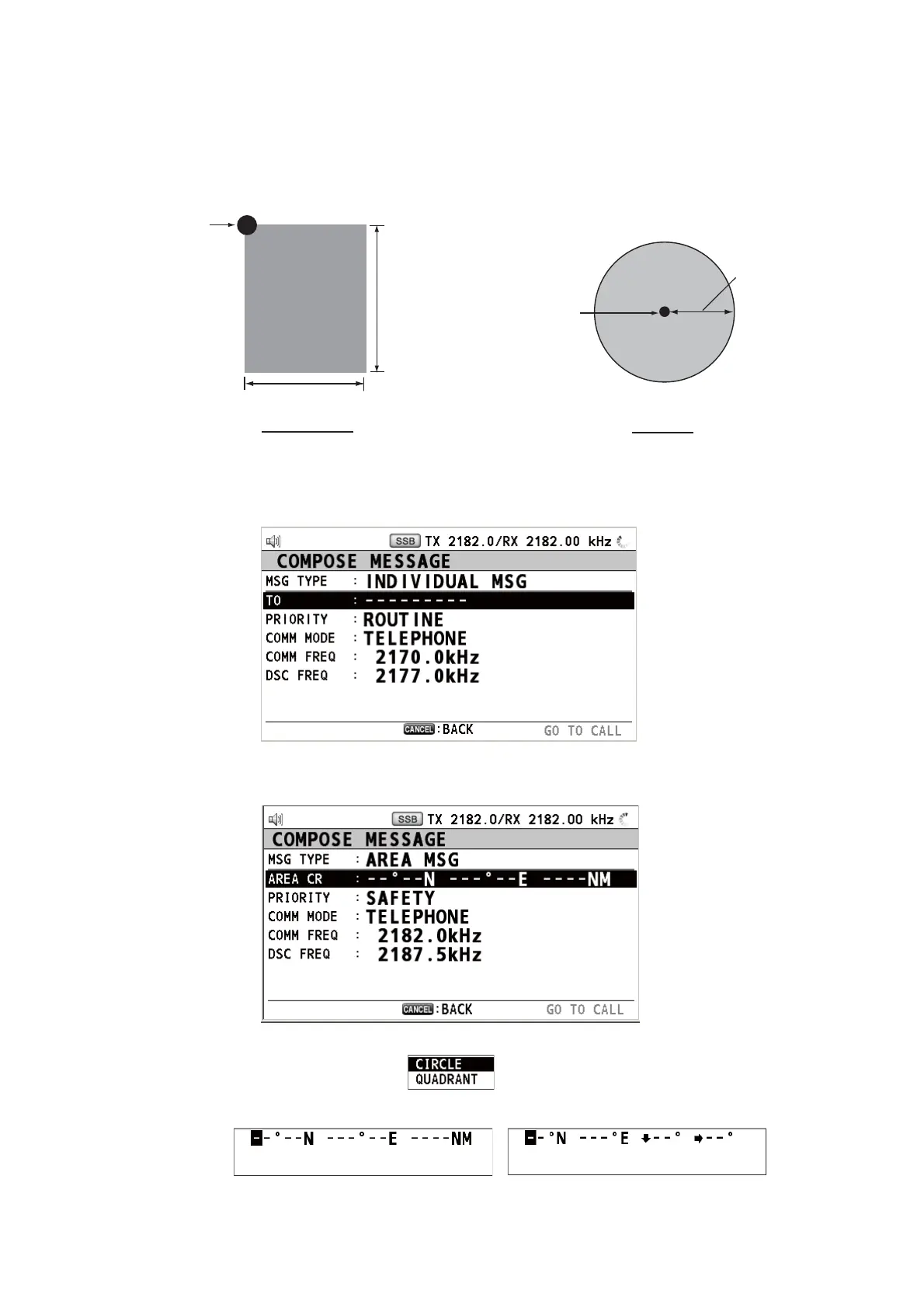
The purpose of a geographical area call is to send a call to all ships within the area
you designate. In the figure below, for example, the call is sent to all ships within 24-
34°N, 135-140°W (QUADRANT) and 34°N, 140°W, range: 500 NM (CIRCLE).
5.3.1 How to send a geographical area call
1. Press the OTHER DSC MSG key.
2. Rotate the ENTER knob to select [MSG TYPE] then push the knob.
3. Rotate the ENTER knob to select [AREA MSG] then push the knob.
4. With [AREA CR] selected, push the ENTER knob.
5. Rotate the ENTER knob to select [CIRCLE] or [QUADRANT] then push the knob.
QUADRANT CIRCLE
Reference point
(For example,
34°N, 140°W)
Reference point
(For example,
34°N, 140°W)
500 NM
34°N
10°
24°N
5°
140°W
135°W
CIRCLE setting window
QUADRANT setting window



 To Next Page